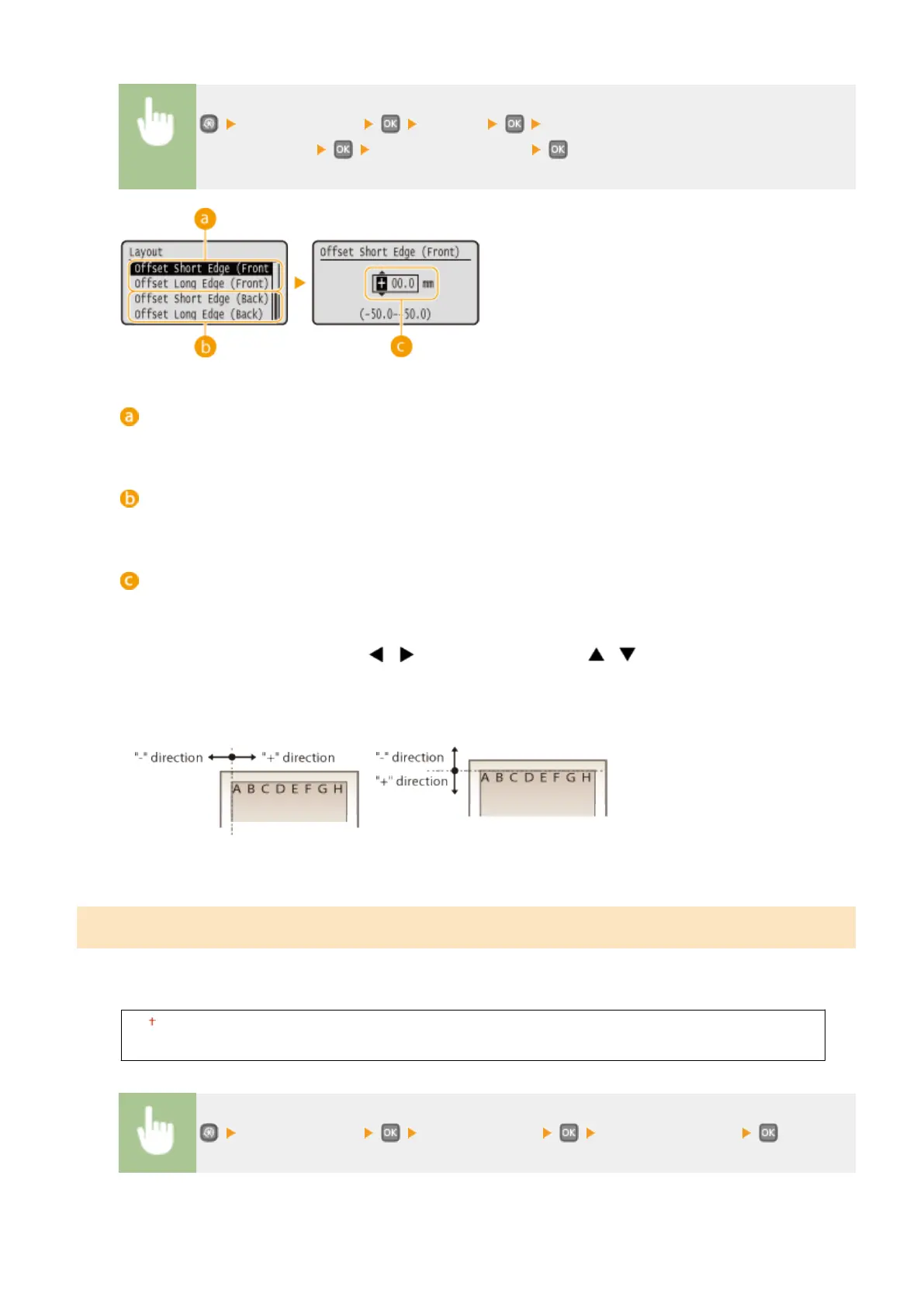
<Printer Settings> <Layout> Select the combination of adjustment direction
and printing side Specify the offset value
<Offset Short Edge (Front)>/<Offset Long Edge (Front)>
Shifts the print position on the side of paper facing up.
<Offset Short Edge (Back)>/<Offset Long Edge (Back)>
Shifts the print position on the side of paper facing down.
Entering the setting value
For <Offset Short Edge (Front)>/<Offset Short Edge (Back)>, specify a value with a "+" sign to shift the print
position in the left-to-right direction. For <Offset Long Edge (Front)>/<Offset Long Edge (Back)>, specify a
value with a "+" sign to shift the print position in the up-to-down direction. To shift in the reverse direction,
specify a value with a "-" sign. Use / to move the cursor, and / to switch between "+" / "-" and
to increase or decrease the value.
<Offset Short Edge (Front)>
<Offset Short Edge (Back)>
<Offset Long Edge (Front)>
<Offset Long Edge (Back)>
Auto Error Skip
Printing stops if a certain error occurs in the process. However, if you set this item to <On>, the certain error will be
skipped and printing can continue. Normally, set this item to <Off>.
Off
On
<Printer Settings> <Auto Error Skip> Select <Off> or <On>
Setting Menu List
319










 To Next Page