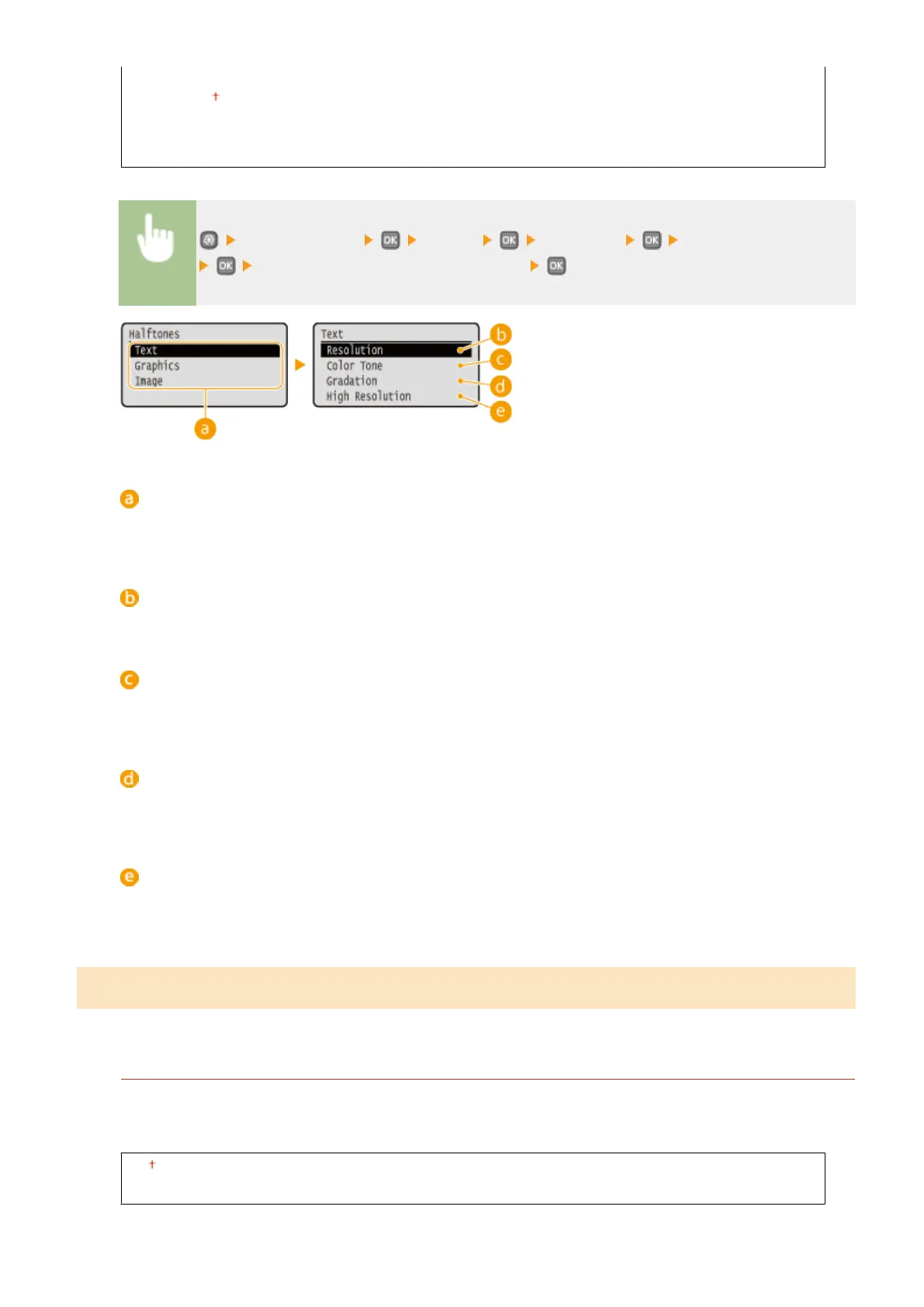
Resolution
Color Tone
Gradation
High Resolution
<Printer Settings> <UFR II> <Halftones> Select the type of image
Select the halftone reproduction method
Type of image
Select the object for which to change the setting. <Text> represents letters and characters, <Graphics>
represents lines and gures, and <Image> represents photos and images.
<Resolution>
Produces a ne print with clear edges of text. It is suitable for printing characters and ne lines.
<Color Tone>
Produces a sharp print with strong contrast of lightness and darkness. It is suitable for printing image data
such as photo image data.
<Gradation>
Produces a print with smooth gradation or smooth edges. It is suitable for printing gures or graphs
containing gradation areas.
<High Resolution>
As compared to <Resolution>, this produces a ner print but quality stability is slightly lower. It is suitable to
obtain a print of character data or ne line data or CAD data with sharp edges.
PCL
Specify the PCL printing settings such as page layout and print quality.
Paper Save
Select whether to save paper by not outputting blank pages in documents. By selecting <On>, the machine will
not output blank pages. To output all your document data when printing, including any blank pages that you
have inserted in your document, select <Off>.
Off
On
Setting Menu List
321










 To Next Page