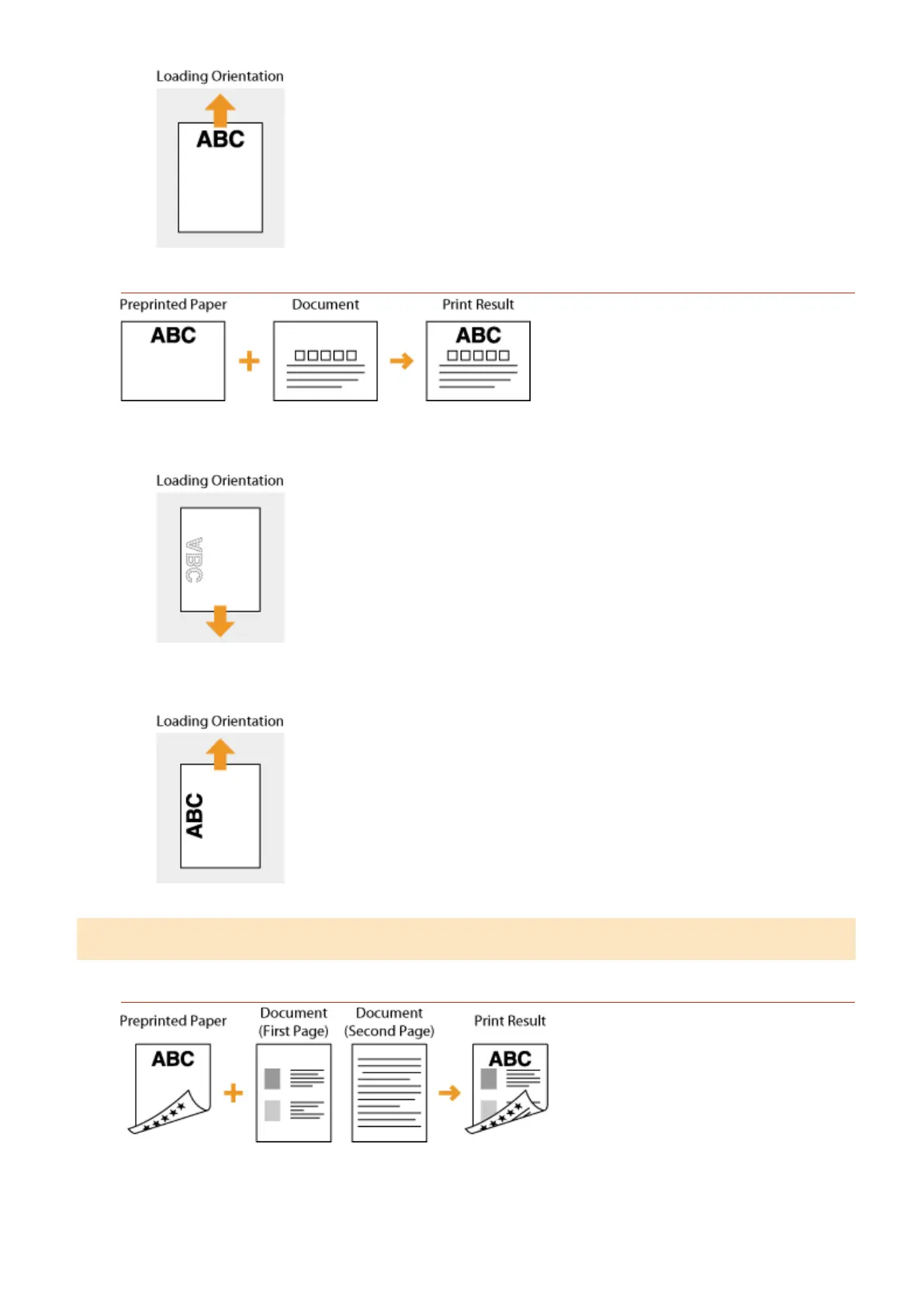
Printing on Paper with Logos in Landscape Orientation
When loading the paper in the paper drawer
Load the paper with the logo side (the side to print the document) face down.
When loading the paper in the multi-purpose tray
Load the paper with the logo side (the side to print the document) face up.
Making 2-Sided Printouts on Paper with Logos
Printing on Paper with Logos in Portrait Orientation
When loading the paper in the paper drawer
Load the paper with the front logo side (the side to print the rst page of the document) face up.
Basic Operations
47










 To Next Page