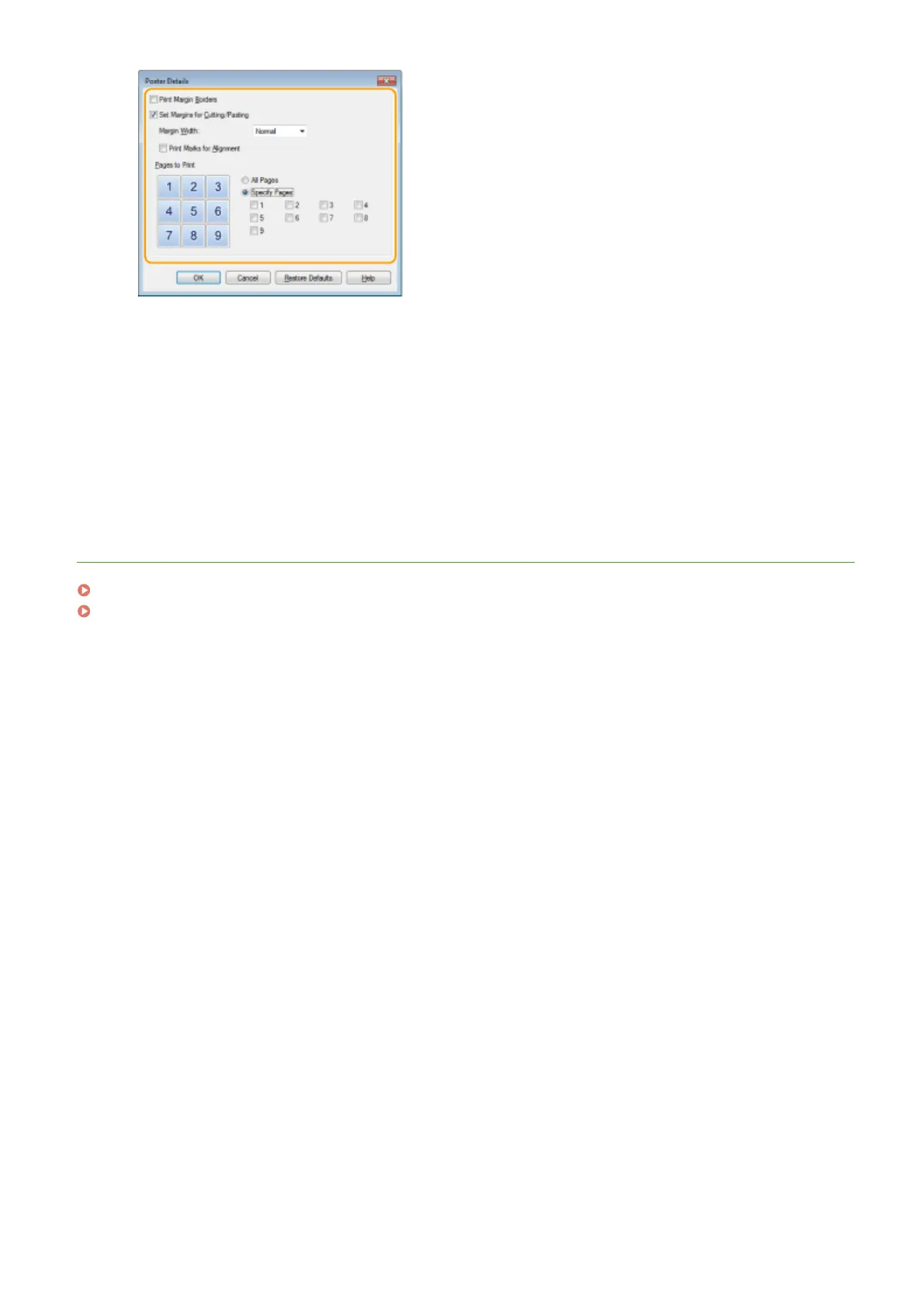
[Print Margin Borders]
Bor
ders are printed on each page. The borders are helpful if you want to paste the printouts together or
cut off the margins.
[Set Margins for Cutting/Pasting]
Prints margins to allow cutting or pasting. To print markings so that margins can be easily identied,
select the [Print Marks for Alignment] check box.
[Pages to Print]
● [All Pages]: Carry out poster printing for all pages.
● [Specify Pages]: Carry out poster printing only for specied pages.
LINKS
Printing a Document(P. 87)
Enlarging or Reducing(P. 97)
Using the Machine as a Printer
106











 To Next Page