Printing Posters
15A8-024
You can print one page of a document onto multiple pages. For example, if you make
a one-page A4-size document nine times lar
ger, you will have a poster 3x3 A4 size
sheets large after you print the document and paste it together.
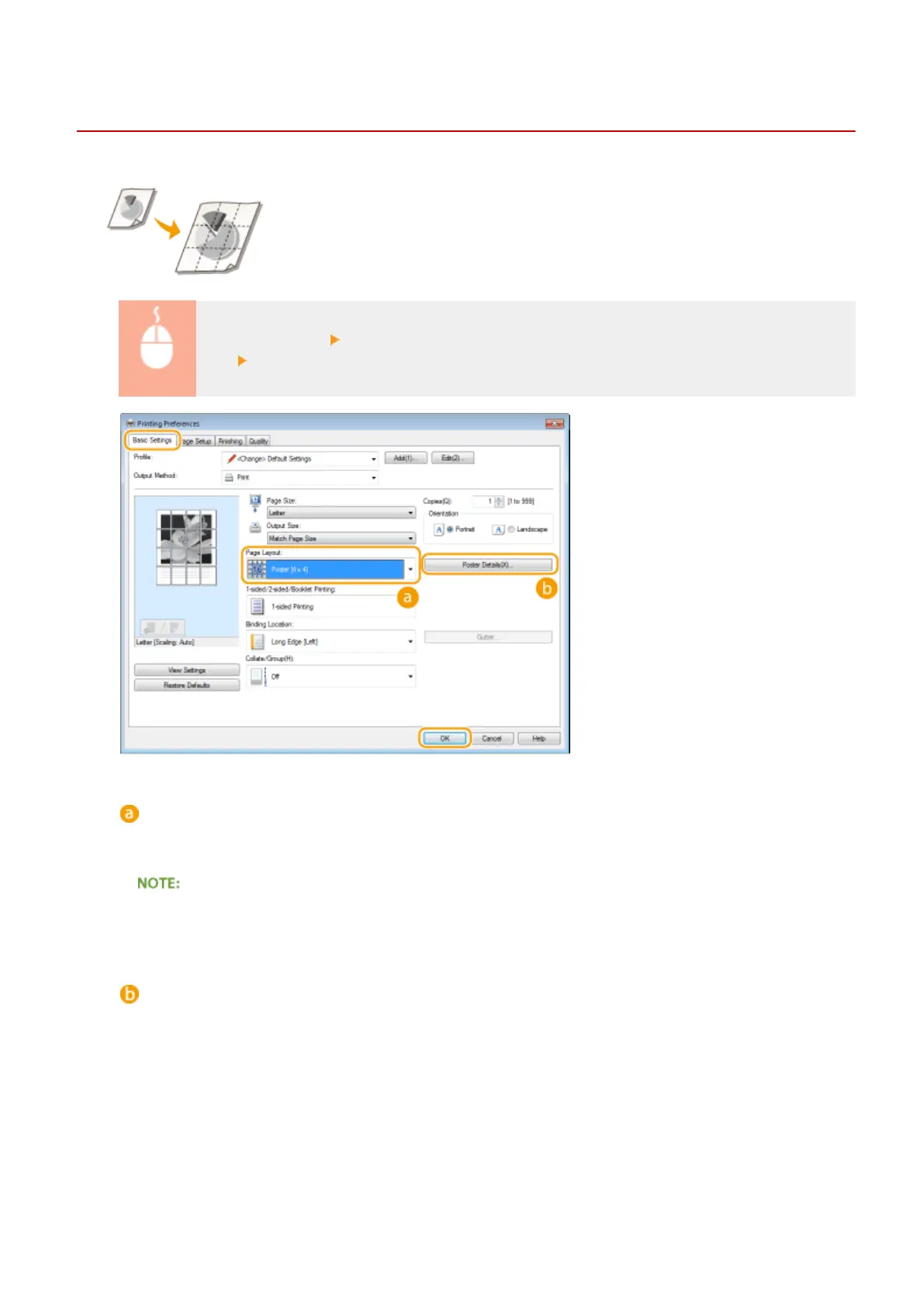
[Basic Settings] tab In [Page Layout], select the dimensions of your poster (for example, [Poster [2
x 2]]) [OK]
[Page Layout]
Select the layout for poster printing. Ther
e are four size settings:[Poster [1 x 2]], [Poster [2 x 2]], [Poster [3 x
3]], and [Poster [4 x 4]].
● Poster
size settings cannot be selected when 2-sided printing is enabled. Select [1-sided Printing] in [1-
sided/2-sided/Booklet Printing], and then select a poster size setting.
[Poster Details]
The scr
een below appears.
Using the Machine as a Printer
105










 To Next Page