Before Replacing the Toner Cartridge
15A8-06R
Perform the follo
wing before replacing the toner cartridge. The message may no longer appear, or print quality may
be improved. Review cautions for handling the toner cartridge before starting.
Maintenance and Inspections(P. 8)
Consumables(P. 9)
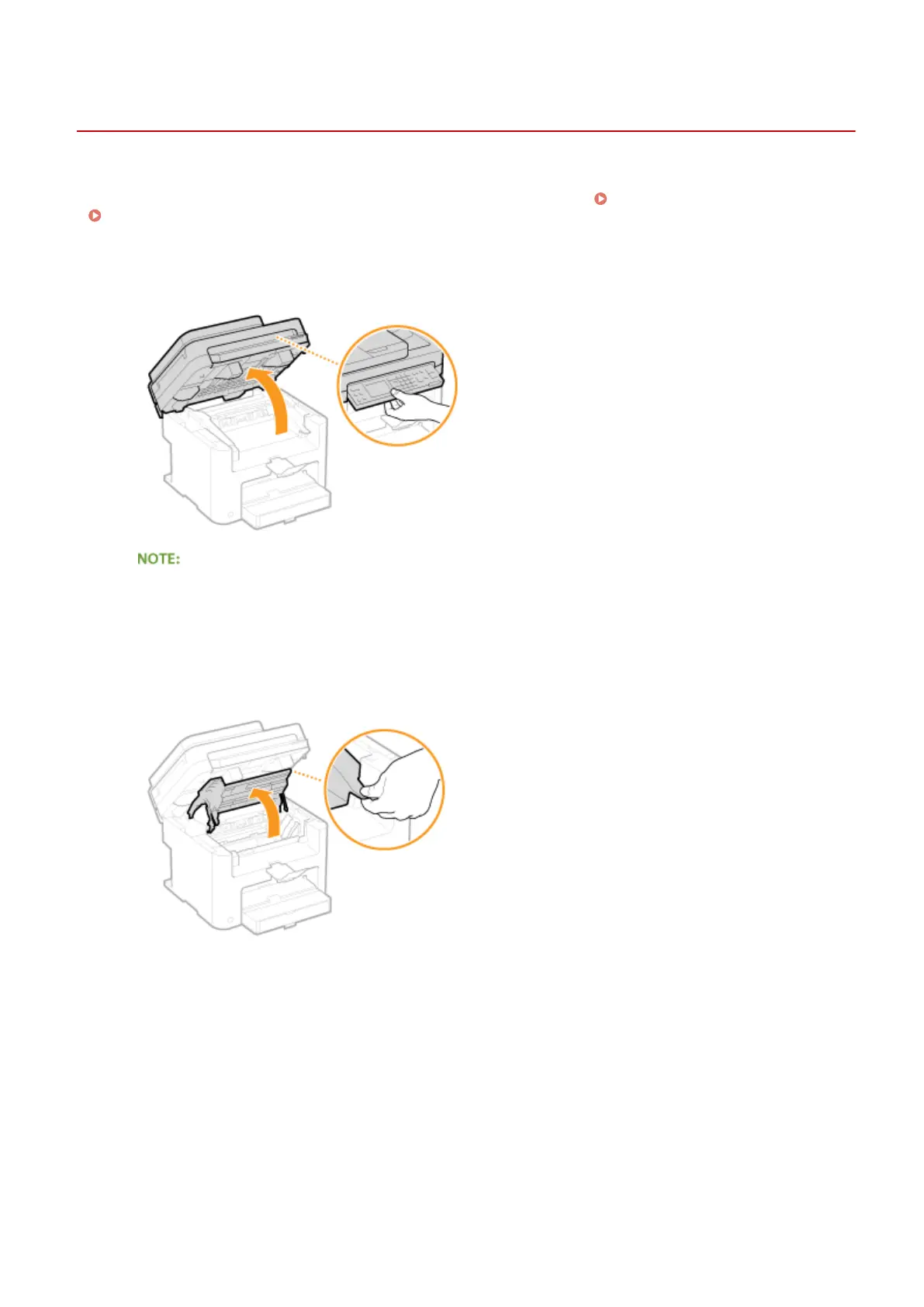
1
Lift the operation panel.
If you cannot lift the operation panel
Mak
e sure the feeder or platen glass cover is completely closed. If a thick original such as a book is placed on
the platen glass, remove the original. Forcing the operation panel up may cause damage.
2
Open the toner cover by the grip at the front right of the toner cover.
3
Pull the toner cartridge out of the machine.
Maintenance
388










 To Next Page