Specifying IP Addresses for Firewall Rules
15A8-04K
Y
ou can either limit communication to only devices with specied IP addresses, or block devices with specied IP
addresses but permit other communications. You can specify a single IP address or a range of IP addresses.
● Up to 4 IP addr
esses (or ranges of IP addresses) can be specied for both IPv4 and IPv6.
● The packet lters described in this section control communications over TCP, UDP, and ICMP.
1
Start the Remote UI and log on in System Manager Mode.
Starting Remote
UI(P
. 273)
2
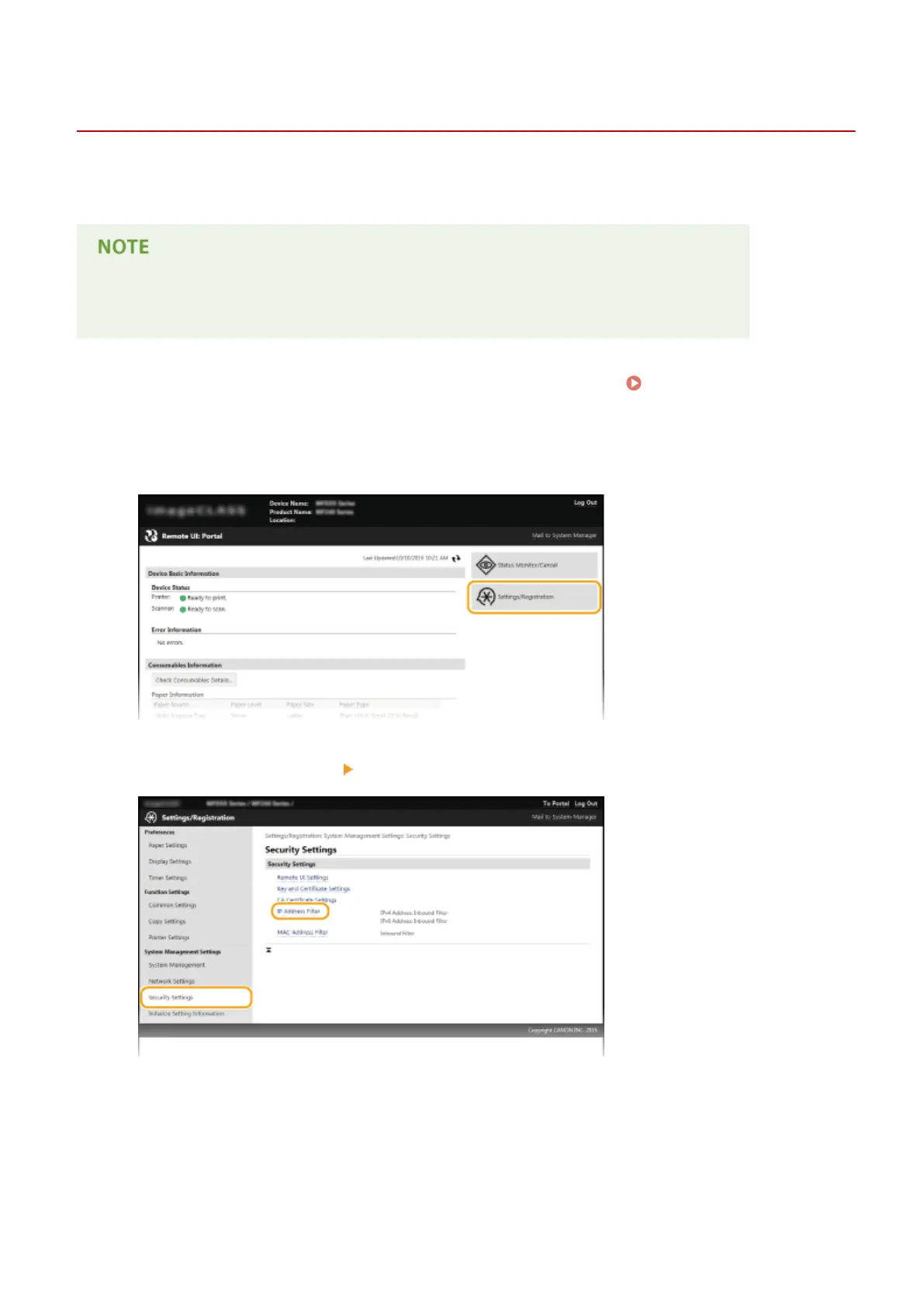
Click [Settings/Registration].
3
Click [Security Settings]
[IP Address Filter].
4
Click [Edit] for the lter type that you want to use.
Security
234










 To Next Page