Loading Paper in the Paper Drawer
15A8-00S
Load the paper that you usually use in the paper dr
awer. When you want to print on paper that is not loaded in the
paper drawer, load the paper in the manual feed slot.
Loading Paper in the Manual Feed Slot(P. 47)
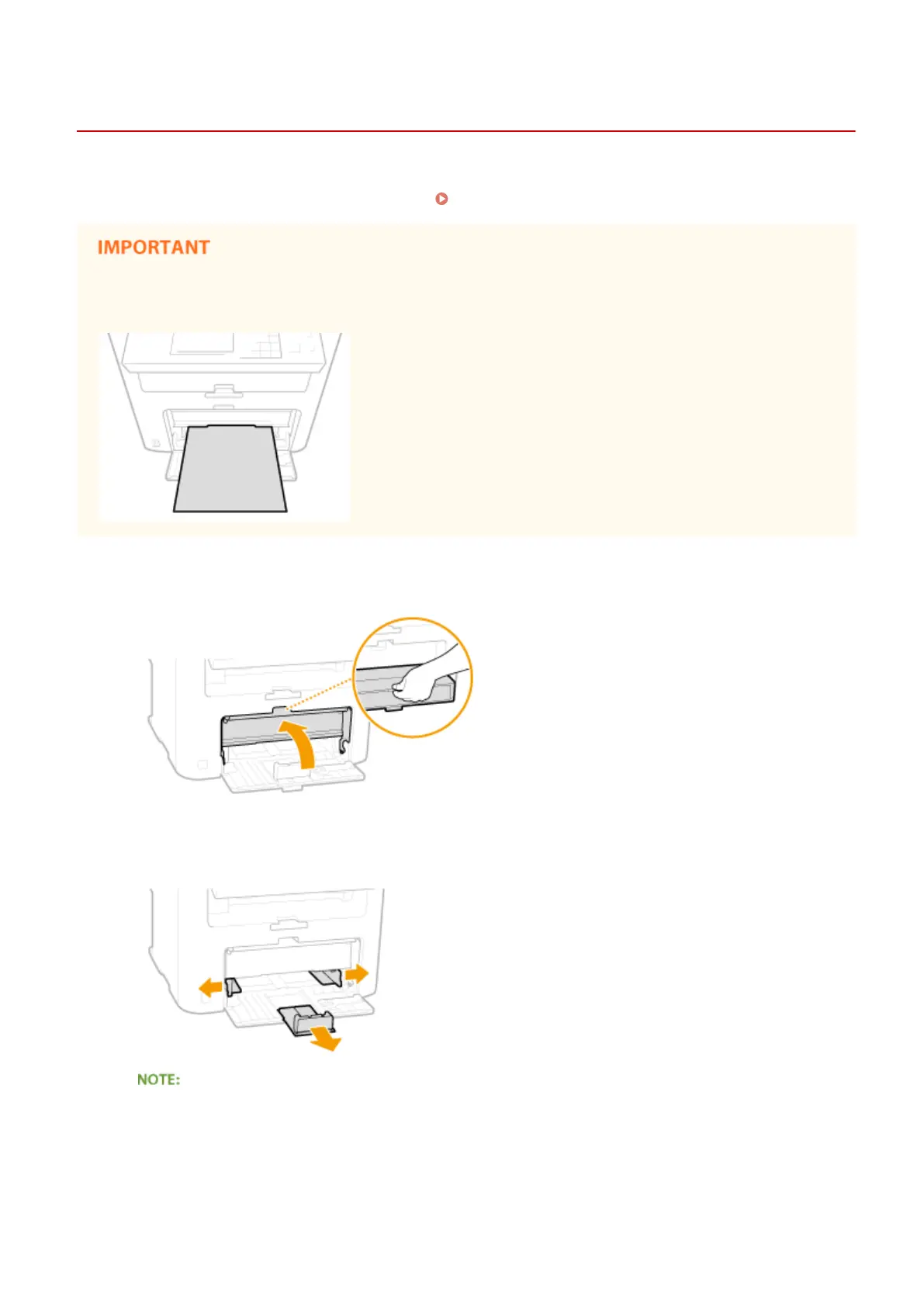
Make sure to load paper in portrait orientation
Paper cannot be loaded in landscape orientation. Mak
e sure to load the paper in portrait orientation.
1
Lift the dust cover.
2
Slide the paper guides apart.
Size abbreviations on the paper guides
The abbr
eviations on the paper guides in the paper drawer indicate paper sizes as follows:
● LGL: Legal
● LTR: Letter
● STMT: Statement
Basic Operations
44











 To Next Page