Setting Up Connection by Selecting a Wireless Router
15A8-03J
Y
ou can search the wireless routers (or access points) available for connection and select one from the display of the
machine. For the network key, enter a WEP key or TKIP. Before selecting a wireless router, check and write down the
required setup information, including the SSID and network key (
Checking the SSID and Network Key(P. 184) ).
Security settings
If the wir
eless connection is set up by selecting a wireless router, the WEP authentication method is set to
<Open System> or the WPA/WPA2 encryption method is set to <Auto> (AES-CCMP or TKIP). If you want to select
<Shared Key> for WEP authentication or <AES-CCMP> for WPA/WPA2 encryption, you need to set up the
connection using the manual entry method (
Setting Up Connection by Specifying Detailed
Settings(P
. 180) ).
1
Press
.
2
Use
/ to select <Network Settings>, and press .
● If a scr
een for entering a PIN is displayed, enter the PIN with the numeric keys and press
. Setting
the System Manager PIN
(P. 229)
3
Select <Wireless LAN Settings>, and press
.
● If the <Enable the wir
eless LAN?> message is displayed, select <Yes>, and press
.
● If the <Dir
ect Connection will be disabled. Is it OK?> message is displayed, select <Yes>, and press
.
4
Read the message that is displayed, and press .
5
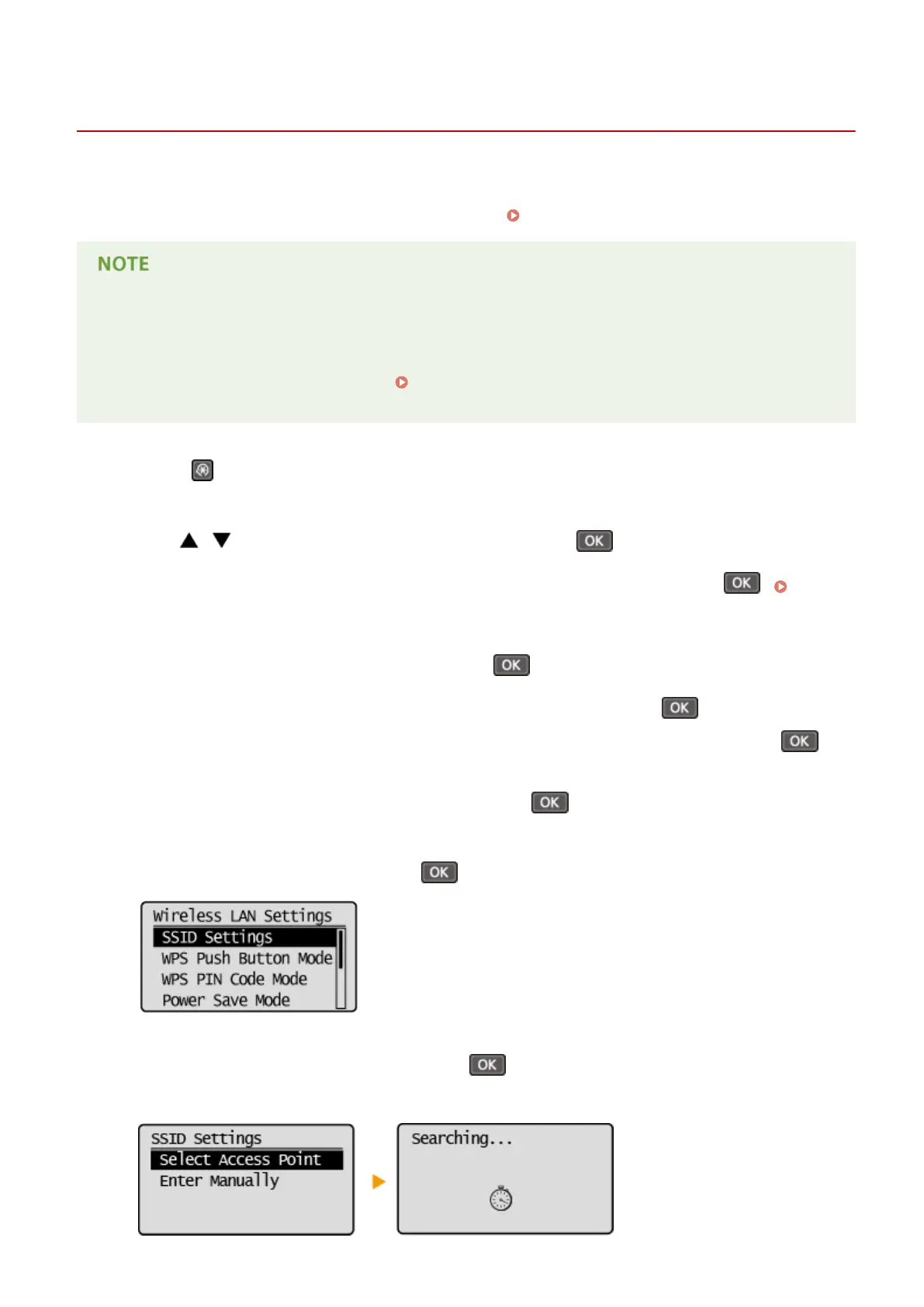
Select <SSID Settings>, and press
.
6
Select <Select Access Point>, and press .
● The machine starts sear
ching for available wireless routers.
Network (MF244dw / MF232w)
177











 To Next Page