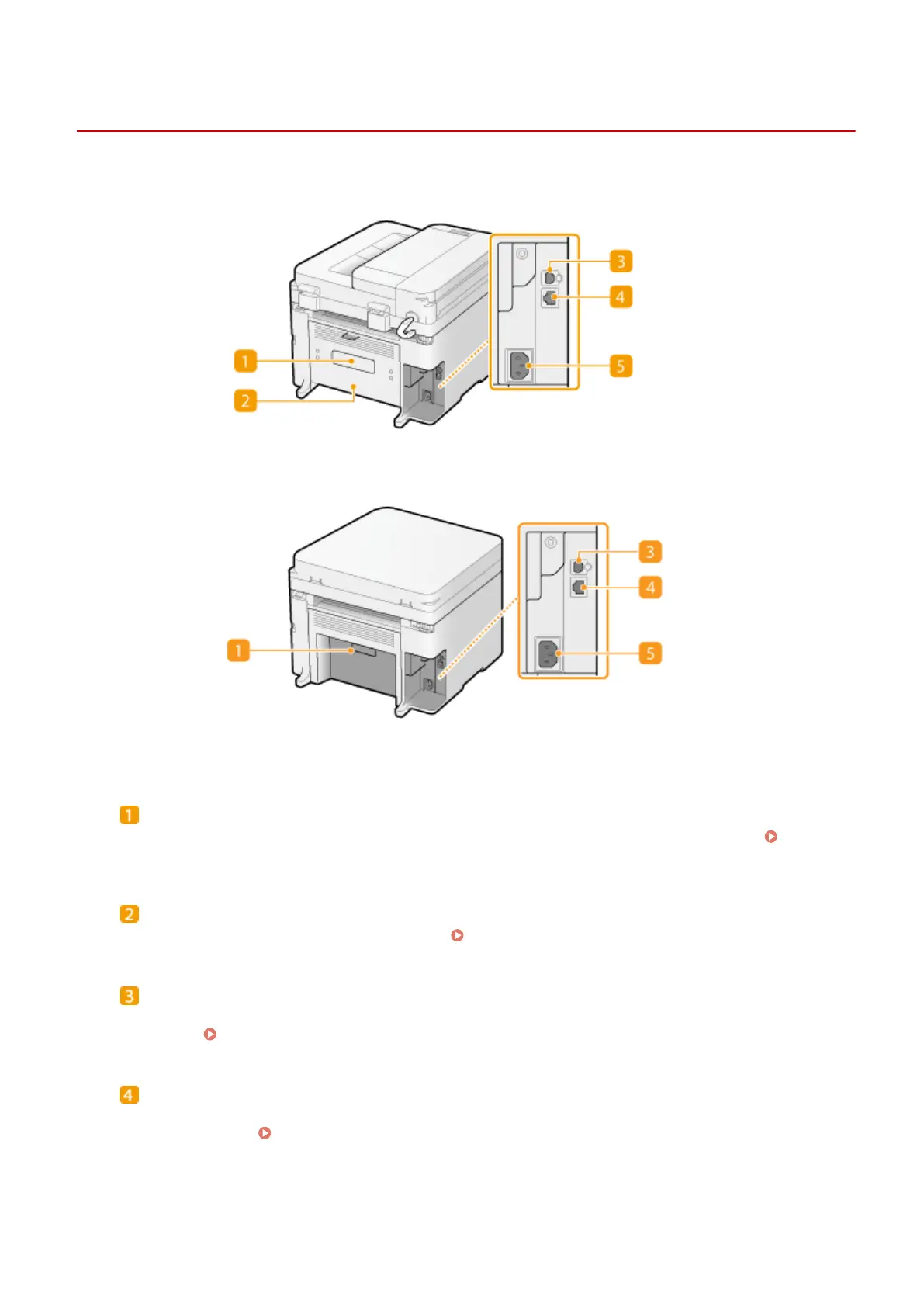
Back Side
15A8-009
MF244dw
MF232w / MF231
Rating label
The label sho
ws the serial number, which is needed when making inquiries about the machine.
When a
Pr
oblem Cannot Be Solved(P. 374)
Rear cover (MF244dw)
Open the r
ear cover when clearing paper jams.
Clearing Jams(P. 341)
USB port
Connect a USB cable when connecting the machine and a computer. For connection steps, see "Getting
Started". Manuals Included with the Machine(P. 425)
LAN port (MF244dw / MF232w)
Connect a LAN cable when connecting the machine to a wir
ed LAN router, etc. For connection steps, see
"Getting Started".
Manuals Included with the Machine(P. 425)
Basic Operations
18











 To Next Page