Combining and Printing Multiple Documents
15A8-02C
By using Canon PageComposer, you can combine multiple documents into one print
job and print the job with specied print settings. This function, for e
xample, enables
you to combine documents made with different applications and print all of the
pages in the same paper size.
1
Open a document in an application and display the print dialog box.
● Ho
w to display the print dialog box differs for each application. For more information, see the instruction
manual for the application you are using.
2
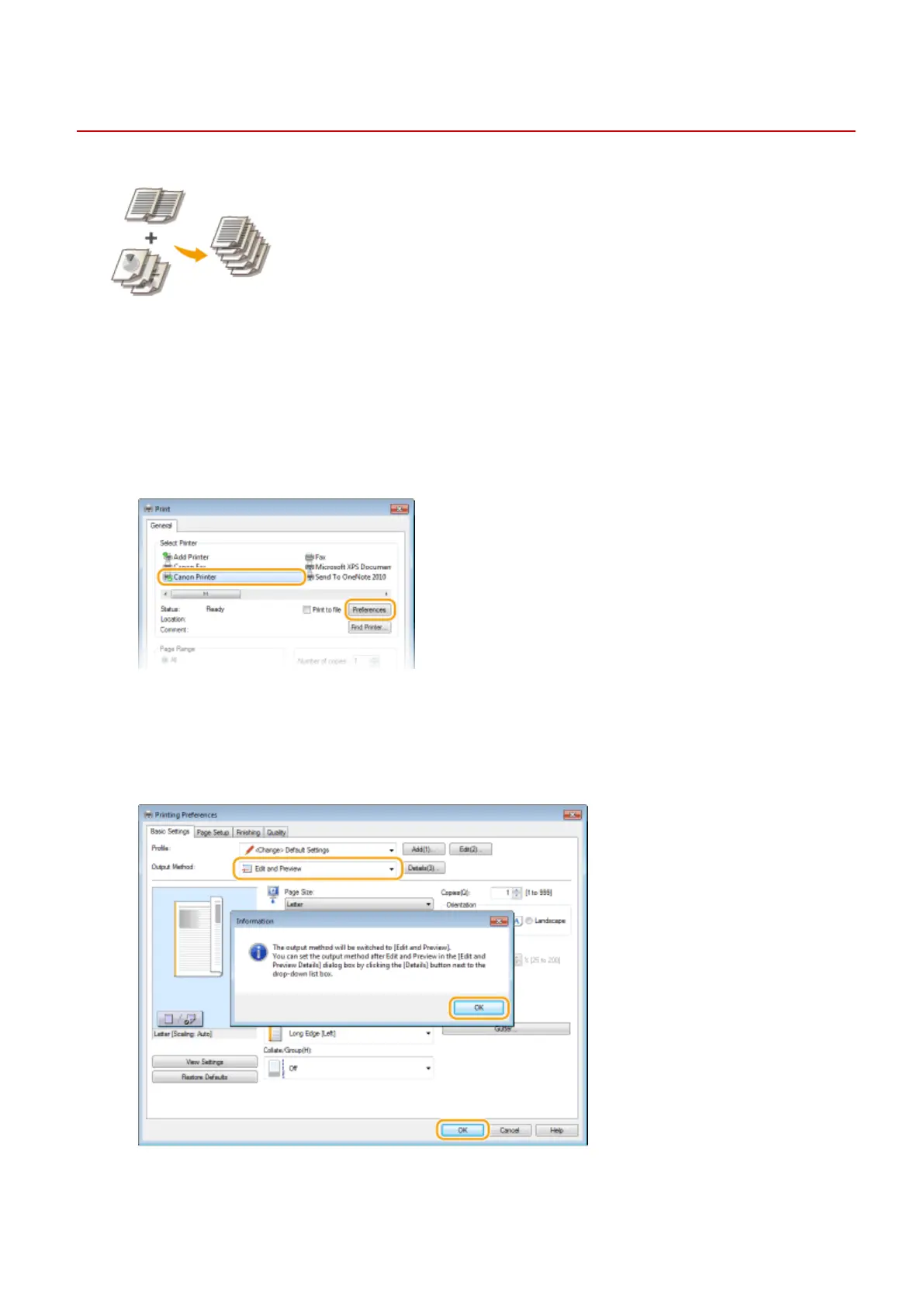
Select the printer driver for this machine, and click [Preferences] or [Properties].
3
Select [Edit and Preview] in [Output Method].
● Click [OK] on the [Information] pop-up scr
een.
● Click [OK] at the bottom of the screen.
4
Click [Print] or [OK].
Using the Machine as a Printer
118











 To Next Page