Feeder
15A8-06H
Dust and gr
aphite powder may adhere to the roller inside the feeder and cause smudges to appear on printouts. To
clean the feeder, perform the following procedure.
1
Turn OFF the machine, and unplug the power cord from the AC power outlet.
● When you turn OFF the machine, data that is waiting to be printed is deleted.
2
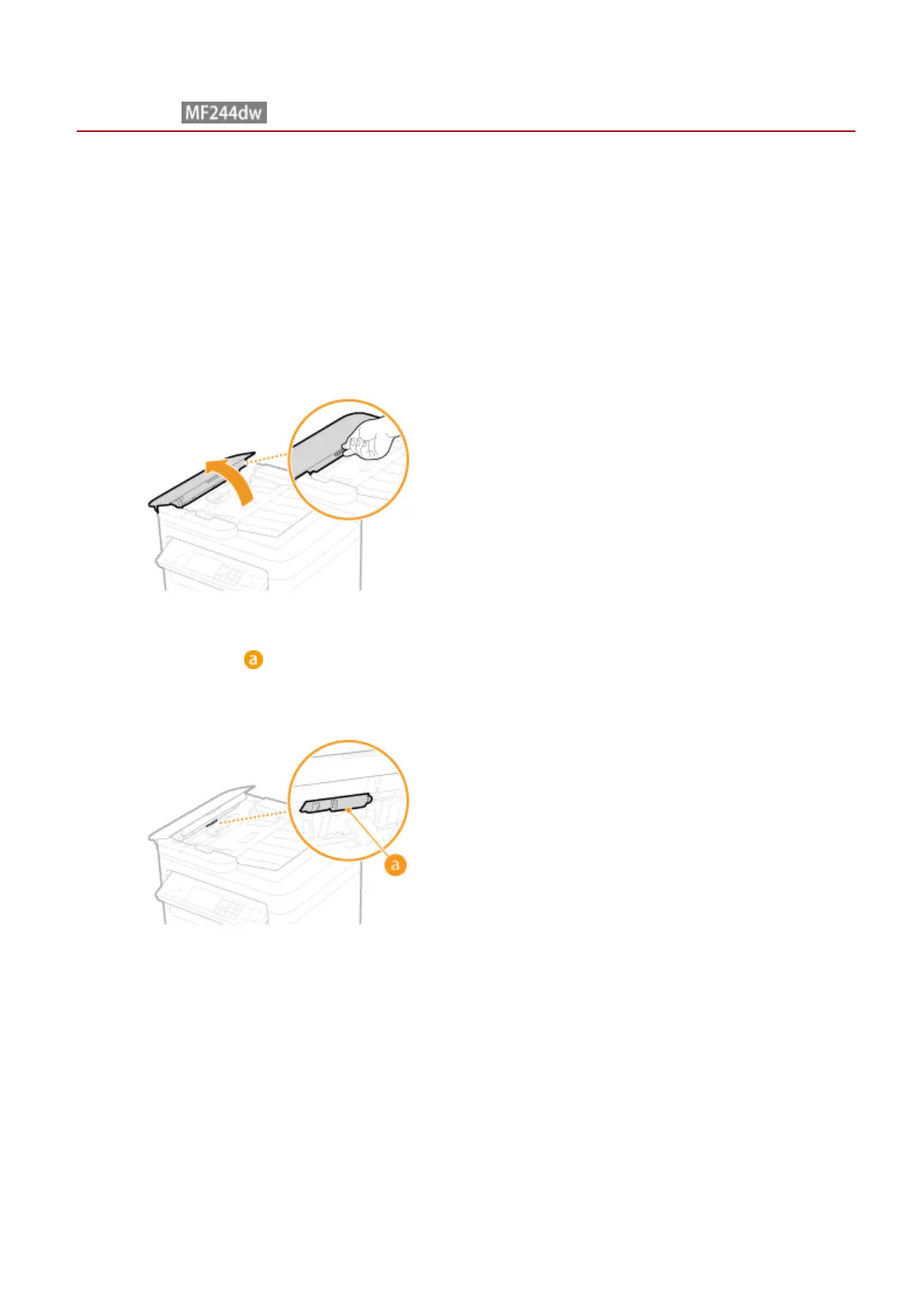
Open the feeder cover.
3
Wipe roller ( ) inside feeder.
● Clean the areas with a well-wrung-out cloth dampened with water. Then, wipe the area with a soft, dry cloth.
4
Gently close the feeder cover.
5
Reconnect the power cord and turn ON the machine.
Maintenance
382











 To Next Page