Copying Both Sides of an ID Card onto One Page
15A8-01J
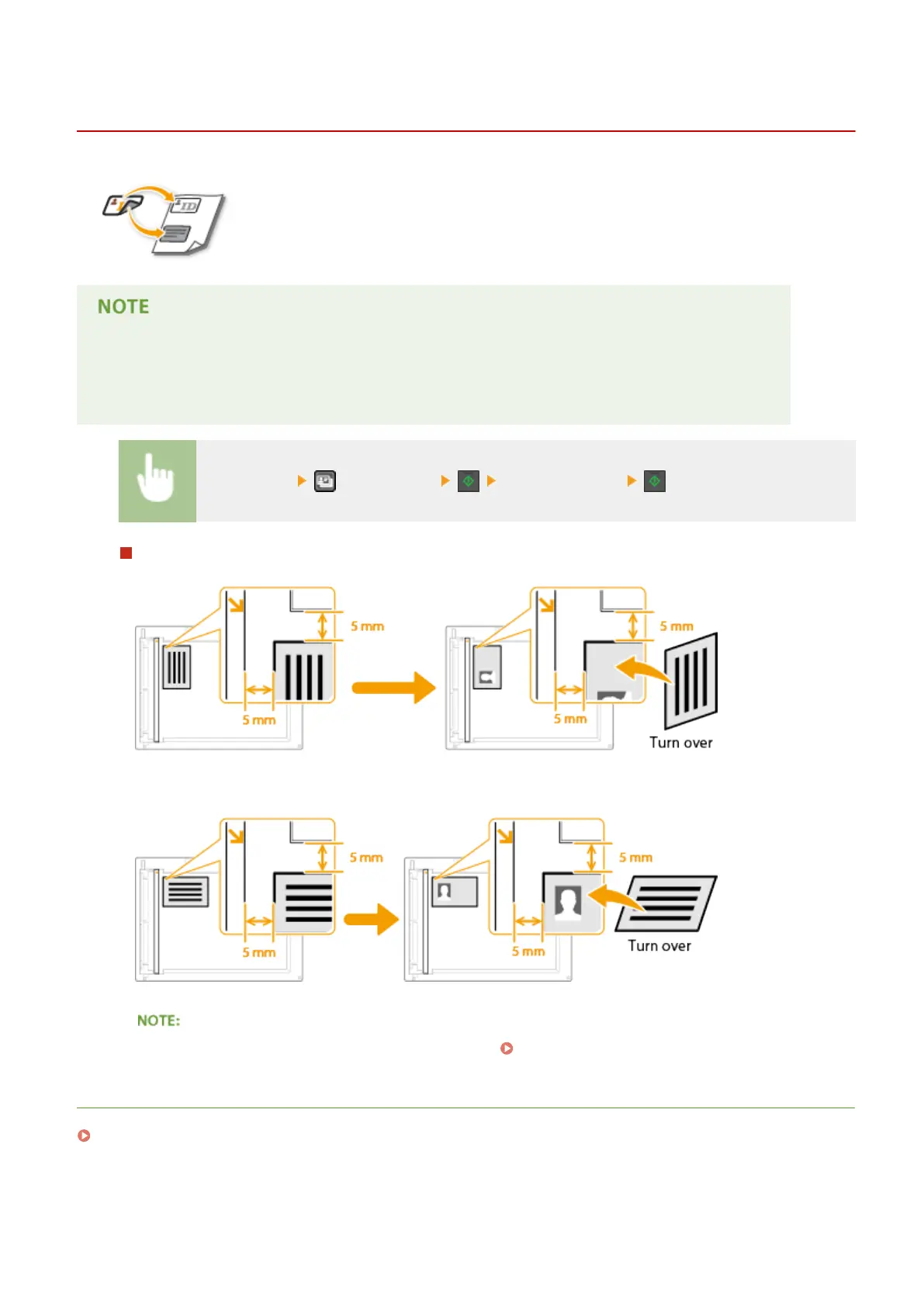
You can use <ID Card Copy> to copy the front and back sides of a card onto the same side of
a page. This function is useful when cop
ying a driver's license or ID card.
● All r
egular paper sizes can be used except Letter (Government), Legal (Government), and Envelope.
● <Copy Ratio> is automatically set to <Copy Ratio: 100% (1:1)>.
● <ID Card Copy> is not available when using <Paper Save Copy>, <2-Sided>, or <2 on 1>/<4 on 1>.
Place the card (ID Card Copy) Turn the card over
How to place the card
● When the <Size/Settings Mismatch> message appears. When an Error Message Appears(P. 347)
LINKS
Basic Copy Operations(P. 65)
Copying
81











 To Next Page