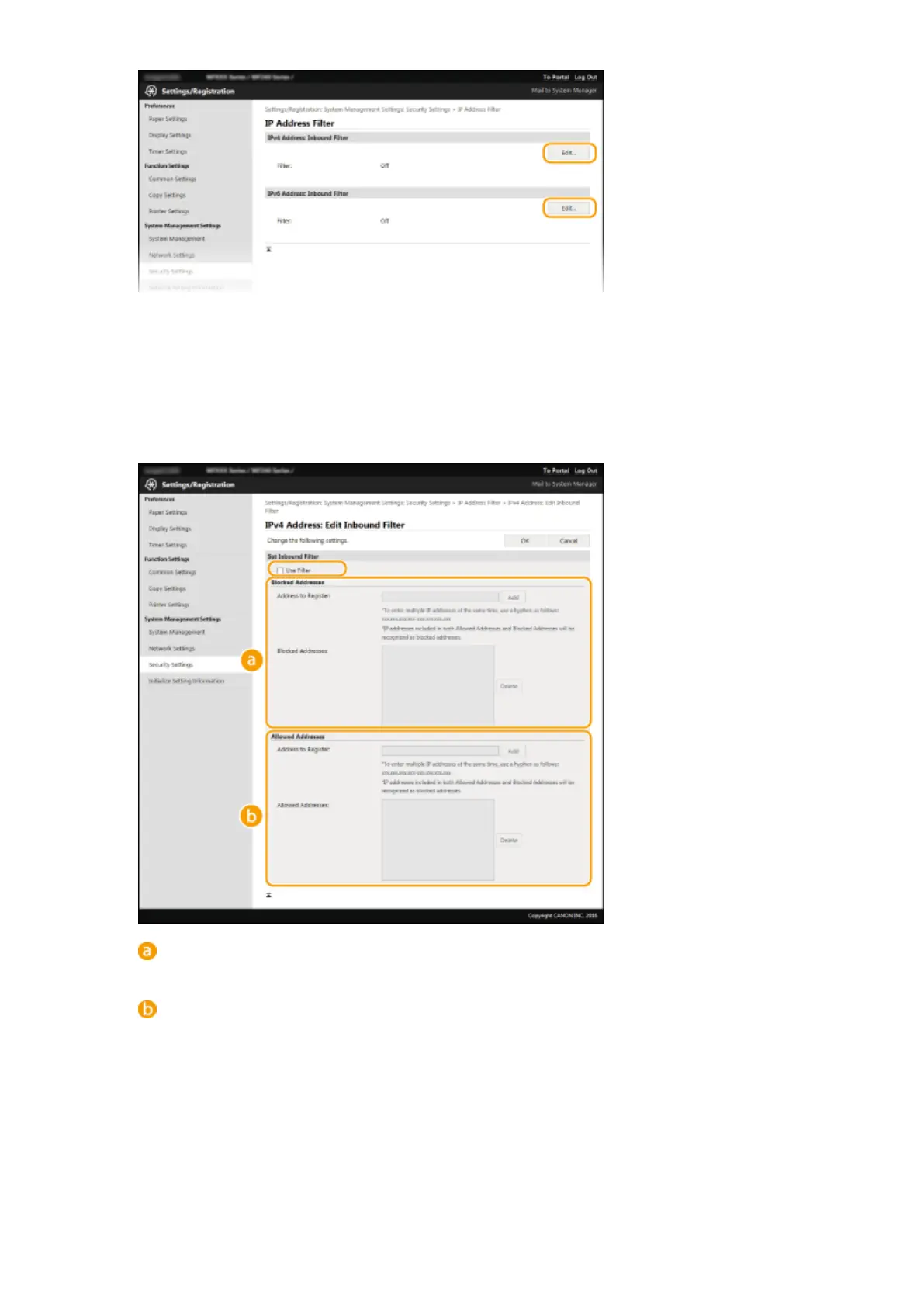
[IPv4 Address: Inbound Filter]
Select to r
estrict receiving data from the machine to a computer by specifying IPv4 addresses.
[IPv6 Address: Inbound Filter]
Select to restrict receiving data from the machine to a computer by specifying IPv6 addresses.
5
Specify the settings for packet ltering.
[Blocked Addresses]
Register addr
esses to be blocked, as well as check or delete registered blocked addresses.
[Allowed Addresses]
Register addr
esses to be allowed, as well as check or delete registered allowed addresses.
1
Select the [Use Filter] check box.
● Select the check bo
x to restrict communication. Clear the check box to disable the restriction.
2
Specify the address.
● Enter the IP address (or the range of IP addresses) in the [Address to Register] text box and click
[Add].
Security
235










 To Next Page