4
Click [Add] [Finish].
5
Click [Close].
Changing the port type or number
If the printing pr
otocols (
Conguring Printing Pr
otocols and WSD Functions(P. 198) ) or port numbers
(
Changing Port Numbers (MF244dw / MF232w)(P. 241) ) have been changed on the machine, the
corr
esponding settings on the computer must also be congured. This change is only available for LPR or
RAW ports.
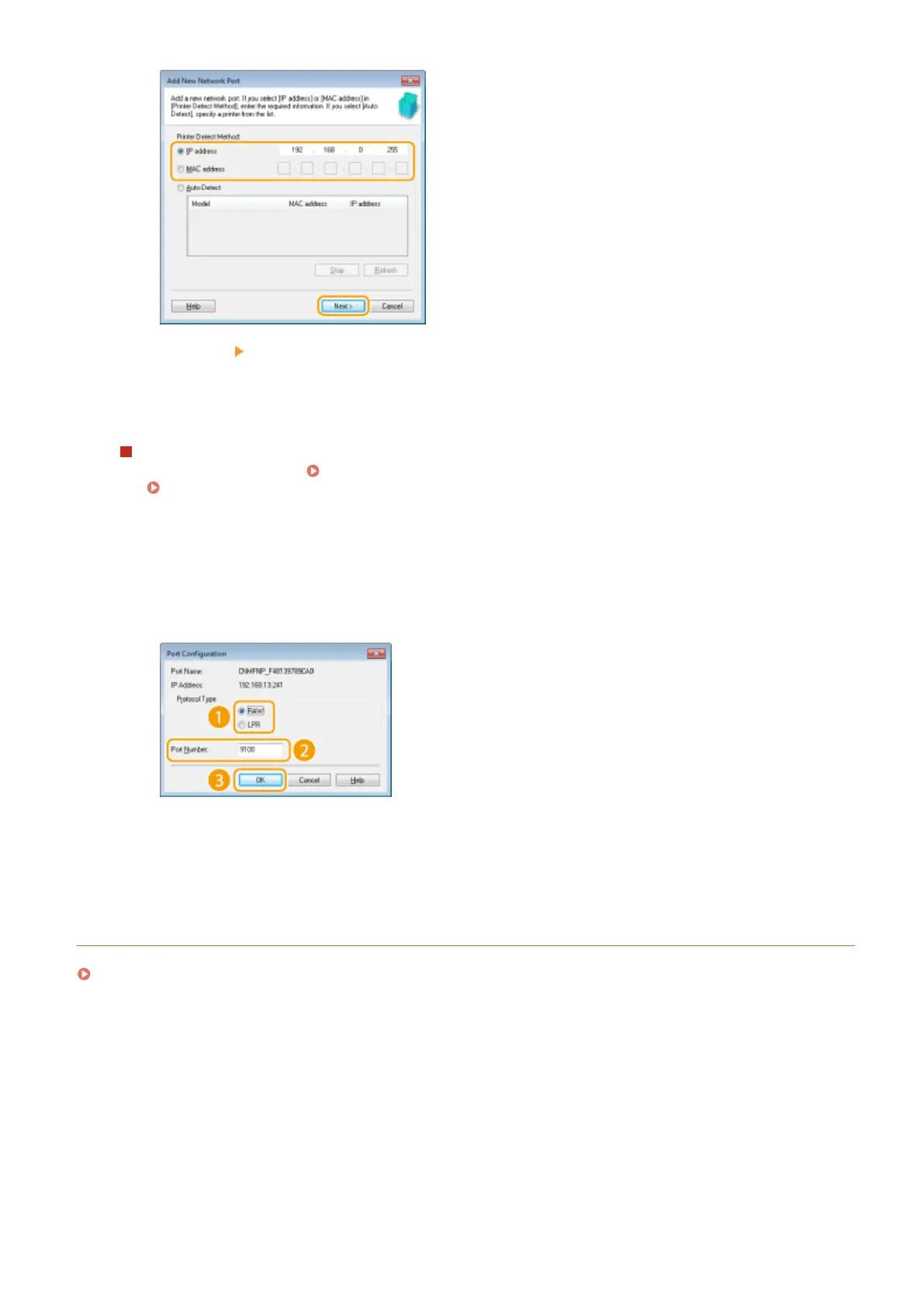
1
Click [Congur
e Port].
2
Click the [LPR] or [RAW] radio button in [Protocol Type], change the number in the [Port Number] text box
as necessary, and then click [OK].
4
Click [Close].
LINKS
Setting Up Print Server(P. 204)
Network (MF244dw / MF232w)
203


 To Next Page
 Loading...








