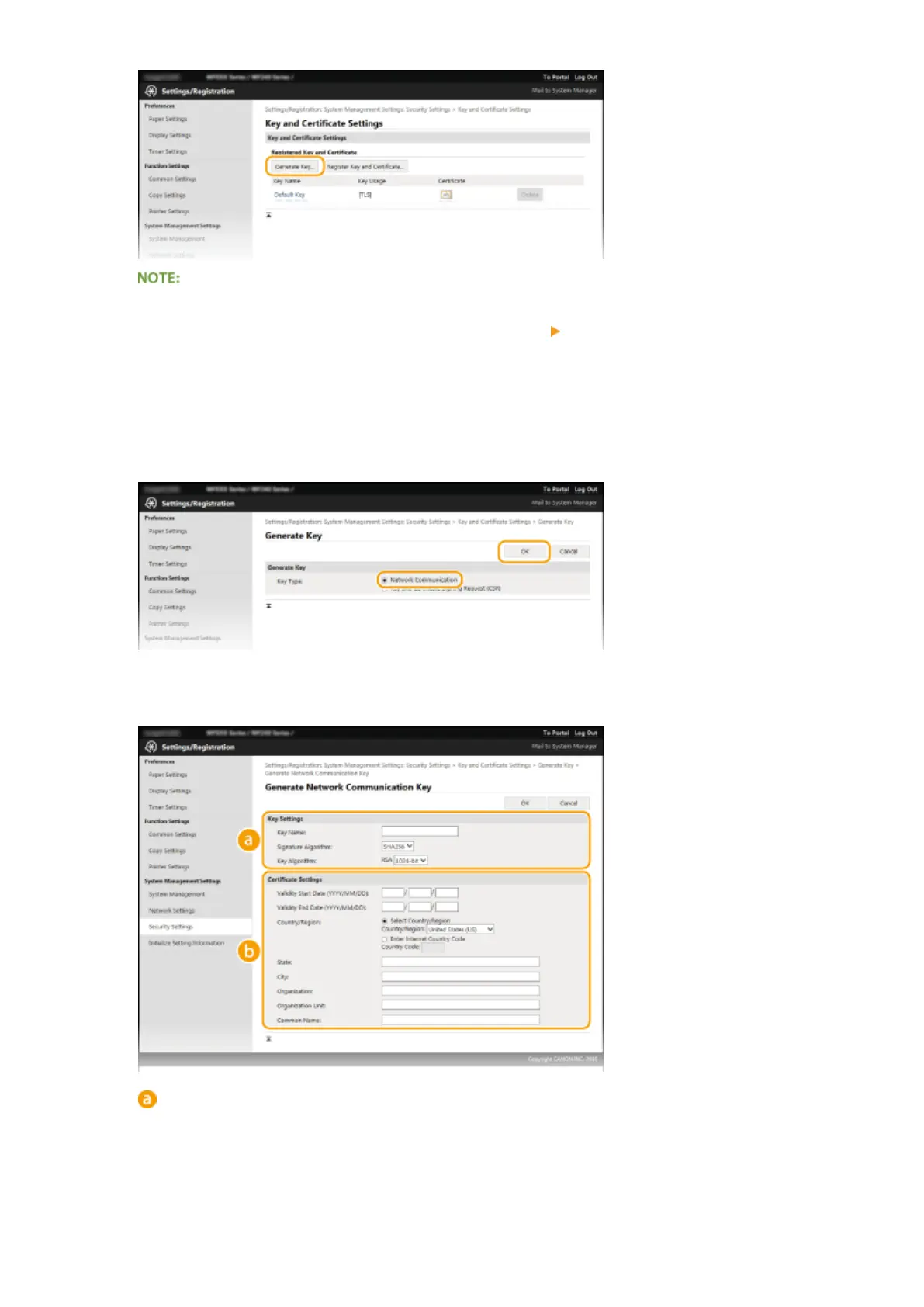
Deleting a registered key pair
● Click [Delete] on the right of the k
ey pair you want to delete
click [OK].
● A
key pair cannot be deleted if it is currently used for some purpose, such as when "[TLS]" or "[IEEE
802.1X]" is displayed under [Key Usage]. In this case, disable the function or replace the key pair before
deleting it.
5
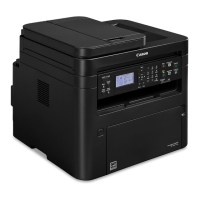
Select [Network Communication] and click [OK].
6
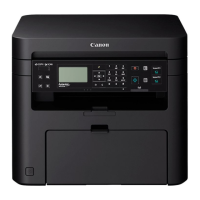
Specify settings for the key and certicate.
[Ke
y Settings]
[Key Name]
Enter up to 24 alphanumeric characters for naming the key pair. Set a name that will be easy for you to
nd later in a list.
[Signature Algorithm]
Select the signature algorithm from the drop-down list.
Security
260



 To Next Page