1
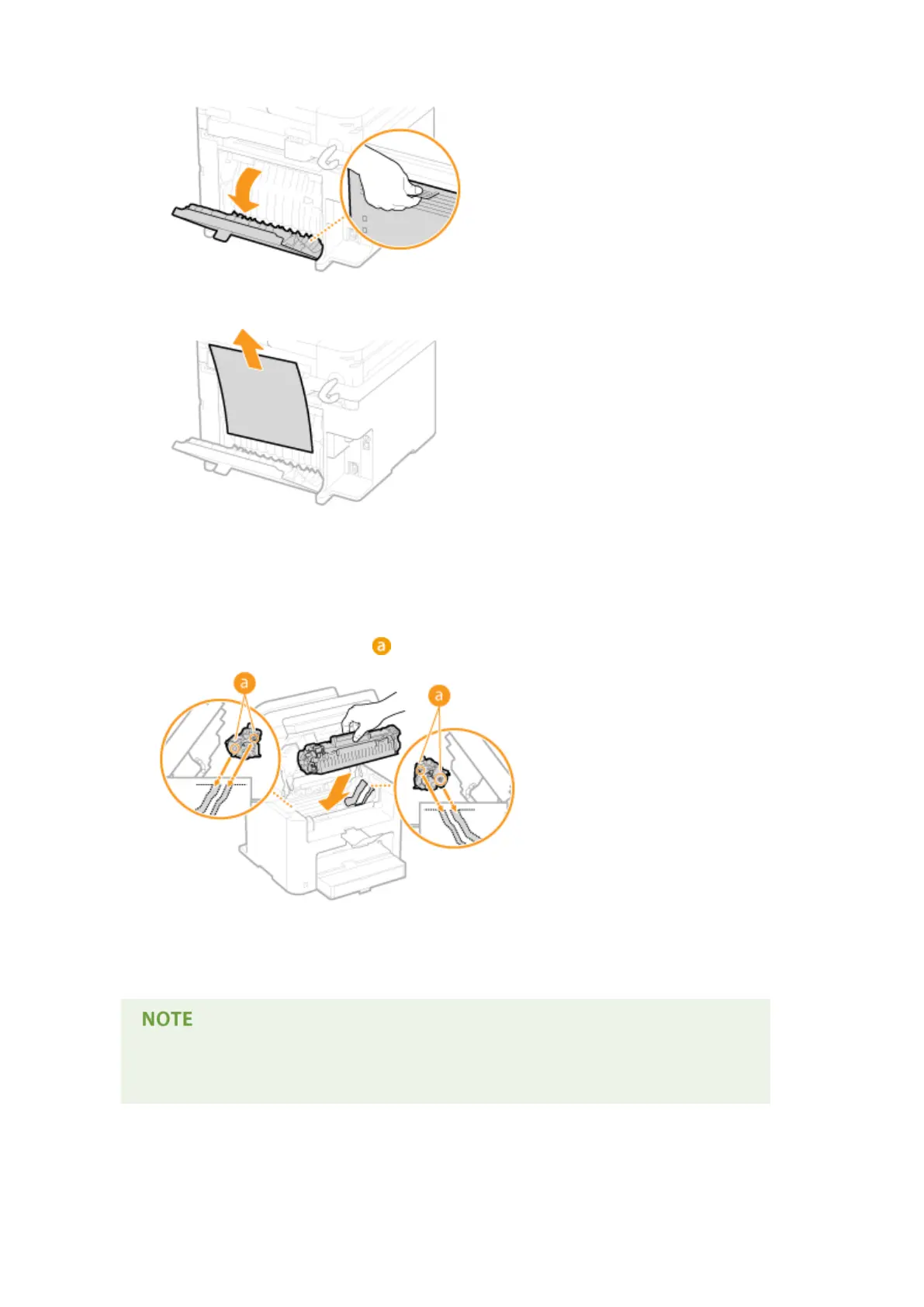
Open the rear cover.
2
Gently pull out the document.
3
Close the rear cover.
7
Install the toner cartridge.
● Align the right and left pr
ojections (
) with the toner cartridge guides, and push securely all the way in.
8
Close the toner cover, and lower the operation panel.
If you cannot close the toner cover
Mak
e sure that the toner cartridge is inserted properly. Forcing it closed may cause damage.
Troubleshooting
346











 To Next Page