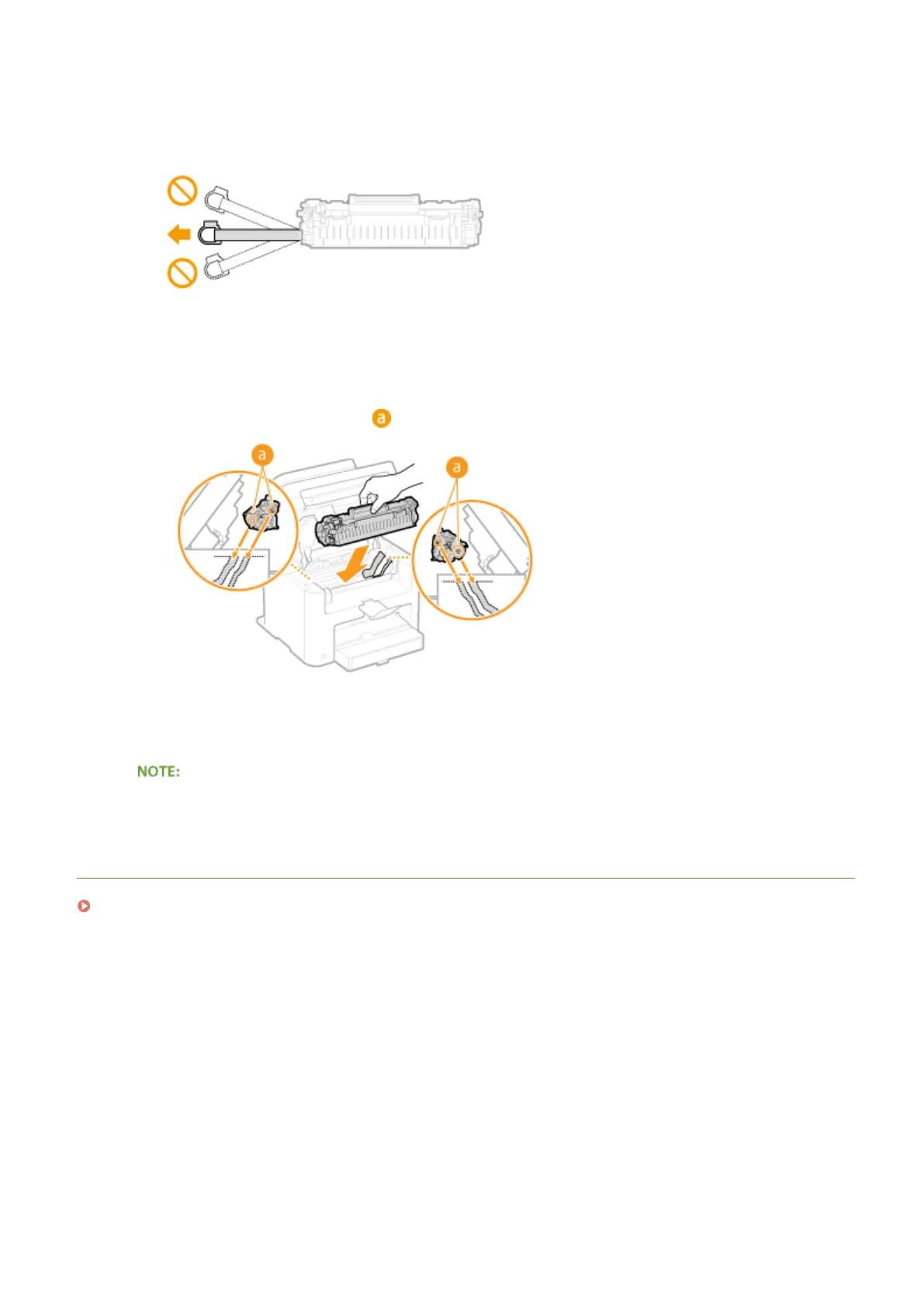
When pulling out the sealing tape
If the sealing tape r
emains inside the toner cartridge, the quality of printouts may deteriorate.
● Do not pull out the sealing tape at an angle or sideways. If the tape breaks, you may not be able to pull it
out completely.
● If the sealing tape becomes stuck when pulling it out, k
eep pulling until it is completely removed.
7
Install the toner cartridge.
● Align the right and left pr
ojections (
) with the toner cartridge guides, and push securely all the way in.
8
Close the toner cover, and lower the operation panel.
If you cannot close the toner cover
Mak
e sure that the toner cartridge is inserted properly. Forcing it closed may cause damage.
LINKS
Before Replacing the Toner Cartridge(P. 388)
Maintenance
392


 To Next Page
 Loading...








