3
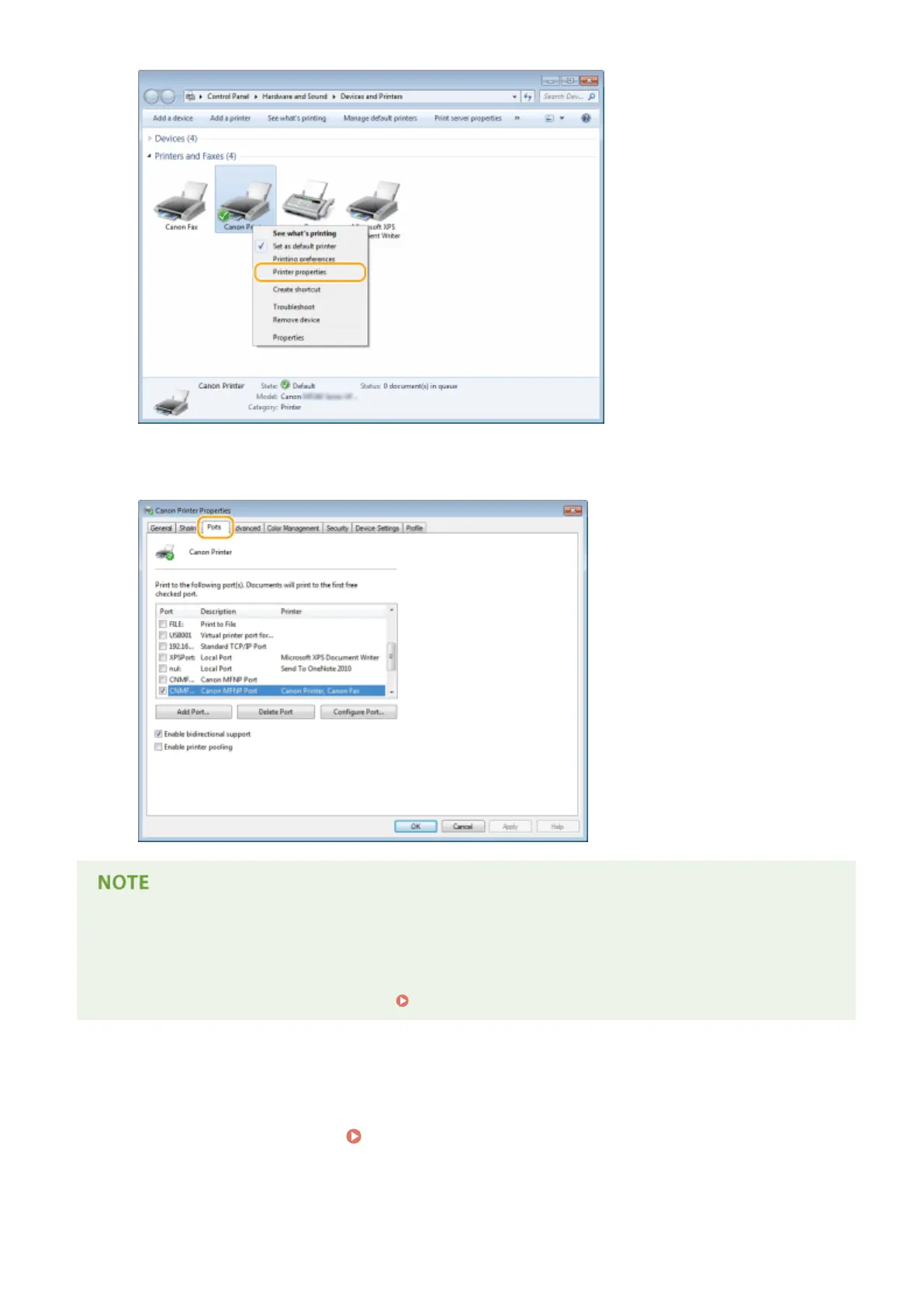
In the [Ports] tab, check that the port is selected correctly.
If you are using a network connection and have changed the machine's IP address
● If [Description] for the selected port is [Canon MFNP Port], and the machine and the computer ar
e on the
same subnet, then the connection will be maintained. You do not need to add a new port. If it is [Standard
TCP/IP Port], you need to add a new port.
Conguring Printer Ports(P
. 201)
◼ Checking Bidirectional Communication
1
Open the printer folder.
Displaying the Printer Folder(P. 434)
Appendix
440










 To Next Page