[Output Size]
Select the size of paper on which the document will be actually printed. If the selected size differs fr
om the
one specied in [Page Size], the document is printed enlarged/reduced automatically according to the
selected size.
Enlarging or Reducing(P. 97)
Clickable UI
● Y
ou can easily specify the page layout, binding position, etc. intuitively on the preview image. For more
information, click [Help] on the printer driver screen.
4
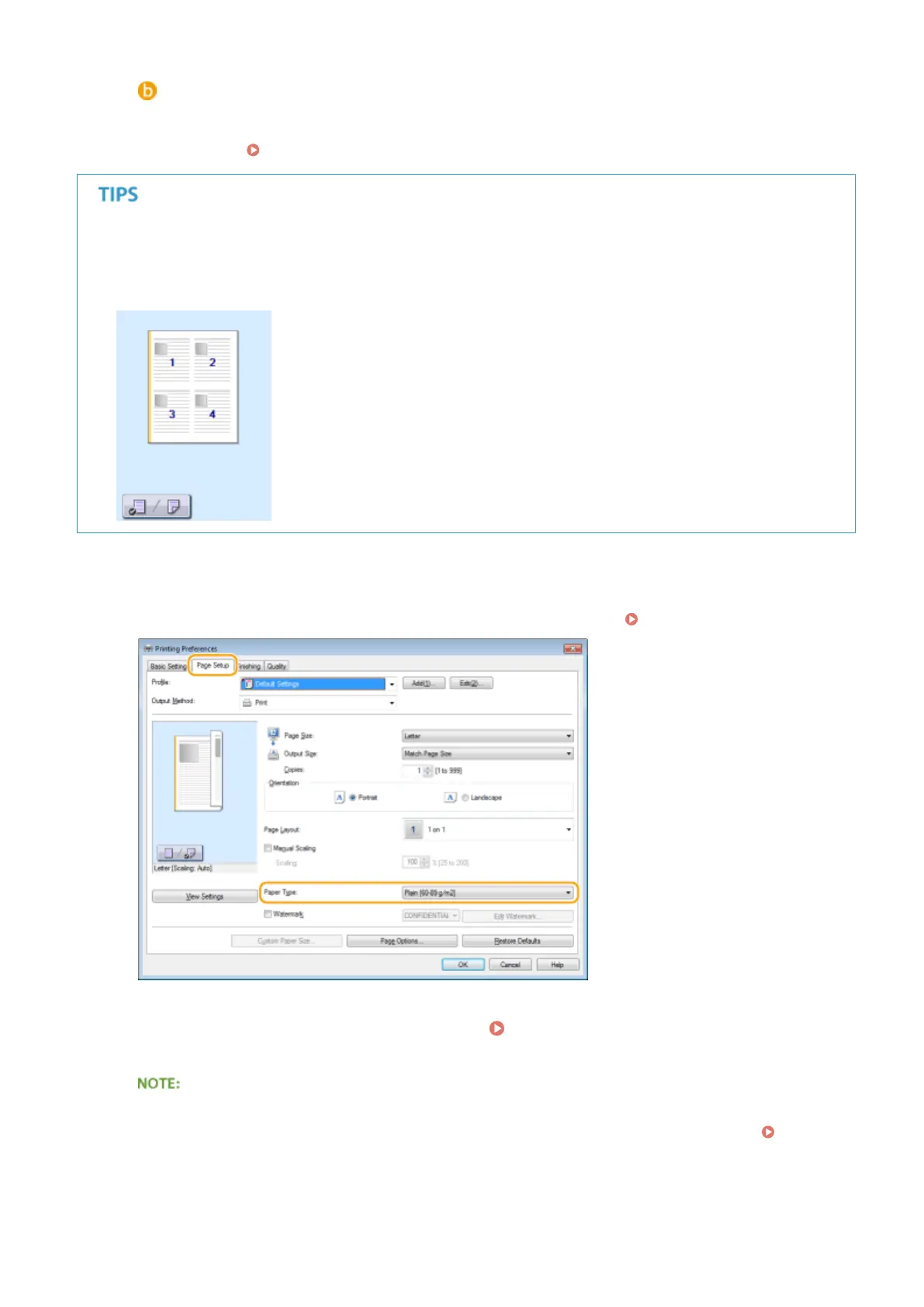
In the [Page Setup] tab, select the paper type.
● Set [Paper T
ype] according to the type of paper to be used in the printing.
Loading Paper(P. 42)
5
Specify other print settings as necessary. Various Print Settings(P. 95)
● You can register the settings you specied in this step as a "prole" and use the prole whenever you
print. You can eliminate the need to specify the same settings every time you print. Registering
Combinations of Frequently Used Print Settings(P. 123)
6
Click [OK].
Using the Machine as a Printer
88











 To Next Page