Specifying from Address Book
1469-027
The Address Book enables you to specify a destination by selecting from a list of
registered destinations or by searching by name for destinations with recipient
names.
You need to register destinations in the Address Book before using this feature.
Registering in the Address Book(P. 60)
1
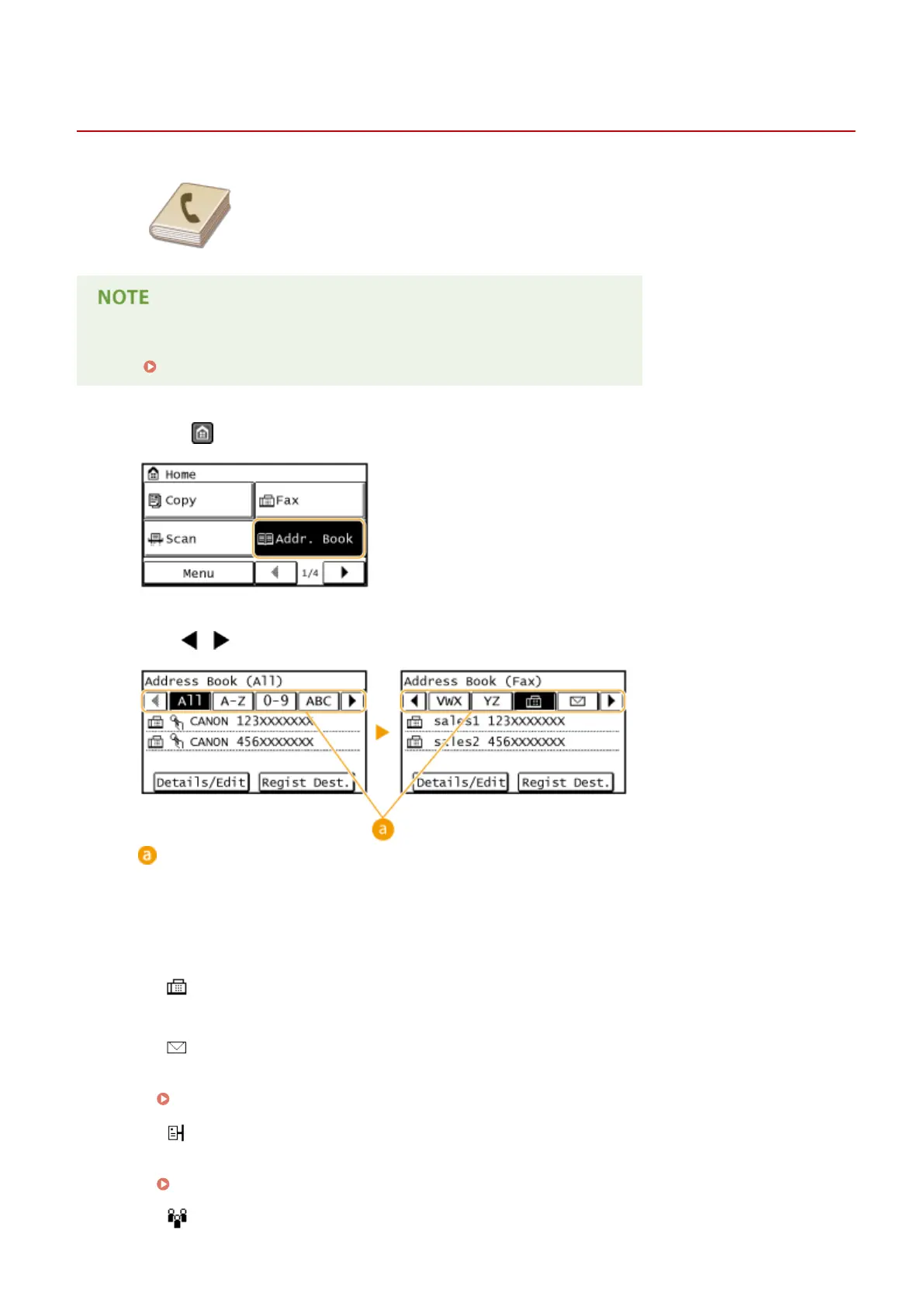
Press and tap <Addr. Book>.
2
Use / to select a tab.
<All>
Displays all the destinations registered in the Address Book.
<A-Z>/<0-9>/<ABC> to <YZ>
Displays destinations with recipient names whose rst characters correspond to the characters of the
selected tab.
< >
Displays destinations for faxes.
<
>
Displays destinations for sending e-mail. Do not use in this procedure.
Specifying from Address Book(P. 273)
< >
Displays destinations for shared folders. Do not use in this procedure.
Specifying from Address Book(P. 273)
<
>
Faxing
121









 To Next Page