TX Result Report
1469-0A8
You can check the fax or e-mail logs of sent documents as well as documents saved to a shared folder by printing a TX
Result Report. The report can be printed either every time a transmission is completed or only when a sending error
occurs.
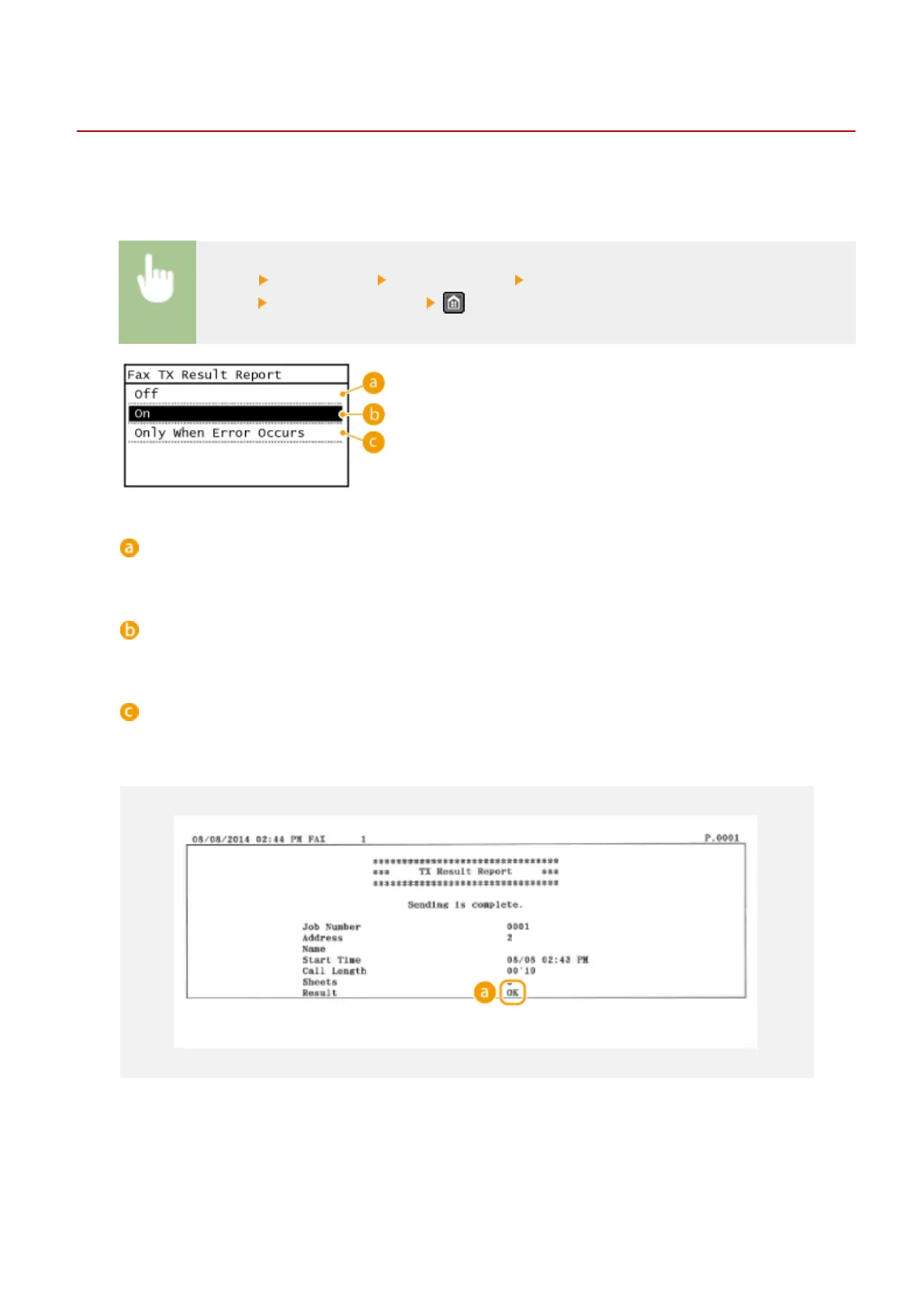
<Menu> <Output Rprt.> <Report Settings> <Fax TX Result Report> or <E-Mail/File TX Result
Report>
Select the print setting
<Off>
Select if you do not want to print TX Result Reports.
<On>
Select to print a TX Result Report every time you send a document.
<Only When Error Occurs>
Select to print a TX Result Report only when a sending error occurs.
Example: Fax sending
Example: Scanning to e-mail/shared folder
Maintenance
610





 To Next Page