Scan Area
1469-0C6
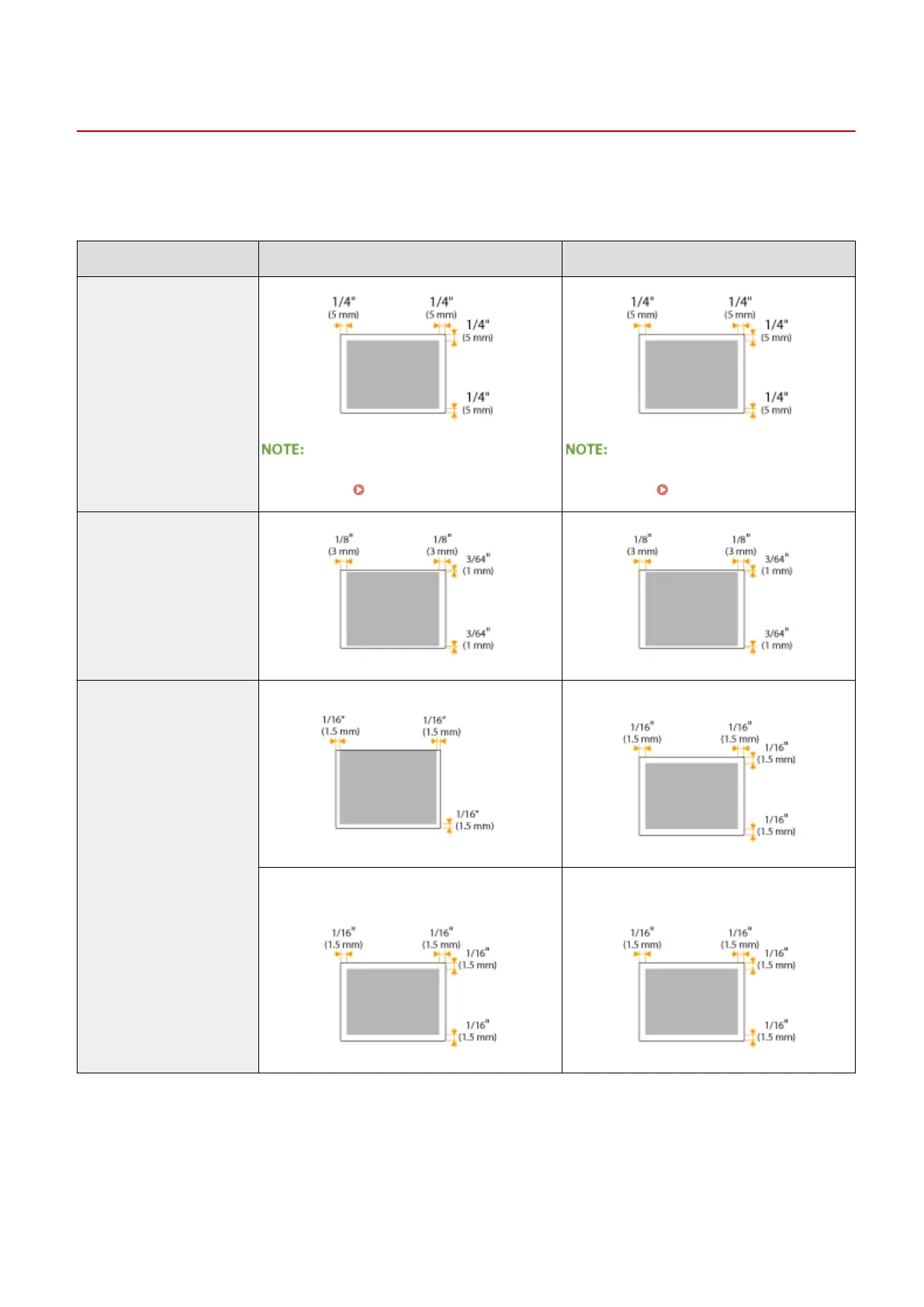
The shaded areas in the table below indicate the scan area of the document. Make sure that text and images in your
documents t within the shaded area. The scan area varies depending on the function used and where documents are
placed (in the feeder or on the platen glass).
Platen Glass Feeder
Copy
The scan area for copying may differ from the
printable area. Printable Area(P. 651)
The scan area for copying may differ from the
printable area. Printable Area(P. 651)
Fax
Scan Saving in a Computer Saving in a Computer
Sending by E-mail/Sending to a File Server
(MF249dw / MF247dw)
Sending by E-mail/Sending to a File Server
(MF249dw / MF247dw)
Appendix
649









 To Next Page