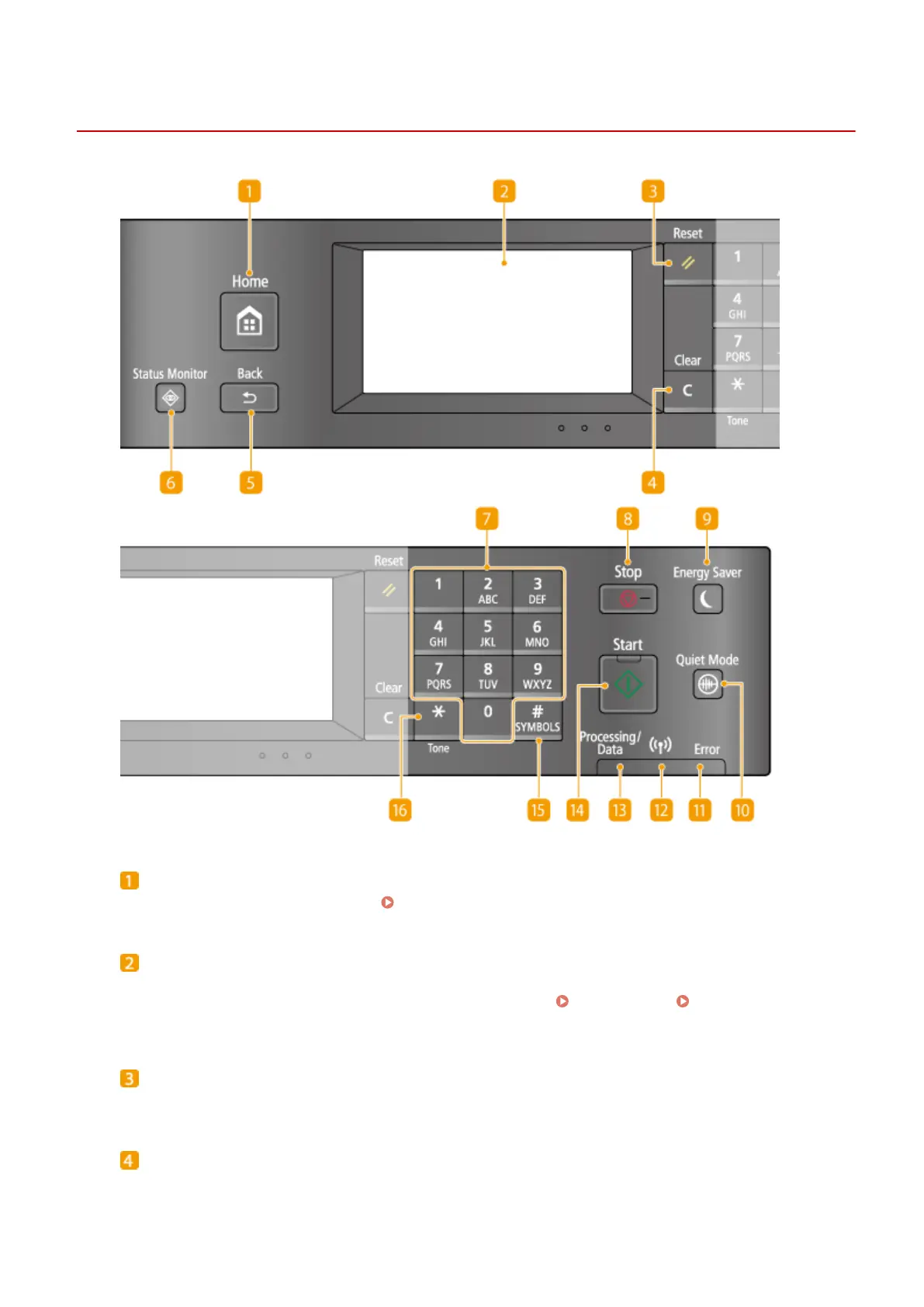
Operation Panel
1469-00F
[Home] key
Press to display the <Home> Screen. Customizing the <Home> Screen(P. 33)
Display
You can view the progress of copy, fax, and other jobs and error statuses. The display is a touch panel,
allowing you to operate the screen by touch to specify settings. Display(P. 28) Using the
Display(P. 35)
[Reset] key
Press to cancel the settings and restore the previously specied settings.
[Clear] key
Press to delete the entered numbers and text.
Basic Operations
25









 To Next Page