<Paper Save>
Settings are preregistered for economically copying 2 pages (or 4 pages) reduced on a single sheet. Using
the <Paper Save> Button(P. 96)
<Scan -> PC1> / <Scan -> PC2>
By registering scan settings beforehand, you can simply tap this button to start a scan. Scanning Using
the <Scan -> PC> Button(P. 237)
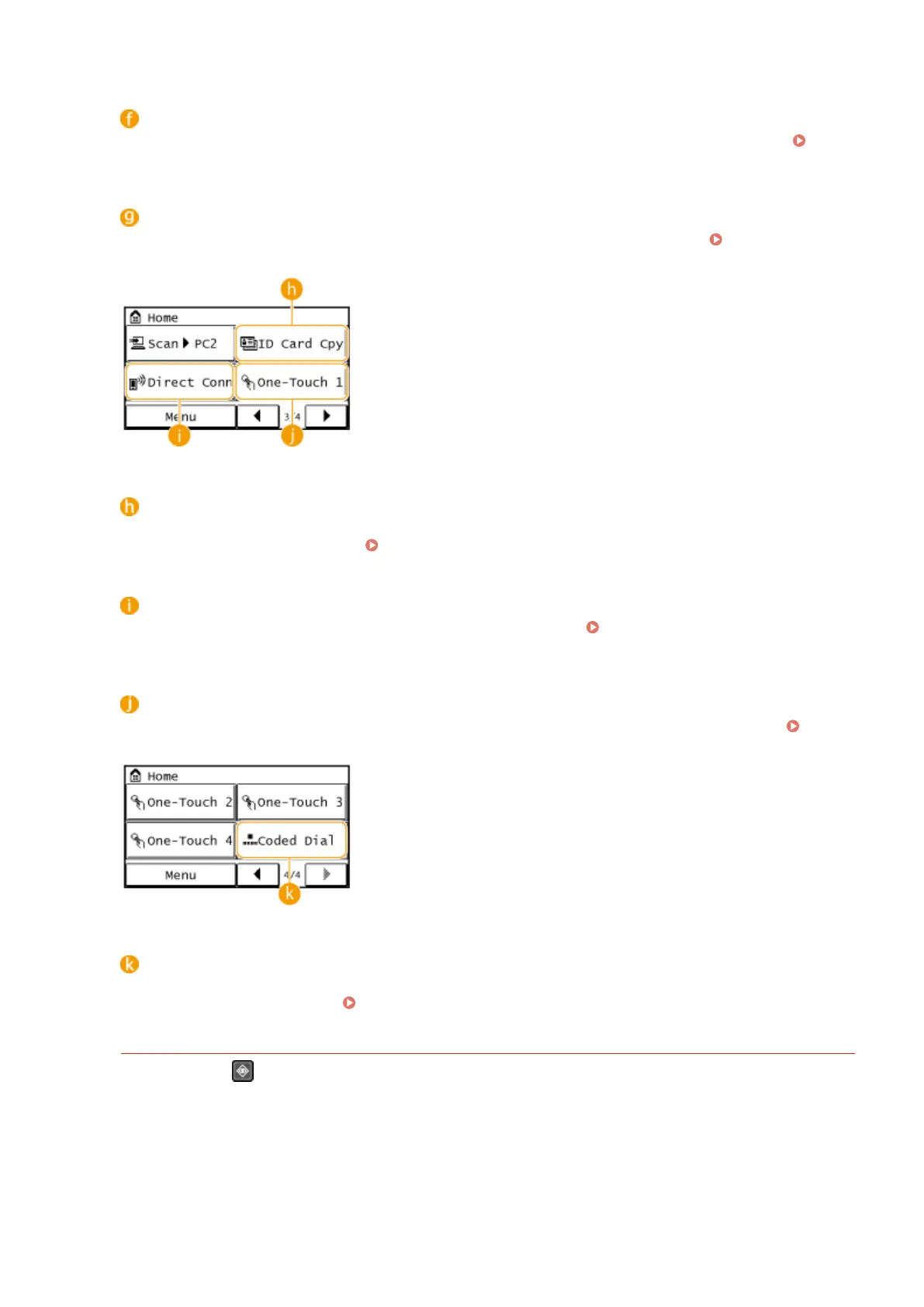
<ID Card Cpy>
Settings are preregistered for copying the front and back sides of a driver's license or other ID card onto the
same side of a page at actual size. Copying Both Sides of an ID Card onto One Page(P. 98)
<Direct Conn> (MF249dw / MF247dw)
Use this to establish a direct wireless connection to a mobile device.
Make Direct Connection (Access
Point Mode) (MF249dw / MF247dw)(P. 291)
<One-Touch 1> to <One-Touch 4>
If you register destinations beforehand as One-Touch Dial numbers, they can be quickly displayed.
Specifying Destinations with the One-Touch Buttons(P. 127)
<Coded Dial>
If you register destinations beforehand as coded dial numbers, they can be quickly displayed by simply
entering a three-digit number.
Registering in the Address Book(P. 60)
<Status Monitor> Screen
When you press , a screen is displayed that enables you to check the status of documents that are being
printed, sent, or received, as well as the status of the machine (amount remaining in the toner cartridge, etc.)
and the network setting information such as the IP address of the machine.
Basic Operations
29









 To Next Page