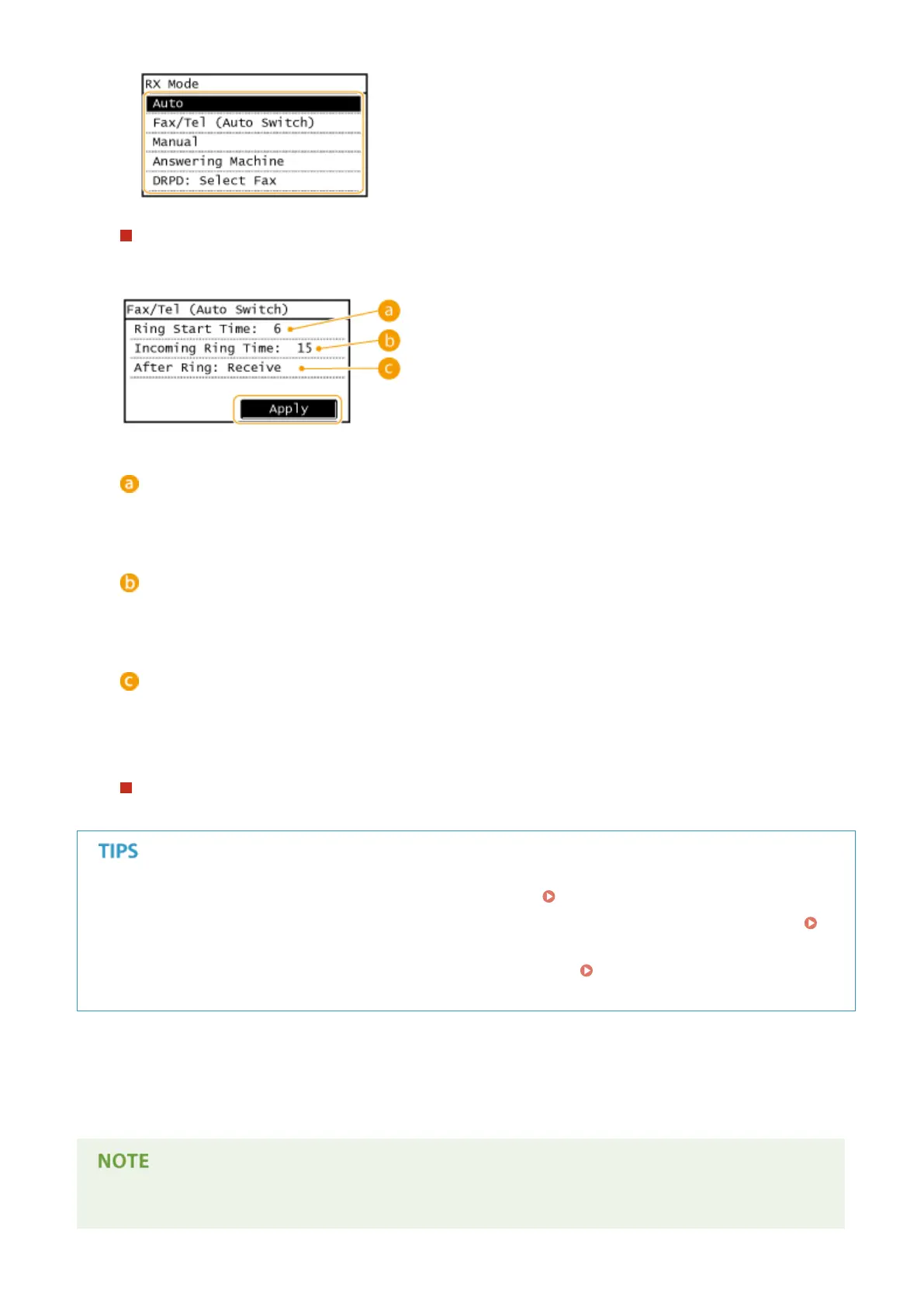
When selecting <Fax/Tel (Auto Switch)>
Specify the following three settings as necessary. When the setting is complete, tap <Apply>.
<Ring Start Time>
Enables you to specify the duration during which the machine determines whether an incoming call is a fax
or a telephone call. (Setting values: 4 to 30 seconds; default setting: 6 seconds)
<Incoming Ring Time>
Enables you to specify the duration during which an incoming call rings for a telephone call. (Setting values:
15 to 300 seconds; default setting: 15 seconds)
<After Ring>
Enables you to specify how the machine operates if you do not pick up the handset while an incoming call is
ringing. Select <End> to disconnect the call or <Receive> to receive an incoming fax. (Default setting:
<Receive>)
When selecting <DRPD: Select Fax>
Select the ring pattern that your telephone company assigned to your fax number.
● If you want to print received documents on both sides of paper: Print on Both Sides(P. 505)
● If you want to print information, such as reception date and time, at the bottom of received documents:
RX Page Footer (P. 506)
● If you want to continue printing even when the toner cartridge is low: Continue Print. When Near Cart.
Life End (P. 507)
◼ Using a Telephone to Receive Faxes (Remote Reception)
When you pick up the telephone and get a fax signal, you do not need to go to the machine to receive the fax. Just
enter a specic ID number (default setting: 25) with the telephone, and you can start receiving the fax.
When the telephone is not directly connected with the machine, the remote reception function is not available.
Faxing
144





 To Next Page