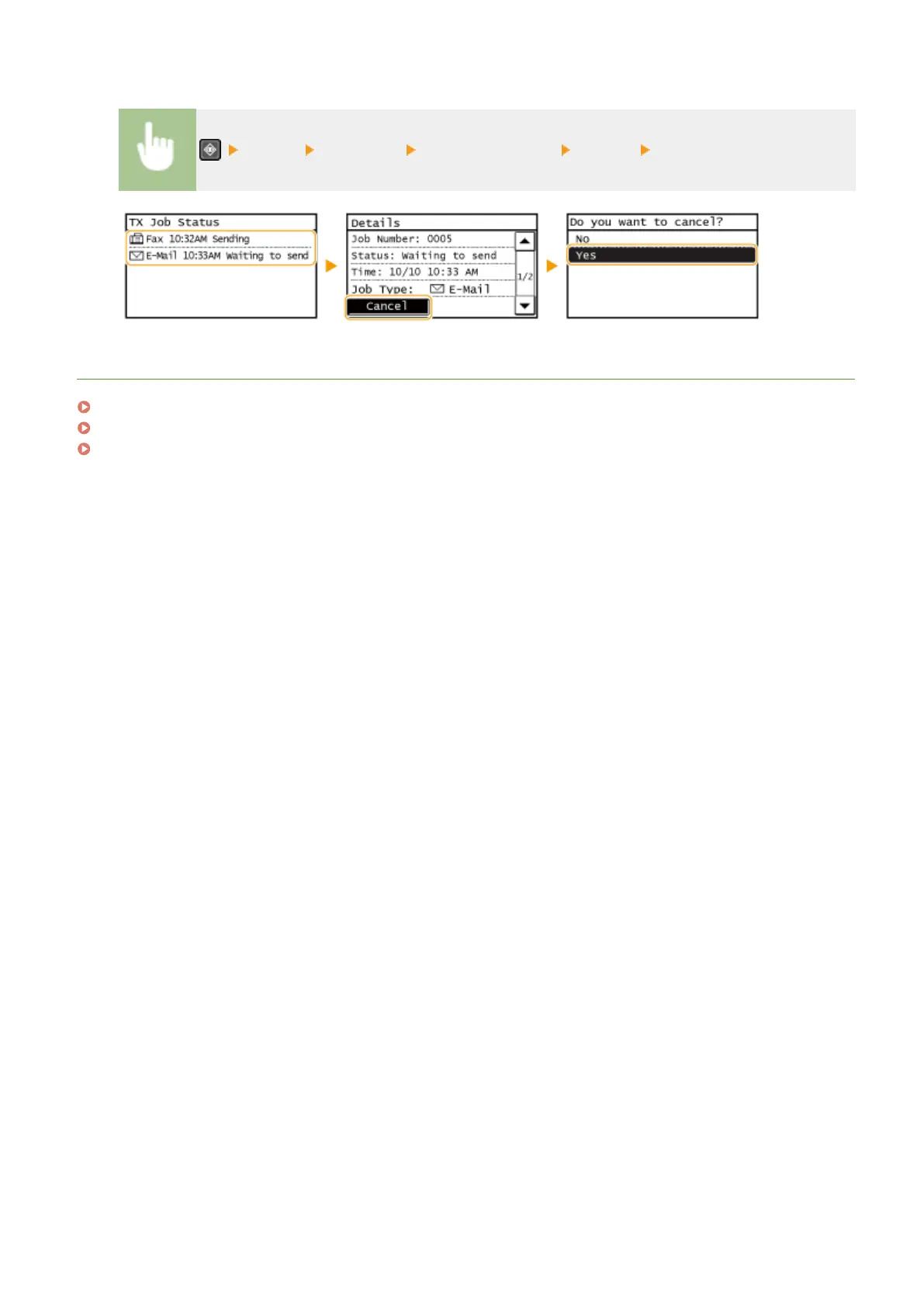
◼ Check the Transmission Status before Canceling
<TX Job> <Job Status> Select the document <Cancel> <Yes>
LINKS
Sending Documents as E-Mails Directly from the Machine(P. 246)
Saving Documents Directly in Shared Folder(P. 253)
Checking Status and Log for Sent Documents (E-Mail/Shared Folder)(P. 286)
Using the Machine as a Scanner
257





 To Next Page