3
Press to start sending.
● Scanning starts.
● If you want to cancel sending, press Tap <Yes>.
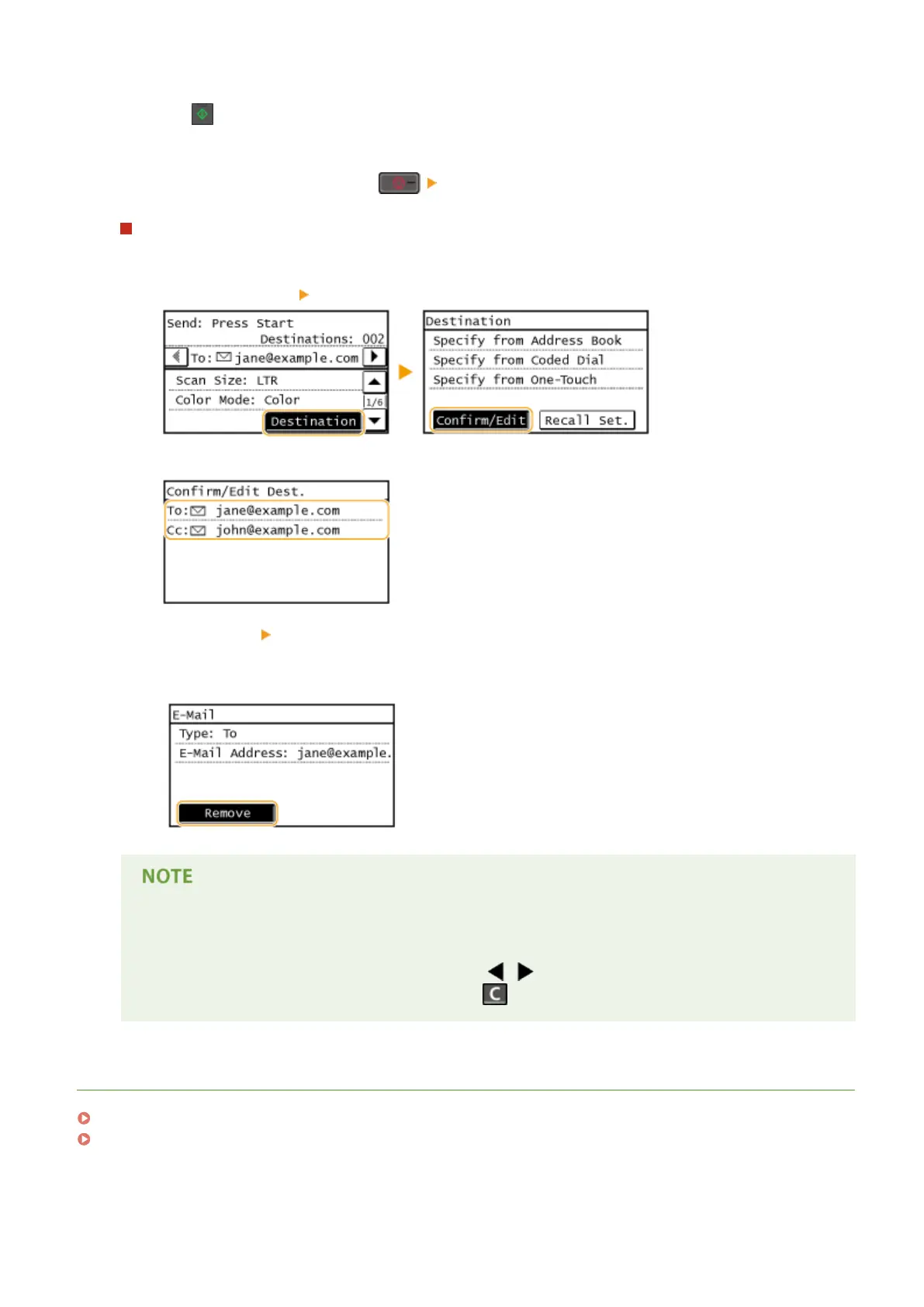
To delete destinations
If you specied multiple destinations, you can delete destinations as necessary.
1
Select <Destination> <Conrm/Edit>.
2
Select a destination you want to delete.
3
Tap <Remove> <Yes>.
● If you specied Group Dial in step 2, "destination(s)" is displayed. Tapping <Number of Destinations>
displays destinations registered in the group.
If you want to easily and quickly delete destinations without displaying a list of
destinations
Before tapping <Destination> in step 1, you can tap / to toggle the destinations you specied.
Display a destination you want to delete, and press .
LINKS
Sending Documents as E-Mails Directly from the Machine(P. 246)
Saving Documents Directly in Shared Folder(P. 253)
Using the Machine as a Scanner
280









 To Next Page