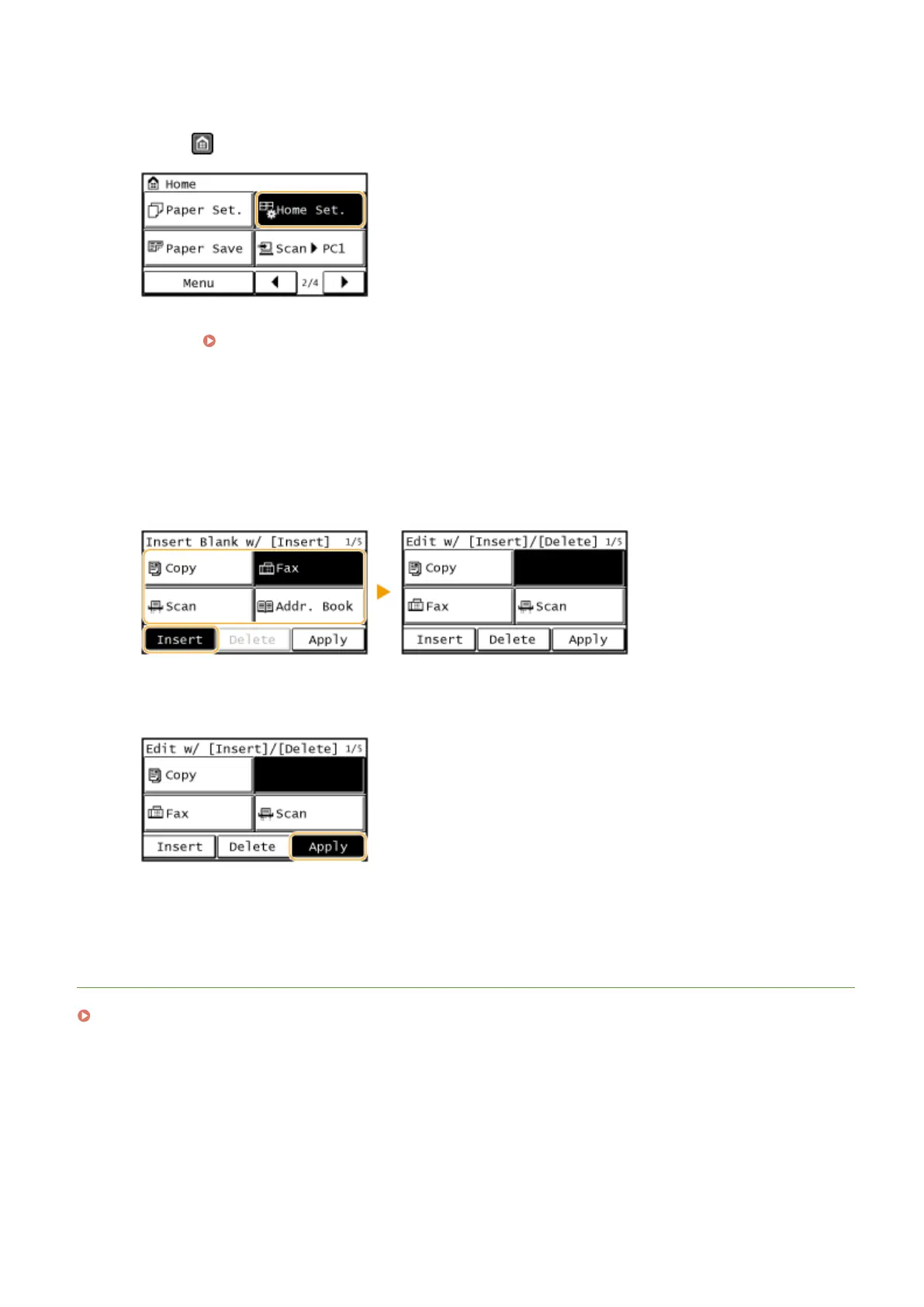
◼ To Insert Blanks in <Home> Screen
1
Press and tap <Home Set.>.
● If a screen appears prompting you to enter a PIN, enter the correct PIN using the numeric keys, and tap
<Apply>. Setting the System Manager PIN(P. 397)
2
Tap <Insert and Delete Blank>.
3
Tap the button where you want to insert a blank, and tap <Insert>.
● To delete an inserted blank, select the blank, tap <Delete>, and proceed to step 5.
4
Tap <Apply>.
5
Tap <End>.
LINKS
Display(P. 28)
Basic Operations
34




 To Next Page