6
6
6-6
6-6
Trouble Shooting > Version Up > Firmware Conguration
Trouble Shooting > Version Up > Firmware Conguration
Version Up
Overview of Upgrading
There are two kinds of following version up methods in this machine
• Change it for the PCB of a new version
• Upgrading is performed by downloading rmware from a personal computer (hereinafter
called PC) to this machine using a user support tool (hereinafter called UST).
PCB Upgrading method
Main controller PCB • PCB replacing
• UST
Engin controller PCB
T-6-4
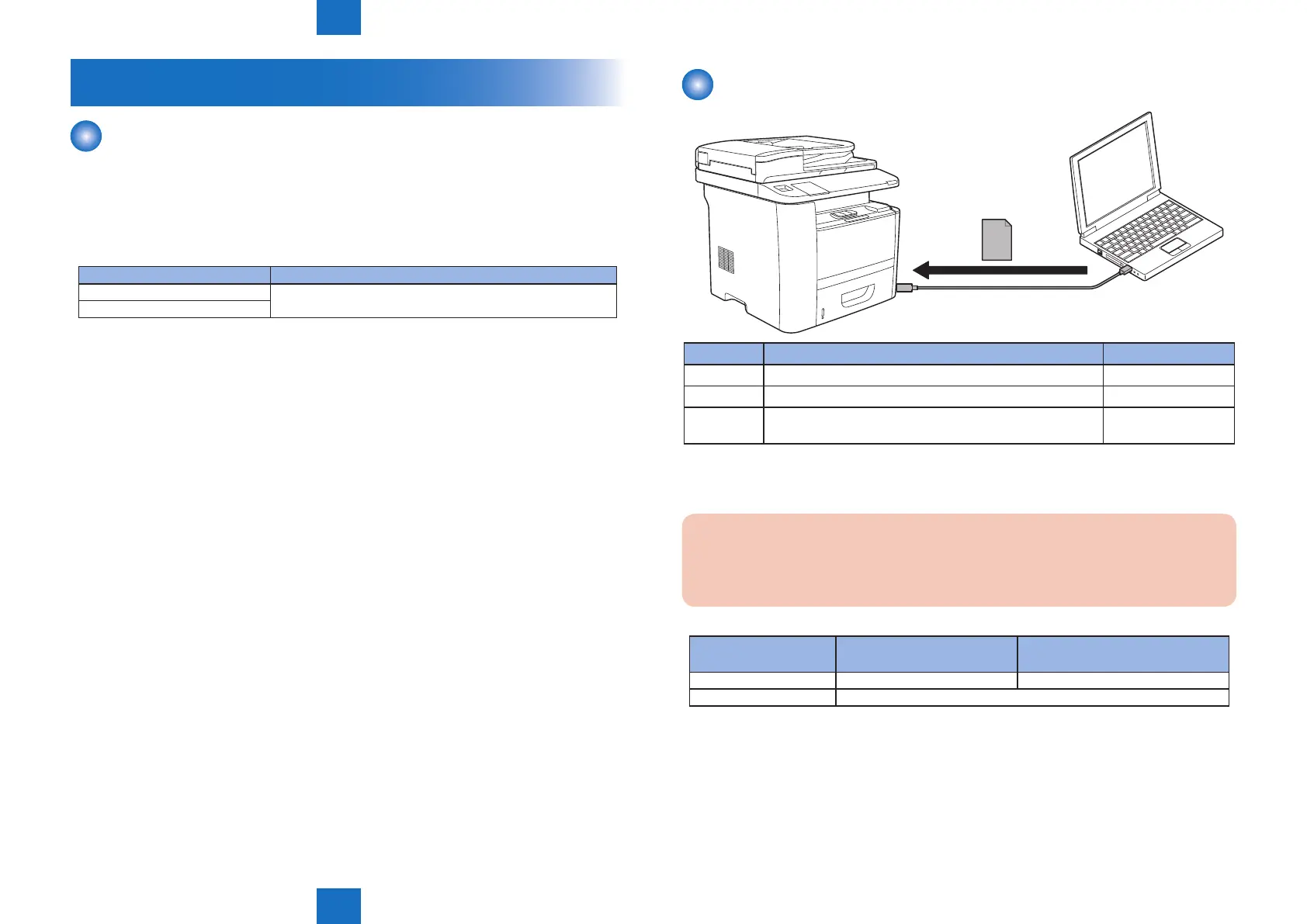
Firmware Conguration
PC
USB cable
Firmware
Firmware Function Storage area
BOOTABLE Overall control Main controller PCB
LANGUAGE Manage languages used in panel / Remote UI and font data. Main controller PCB
DCON
(ECONT)
Control the printer unit. Engine controller PCB
A number of rmware may be less than the above depending on the UST version.
Caution:
When you install it every model in this machine so that rmware is different, you must
not make a mistake
MF6700/D1300 MF5900/MF6100/MF6700/D1300
(SEND Model)
BOOTABLE/LANGUAGE typeA typeB
DCON Model is common
F-6-3
T-6-5
T-6-6







 To Next Page