4
4
4-27
4-27
Disassembly/Assembly > Document Exposure / Delivery System > Removing the ADF Unit + Reader Unit
Disassembly/Assembly > Document Exposure / Delivery System > Removing the ADF Unit + Reader Unit
Document Exposure / Delivery System
Removing the ADF Unit + Reader Unit
Preparations
1) Removing the Left Cover Unit.
2) Removing the Controller Cover.
3) Removing the Left Rear Cover.
Procedure
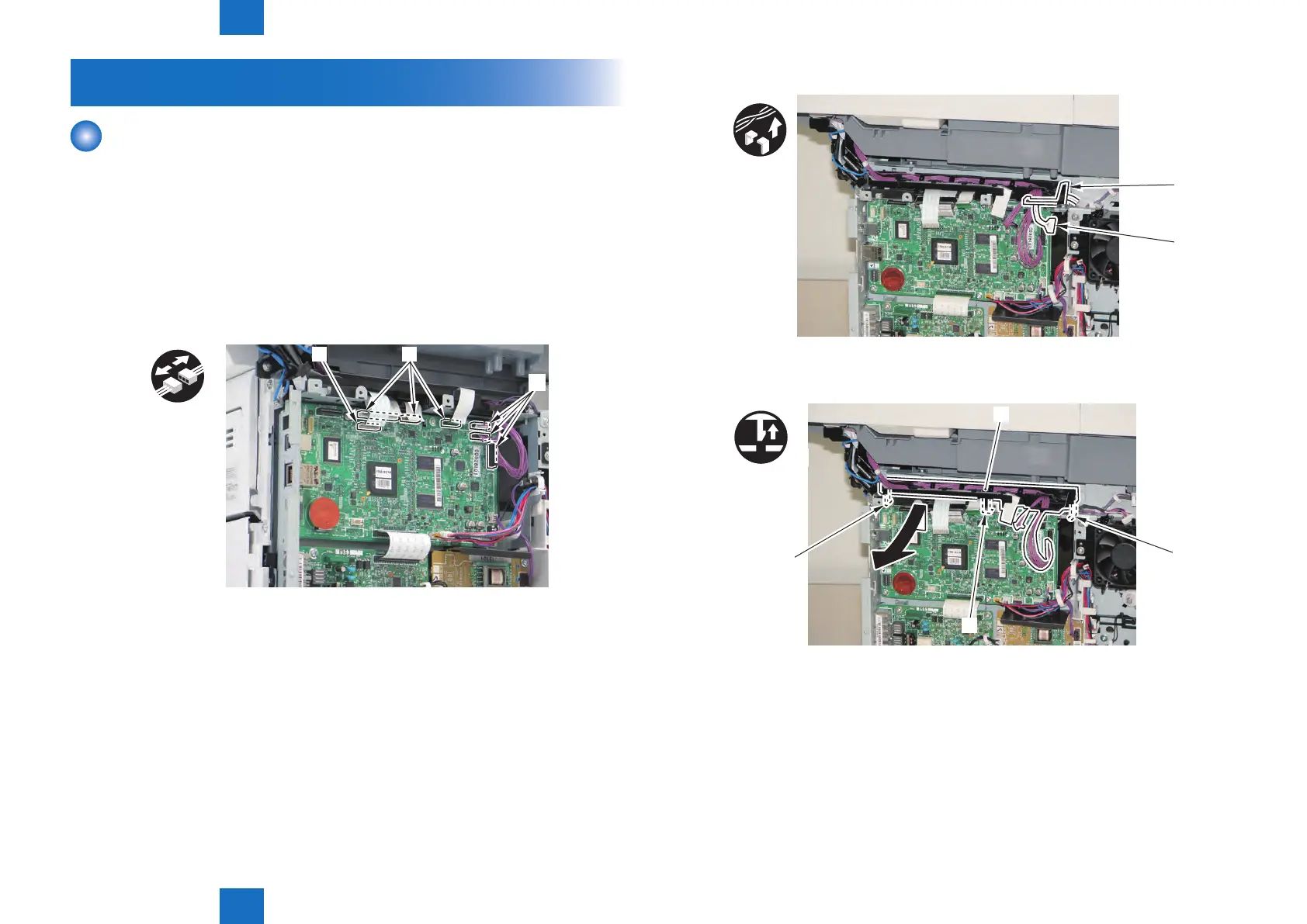
1) Remove the Flat Cables and Connectors [2].
• 4 Flat cable [1].
• 3 Connectors [2].
x7
[1][1]
[2]
F-4-55
2) Remove the Connector [1] from the [A].
[A]
[1]
3) Remove the Harness Guide [1].
• 3 Claws [2]
x3
[1]
[2]
[2]
[2]
F-4-56
F-4-57







 To Next Page