4
4
4-34
4-34
Disassembly/Assembly > Document Exposure / Delivery System > Removing the ADF Pickup Feed Unit
Disassembly/Assembly > Document Exposure / Delivery System > Removing the ADF Pickup Feed Unit
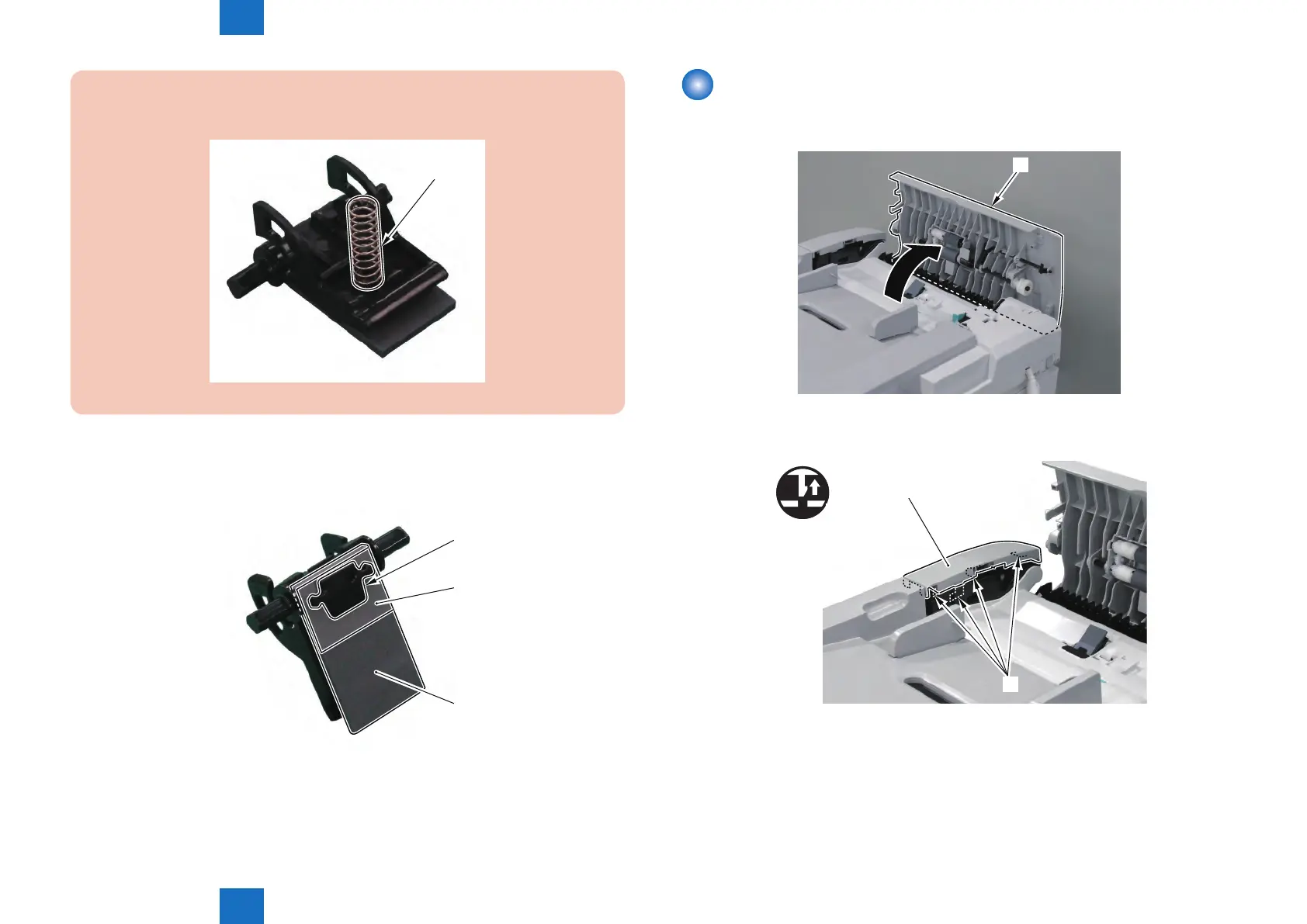
CAUTION :
Be careful not to lose the Spring [1] on the Separation Pad Holder.
[1]
F-4-78
5) Remove the ADF Separation Pad [1].
• Pad Retainer [2]
• Sheet [3]
[1]
[2]
[3]
F-4-79
Removing the ADF Pickup Feed Unit
Procedure
1) Open the ADF Upper Cover [1].
[1]
2) Remove the ADF Front Cover [1].
• 4 Claws [2]
[1]
[2]
x4
F-4-80
F-4-81







 To Next Page