4
4
4-35
4-35
Disassembly/Assembly > Document Exposure / Delivery System > Removing the ADF Pickup Feed Unit
Disassembly/Assembly > Document Exposure / Delivery System > Removing the ADF Pickup Feed Unit
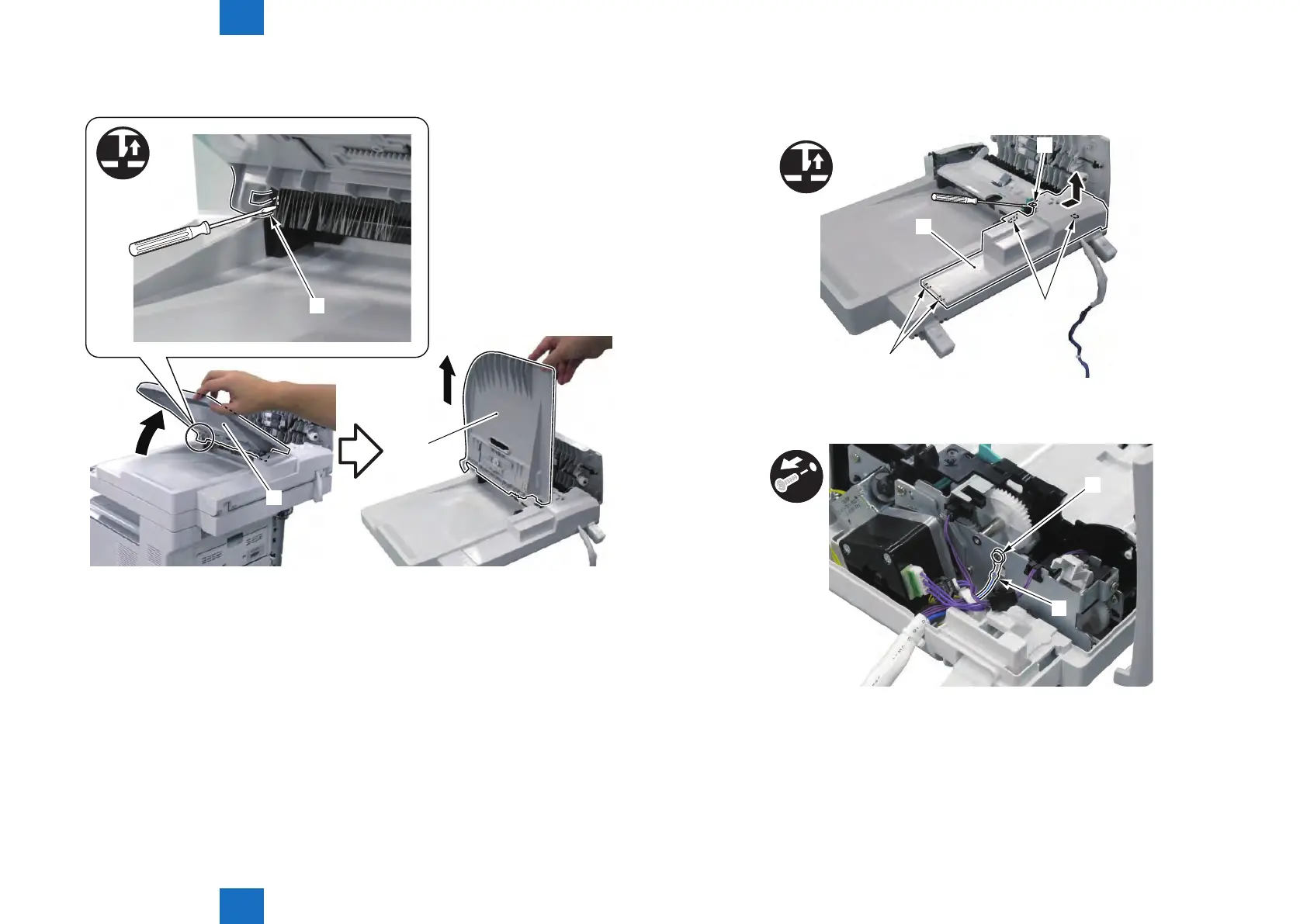
3) Slightly Lift the ADF Tray [1] and After Removing the Claw [2], Lift It By 90 Degree and
Remove It Upward.
[1]
[1]
[2]
F-4-82
4) Remove the ADF Rear Cover [1].
• 1 Boss [2]
• 4 Claws [3]
[1]
[2]
[3]
[3]
x4
5) Remove the Grounding Wire [1].
• 1 Screw [2]
[1]
[2]
F-4-83
F-4-84







 To Next Page