4
4
4-20
4-20
Disassembly/Assembly > External Cover (MF5900/MF6100) > Removing the Left Cover Unit
Disassembly/Assembly > External Cover (MF5900/MF6100) > Removing the Left Cover Unit
External Cover (MF5900/MF6100)
Removing the Left Cover Unit
Procedure
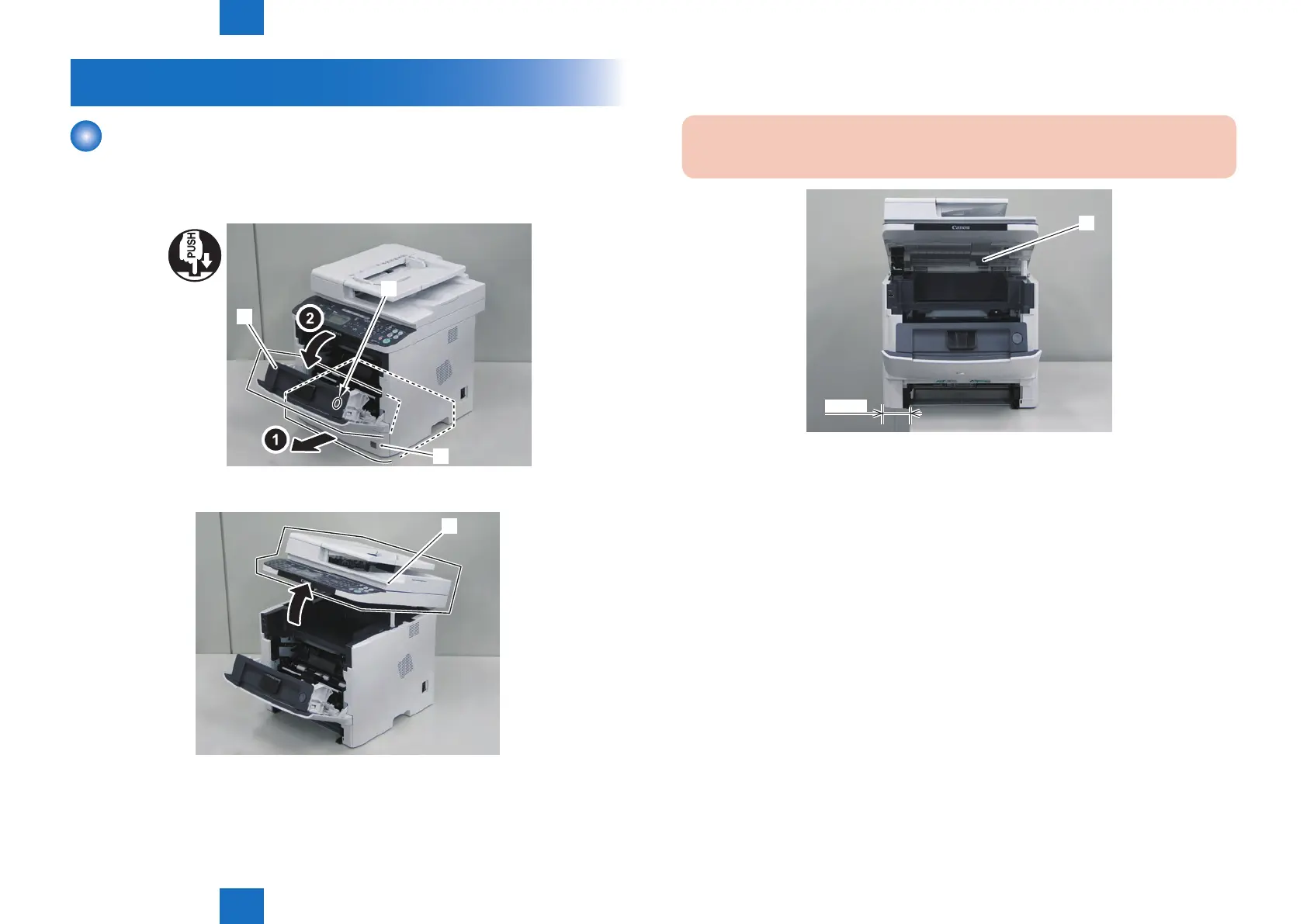
1) Remove the cassette [1].
2) Press the Open button [2], and open the Front Cover [3].
[3]
[1]
[2]
3) Open the ADF Unit + Reader Unit [1].
[1]
F-4-36
F-4-37
3) Place the host machine [1] while shifting the left side of it approx. 10cm from the working
table to release the claw at the lower side of the Left Cover Unit.
CAUTION:
Be careful not to drop the host machine when shifting it.
[1]
10 cm
F-4-38







 To Next Page