4
4
4-15
4-15
Disassembly/Assembly > External Cover (D1300 Series) > Removing the Right Cover Unit
Disassembly/Assembly > External Cover (D1300 Series) > Removing the Right Cover Unit
Removing the Right Cover Unit
Procedure
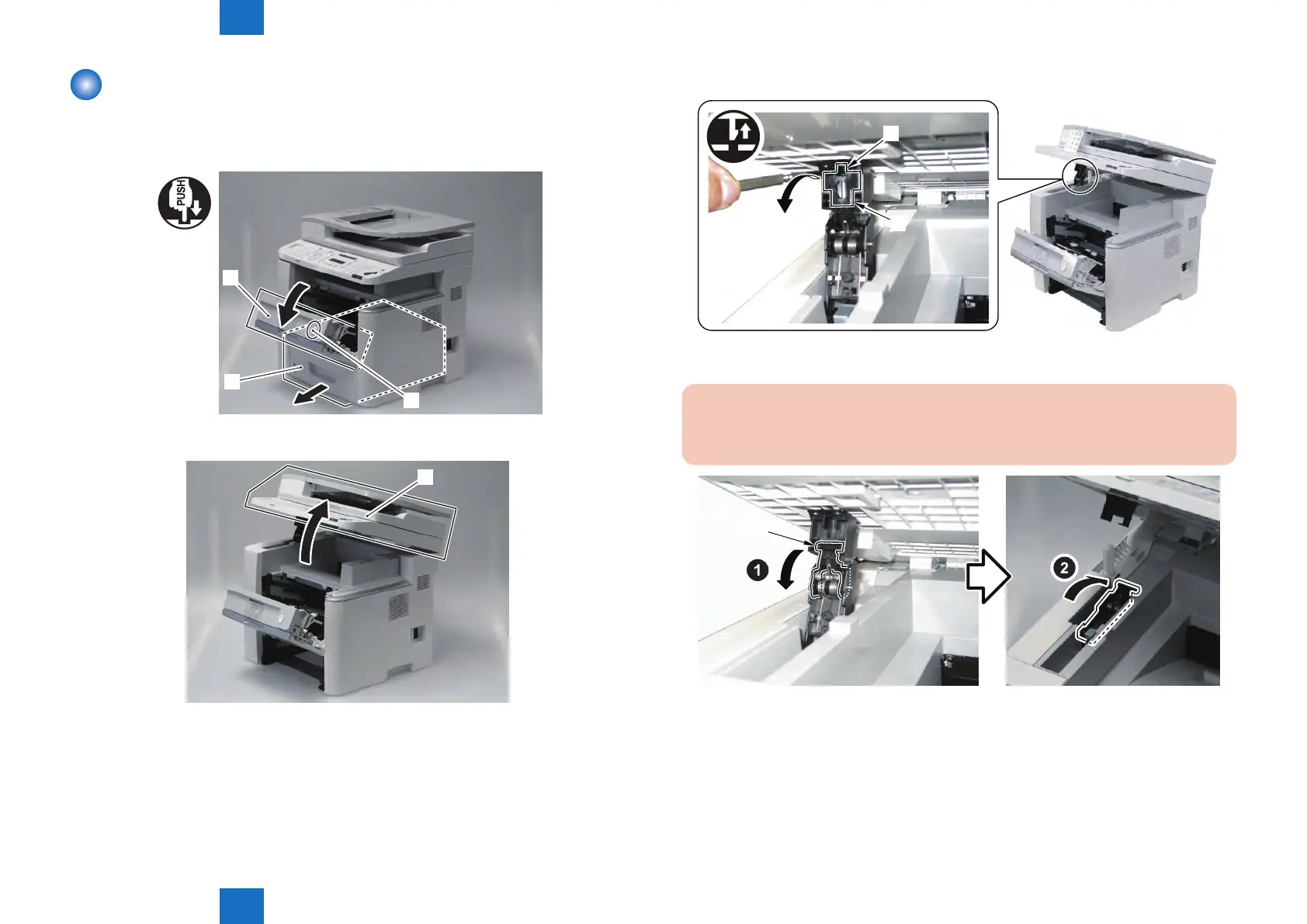
1) Remove the cassette [1].
2) Press the Open button [2], and open the Front Cover[3].
[2]
[1]
[3]
3) Open the ADF Unit + Reader Unit [1].
[1]
F-4-20
F-4-21
4) Release the claw [1], and remove the Arm Cover [2].
[2]
[1]
5) Release the Connection of Arm [1] and turn it toward the rear.
CAUTION:
When opening/closing the ADF+Reader Unit after releasing the arm, be sure perform
the work while supporting the ADF+Reader Unit. Be careful not to get your hand caught.
[1]
F-4-22
F-4-23







 To Next Page