4
4
4-45
4-45
Disassembly/Assembly > Controller System > Removing the Controller Box
Disassembly/Assembly > Controller System > Removing the Controller Box
Removing the Controller Box
Preparations
1) Removing the Right Cover Unit.
2) Removing the Left Cover Unit.
3) Removing the Left Rear Cover.
4) Removing the Controller Cover.
5) Removing the NCU PCB.(FAX Model Only)
6) Removing the Main Controller PCB.
Procedure
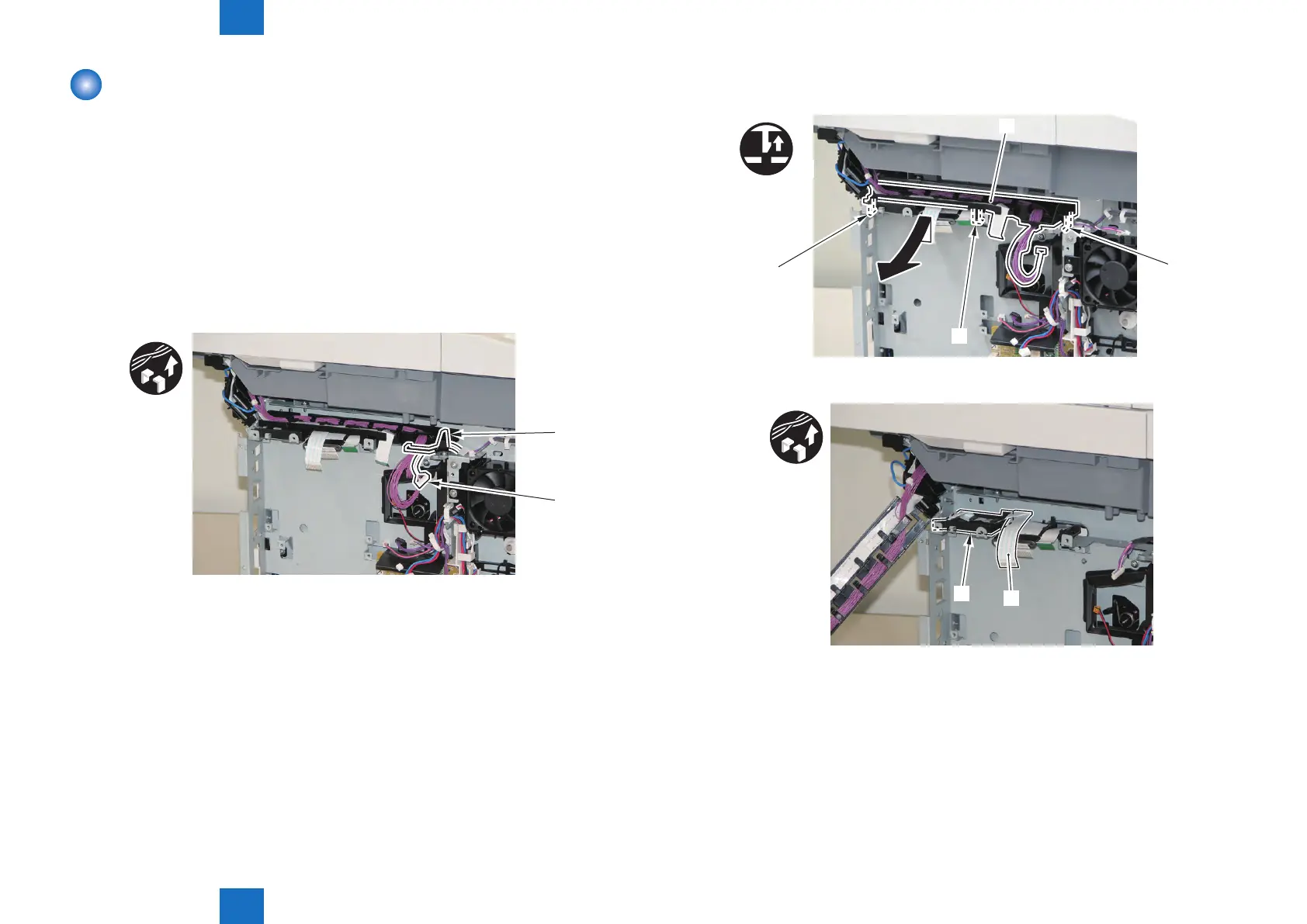
1) Remove the 2 Harnesses [1] from the Harness Guide [2].
• 1 Edge Saddle [3]
[A]
[1]
F-4-108
2) Remove the Harness Guide [1].
• 3 Claws [2]
x3
[1]
[2]
[2]
[2]
3) Remove the Flat Cable [1] from the Harness Guide [2].
[1]
[A]
F-4-109
F-4-110







 To Next Page