4
4
4-13
4-13
Disassembly/Assembly > External Cover (D1300 Series) > Removing the Left Cover Unit
Disassembly/Assembly > External Cover (D1300 Series) > Removing the Left Cover Unit
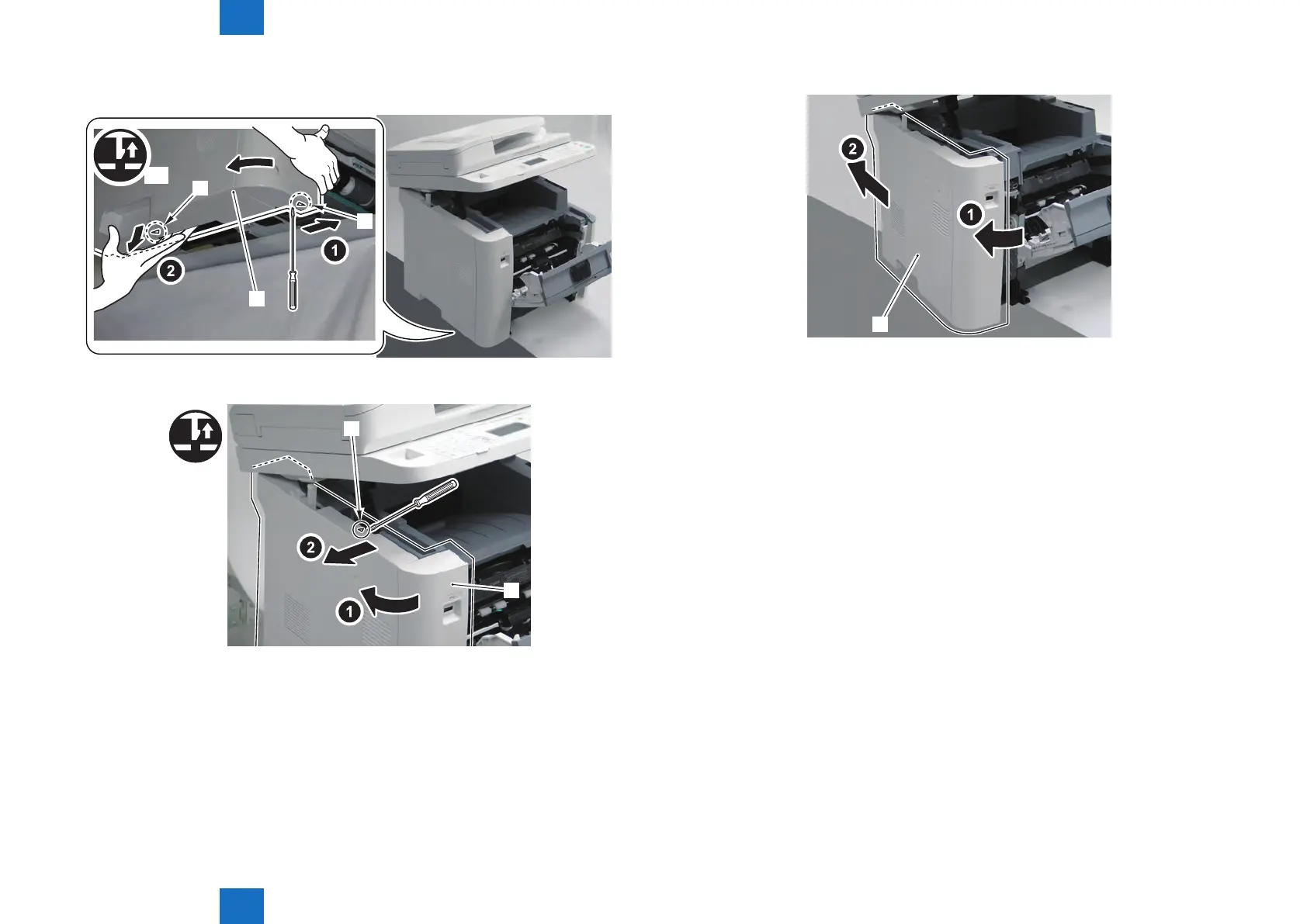
6) While opening the Left Cover Unit [1] in the direction of the arrow, release the 2 Claws [2]
at lower side.
[1]
[2]
[2]
x2
7) Release the claw [2] while pulling the Left Cover Unit [1] in the direction of the arrow.
[1]
[2]
F-4-13
F-4-14
8) Remove the Left Cover Unit [1] in the direction of the arrow.
[1]
F-4-15







 To Next Page