4
4
4-23
4-23
Disassembly/Assembly > External Cover (MF5900/MF6100) > Removing the Right Cover
Disassembly/Assembly > External Cover (MF5900/MF6100) > Removing the Right Cover
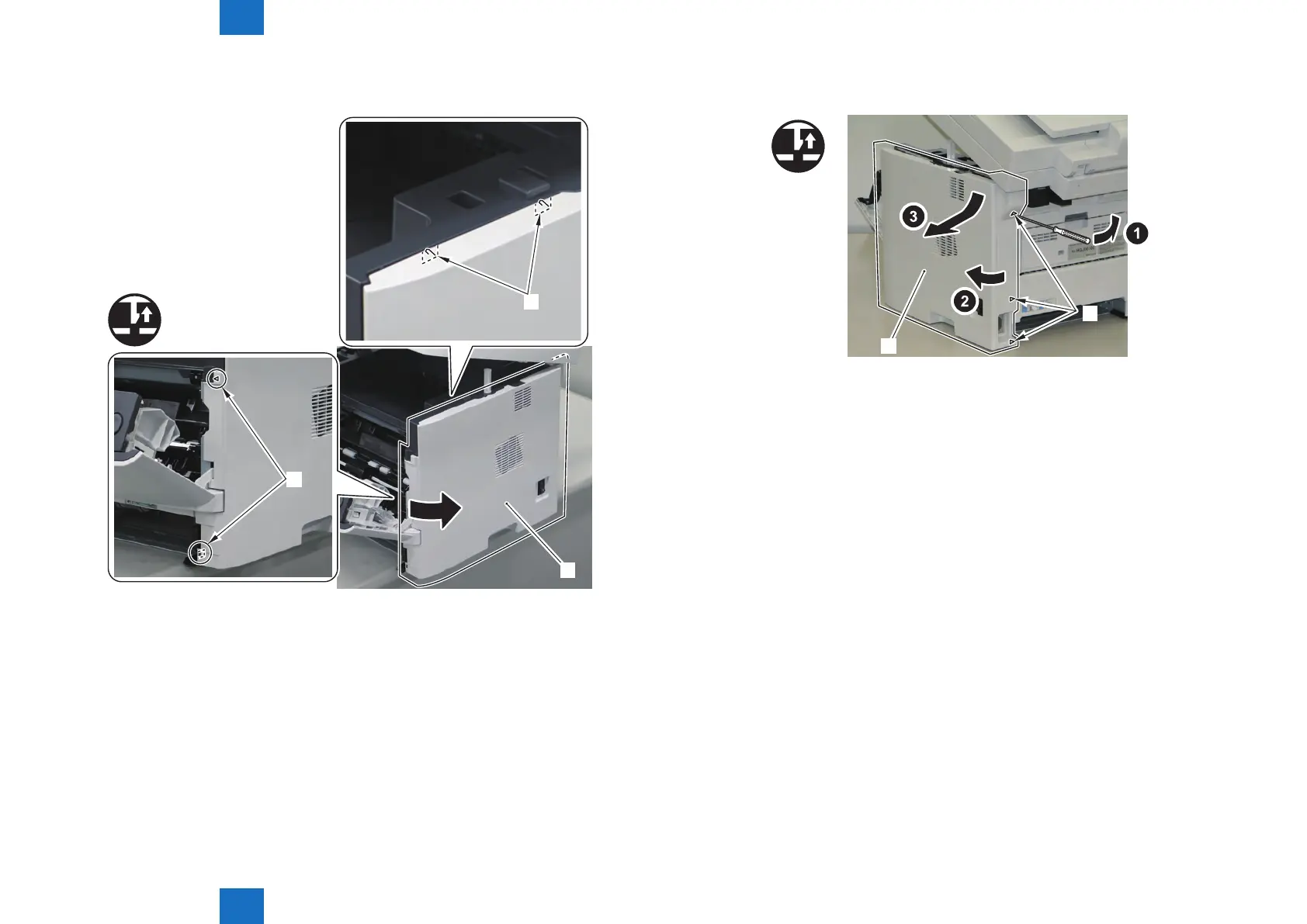
5) Open the ADF Unit + Reader Unit [1], and release the 2 Claws [3] while pulling the Right
Cover Unit [2] in the direction of the arrow.
[1]
[2]
x4
[2]
F-4-46
6) Remove the Right Cover Unit [1].
• 3 Claws [2]
[1]
[2]
x3
F-4-47







 To Next Page