3FEVDJOHUIFDVUUJOHTQFFE
If cutting is not performed smoothly for certain types of tube or label tape, try reducing the cutting speed.
The cutting speed can be adjusted to one of two levels (“Normal” and “Low”) for half cuts and for full cuts,
respectively. This adjustment can also be made separately for different types of print media.
FY'VMMDVUUJOHEPFTOPUXPSLXFMMTPSFEVDFUIFDVUUJOHTQFFE
1SFTT<"EKVTU>
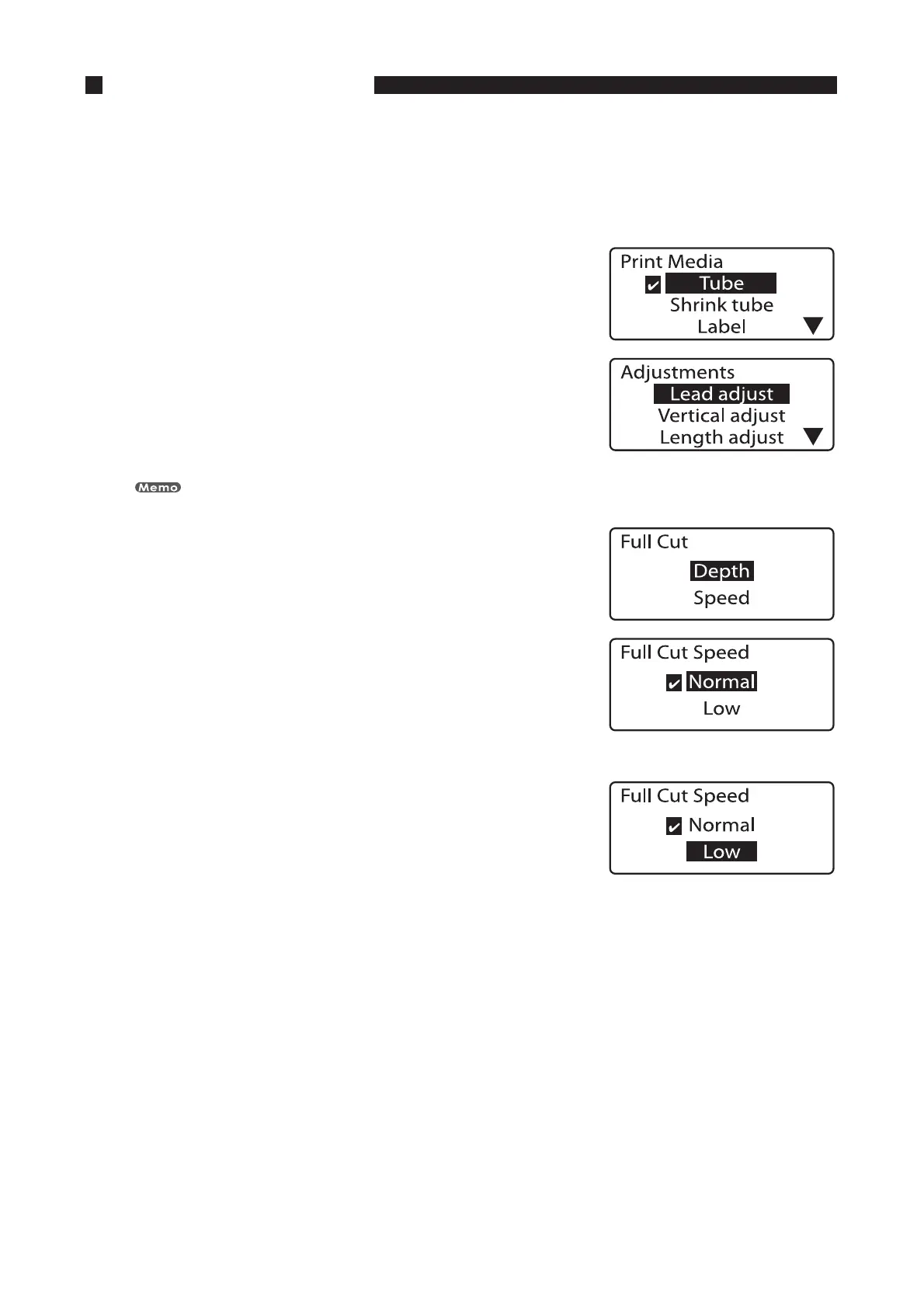
The Print Media display appears.•
1SFTT<
▲
>PS<
▼
>UPTFMFDUi5VCFuBOEUIFOQSFTT<&OUFS>
Select the type of print media for which the adjustment is to be
made.
Press [Enter] to display the Adjustments display.
The cutting speed can be set separately for different types of printing media.
•
•
1SFTT<
▲
>PS<
▼
>UPTFMFDUi'VMMDVUuBOEUIFOQSFTT<&OUFS>
The Full Cut display appears.•
1SFTT<
▲
>PS<
▼
>UPTFMFDUi4QFFEuBOEUIFOQSFTT<&OUFS>
The cutting speed adjustment display appears.•
*OEJDBUFTUIBUUIFDVUUJOHTQFFEJTTFUUP
UIFOPSNBMTFUUJOH
1SFTT<
▲
>PS<
▼
>UPTFMFDUi-PXu
1SFTT<&OUFS>
The display returns to the character input display. The cutting
speed has now been reduced.
•








 To Next Page