#BTJD0QFSBUJPOT
1BSU
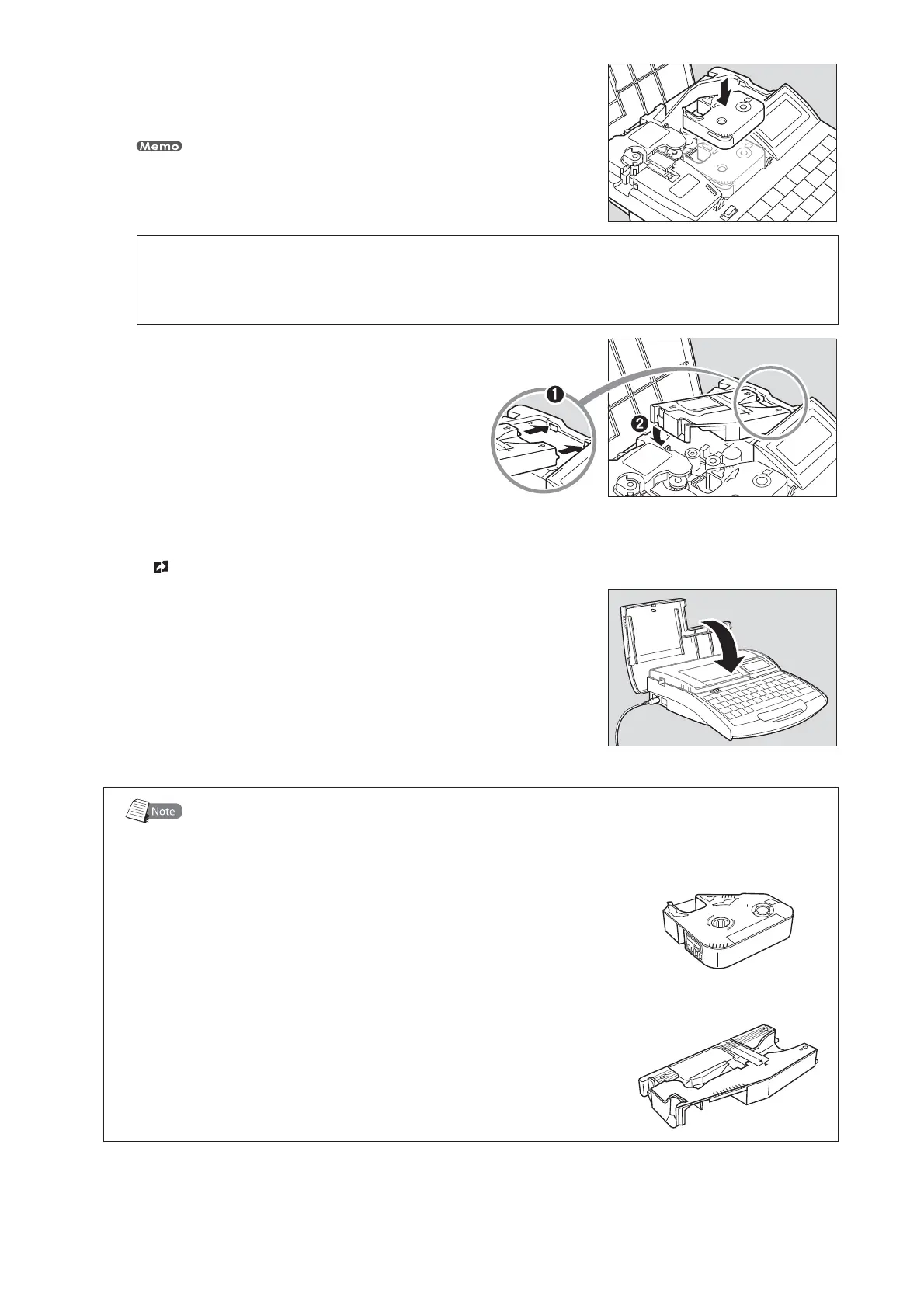
*OTUBMMUIFSJCCPODBTTFUUFJOUPUIFQSJOUFS
Push the cassette in until it clicks into the place.
If the ribbon cassette is loose, the ribbon may not be detected, so be sure to press it in until
it clicks.
•
CAUTION
%POPUUPVDIUIFDPOOFDUPSNFUBMQBSU
Do not hold the connection terminal (metal part) of the cassette. Doing so could cause
an improper recognition of the cassette.
*OTUBMMUIFUVCFBUUBDINFOUJOUPUIFQSJOUFS
Align the tabs on the tube attachment with the
holes in the printer, and then push the tube
attachment in until it clicks into the place.
•
3FNPWFUIFXSBQBSPVOEUBQFHVJEF
page 18.•
$MPTFUIFDPWFS
Close the cover completely so that it clicks shut.•
*OLSJCCPODBTTFUUFBOEUVCFBUUBDINFOU
The ink ribbon cassette and tube attachment shown
below are supplied with the printer.
*OLSJCCPODBTTFUUF
The ink ribbon cassette contains a ribbon that contains
special ink. The ink is printed on a tube or label tape by
applying heat to the ribbon.
5VCFBUUBDINFOU
The tube attachment is used to print characters on a tube.
It feeds a tube into the printer.








 To Next Page