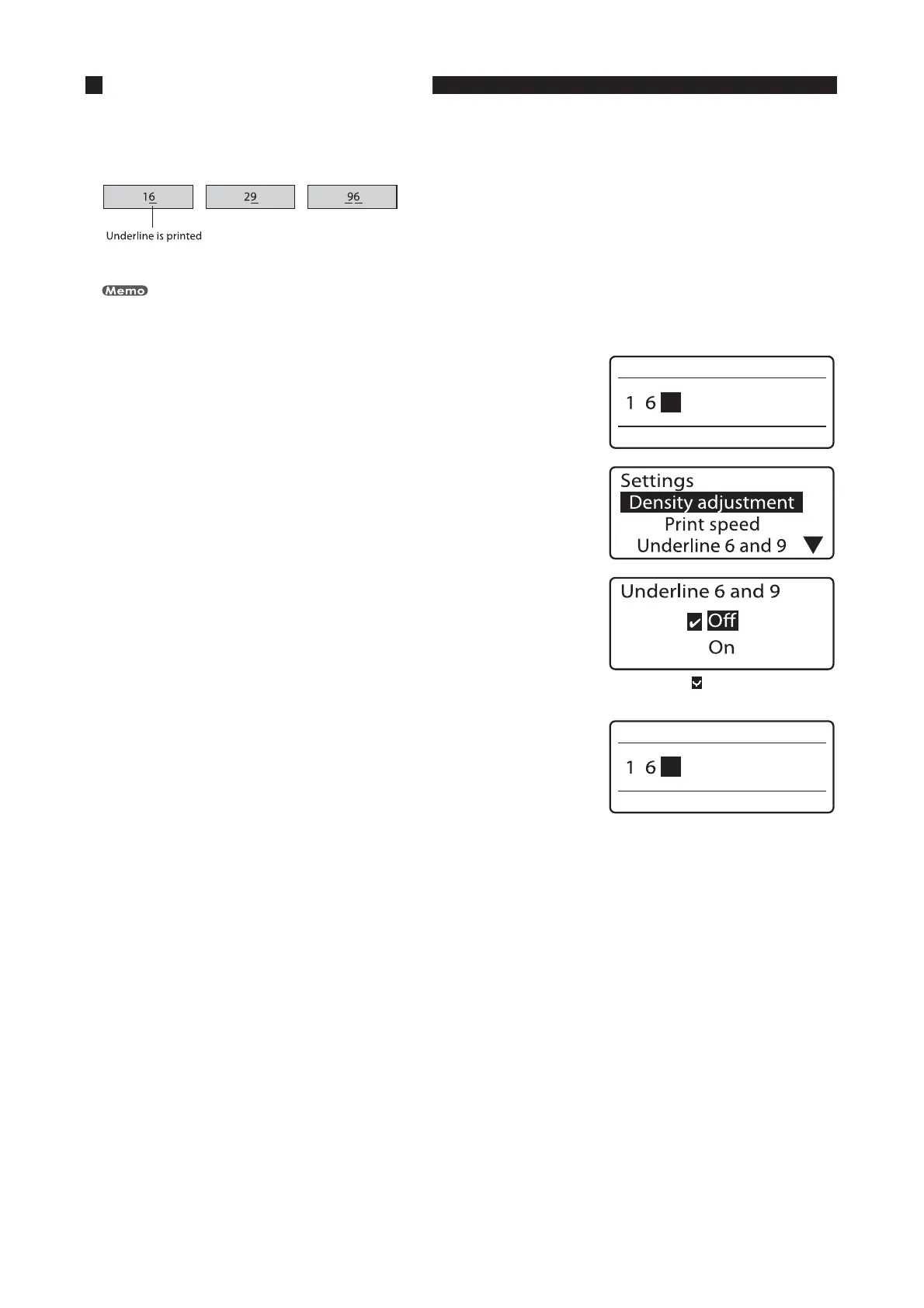
"EEJOHBOVOEFSMJOFUPiuBOEiu
In order to make it easier to distinguish sixes and nines, both characters can be printed with an underline.
Initially, the printer prints sixes and nines without an underline.
This function cannot be changed for individual pages.
*OQVUUIFDIBSBDUFST
1SFTT<'VOD>
The Settings display appears.•
1SFTT<
▲
>PS<
▼
>UPTFMFDUi6OEFSMJOFBOEuBOEUIFOQSFTT
<&OUFS>
The “Underline 6 and 9” selection display appears.•
"DIFDLNBSL JTEJTQMBZFEOFYUUPUIF
DVSSFOUMZTFMFDUFETFUUJOH
1SFTT<
▲
>PS<
▼
>UPTFMFDUi0OuBOEUIFOQSFTT<&OUFS>
The display returns to the character input display; you can now
begin printing with the new setting.
•









 To Next Page