#BTJD0QFSBUJPOT
1BSU
*GZPVBDDJEFOUBMMZJOQVUBOJODPSSFDUDIBSBDUFS
Follow the procedure described below to make changes if you accidentally input an
incorrect character.
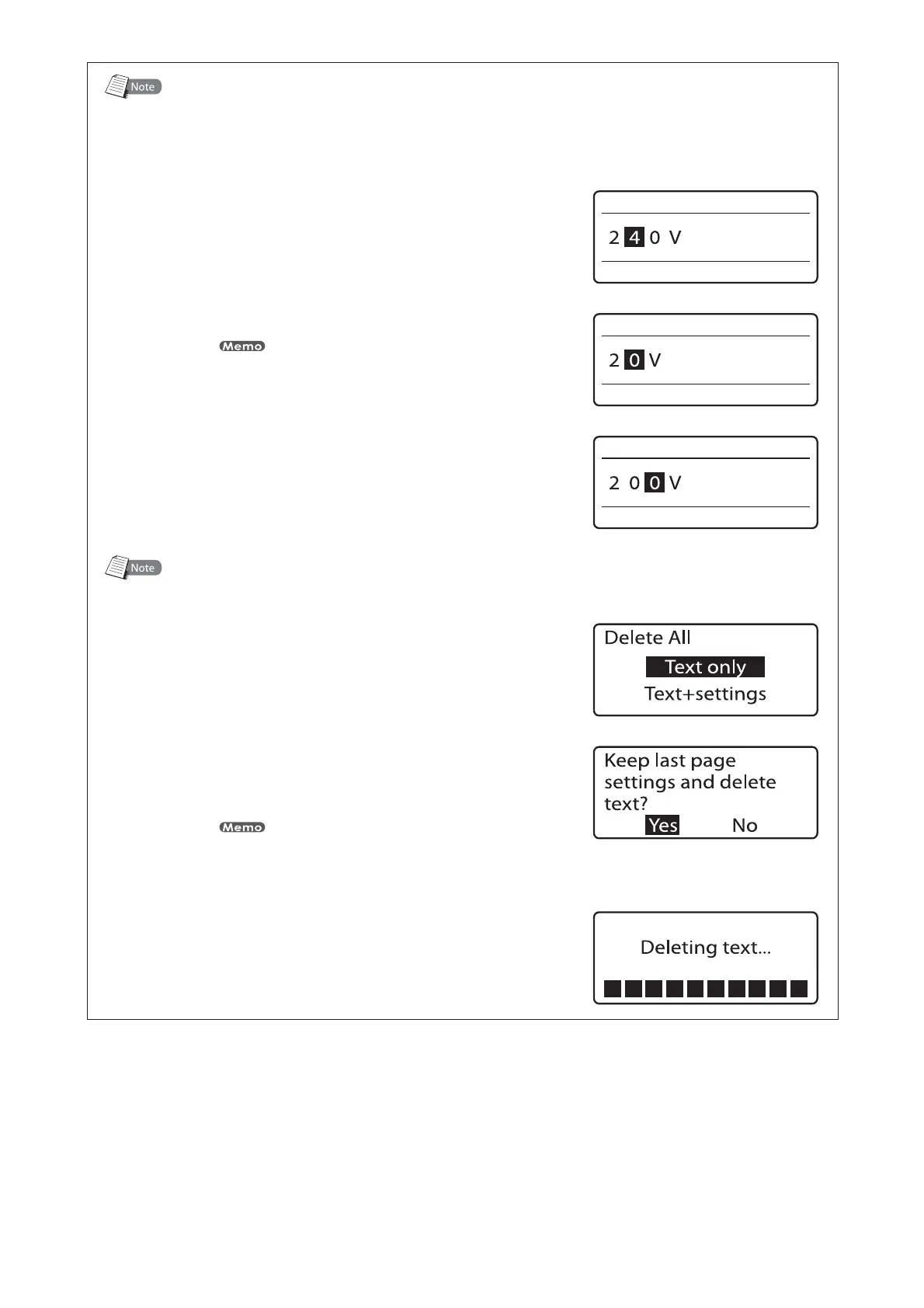
FY:PVNFBOUUPJOQVUi7uCVUBDDJEFOUBMMZJOQVUi7u
1SFTT<
◄
>PS<
►
>BOENPWFUIFDVSTPS
UP
UIFiu
1SFTT<%FM>UPEFMFUFUIFiu
If you press [Back Space] instead of [Del], the character to the left of
the cursor (“2” in this case) is deleted.
1SFTTiuUPJOQVUUIFDPSSFDUDIBSBDUFS
%FMFUJOHBMMFOUFSFEUFYU
Follow the procedure described below to delete all characters input on all pages.
1SFTT<%FM"-->
The Delete All selection display appears.•
1SFTT<
▲
>PS<
▼
>UPTFMFDUi5FYUPOMZuBOE
UIFOQSFTT<&OUFS>
The deletion confirmation display appears.
When only the text is deleted, settings such as Orientation, Character
Size, Seg Length, Frame, Lines, Character Space, Continuous Print,
and Numbering remain unchanged.
•
1SFTT<
◄
>PS<
►
>UPTFMFDUi:FTuBOEUIFO
QSFTT<&OUFS>
When the message shown at right appears, text
data on all pages is deleted.
•




 To Next Page