1SJOUJOHPOUXPMJOFTPSUISFFMJOFT
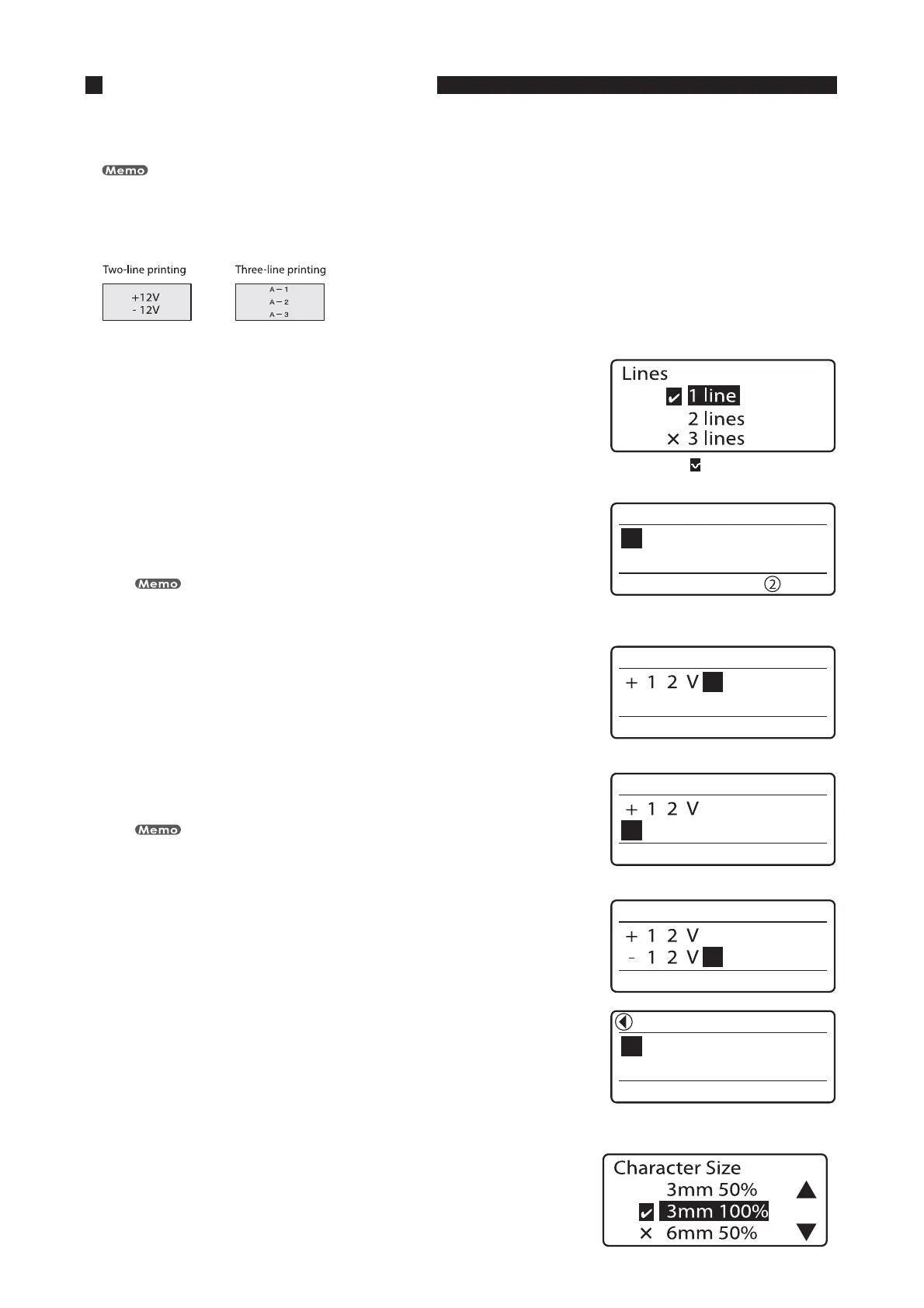
It is possible to print on two lines or three lines as shown below. Initially, the printer is set to print on one line.
The number of lines to be printed can be changed for individual pages.
FY $SFBUFUIFGPMMPXJOHMBCFMT
1SFTT<4FU-JOFT>
Since the first label has two lines, you must first press [Set Lines].•
"DIFDLNBSL JTEJTQMBZFEOFYUUPUIF
DVSSFOUMZTFMFDUFEOVNCFSPGMJOFT
1SFTT<
▲
>PS<
▼
>UPTFMFDUiMJOFTuBOEUIFOQSFTT<&OUFS>
The character input display changes to two lines.
An “×” appears next to number of lines that are not available.
•
5IFTFMFDUFEOVNCFSPGMJOFTJT
EJTQMBZFE
*OQVUi7u
5IFDIBSBDUFSTBSFJOQVUPOUIFGJSTUMJOF
1SFTT<
▼
>PS<
►
>
If you press [Enter] instead of [
▼
] or [
►
], a new page is created.
5IFDVSTPSNPWFTUPUIFTFDPOEMJOF
*OQVUi7u
1SFTT<&OUFS>
A new page is created, and the printer waits for the next character
to be input.
•
*OEJDBUFTUIBUBOPUIFSQBHFQSFDFEFT
UIFDVSSFOUMZEJTQMBZFEQBHF
1SFTT<$IBS4J[F>
The Character Size selection display appears.•








 To Next Page