4BGFUZ1SFDBVUJPOT
In order to ensure safe operation of the printer, be certain to observe the following safety precautions.
The shape of the power plug varies according to country.
WAR NING
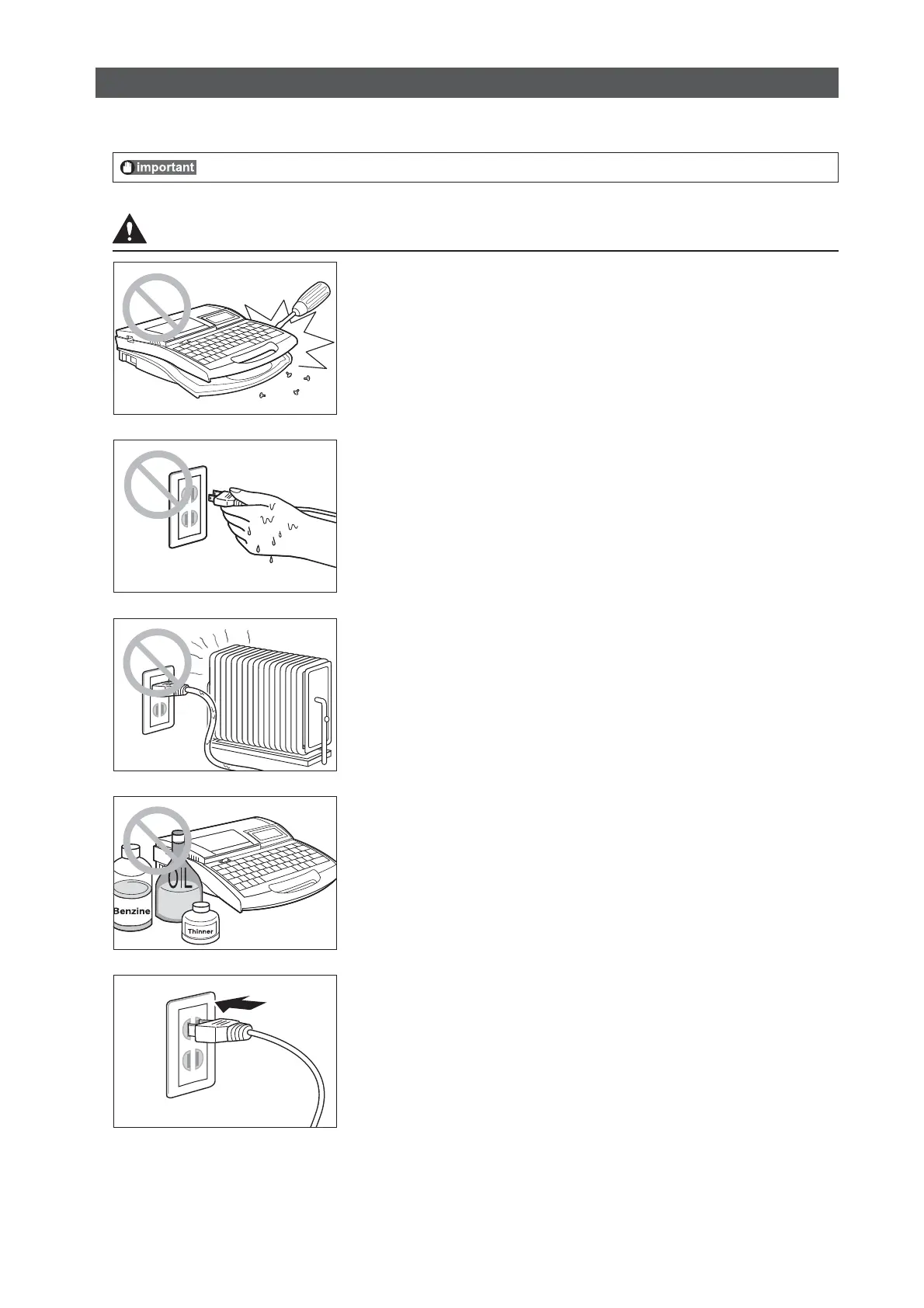
%POPUEJTBTTFNCMFPSNPEJGZUIFVOJU
Disassembling or modifying the unit could cause a fire or damage the
unit.
%POPUIBOEMFUIFQPXFSDPSEXJUIXFUIBOET
Do not attempt to plug in or unplug the AC adapter plug, etc., while
your hands are wet. Doing so could result in electric shock.
%POPUQMBDFUIFVOJUJOUIFWJDJOJUZPGIFBUJOHEFWJDFT
Do not place the unit or the AC adapter cord in the vicinity of heating
devices. Doing so could cause the unit or the cord to melt, which could
result in fire or electric shock.
,FFQBXBZGSPNQBJOUUIJOOFSFUD
Do not place the unit near alcohol, paint thinner, or other flammable
solvents. The solvents could come into contact with internal electric
components and cause a fire or electric shock.
1MVHUIFQPXFSDPSEJOTFDVSFMZ
Be sure to plug the AC adapter plug into the power outlet securely.
Failing to do so could result in a fire or electric shock.
4BGFUZ1SFDBVUJPOT








 To Next Page