*OTFSUUVCF
Tube is not provided with the printer; it must be purchased separately. The printer can print on tube with a
diameter ranging from 2.5mm to 6.5mm. Note that the printer will not print properly on tube that is bumpy,
dirty, or of uneven thickness.
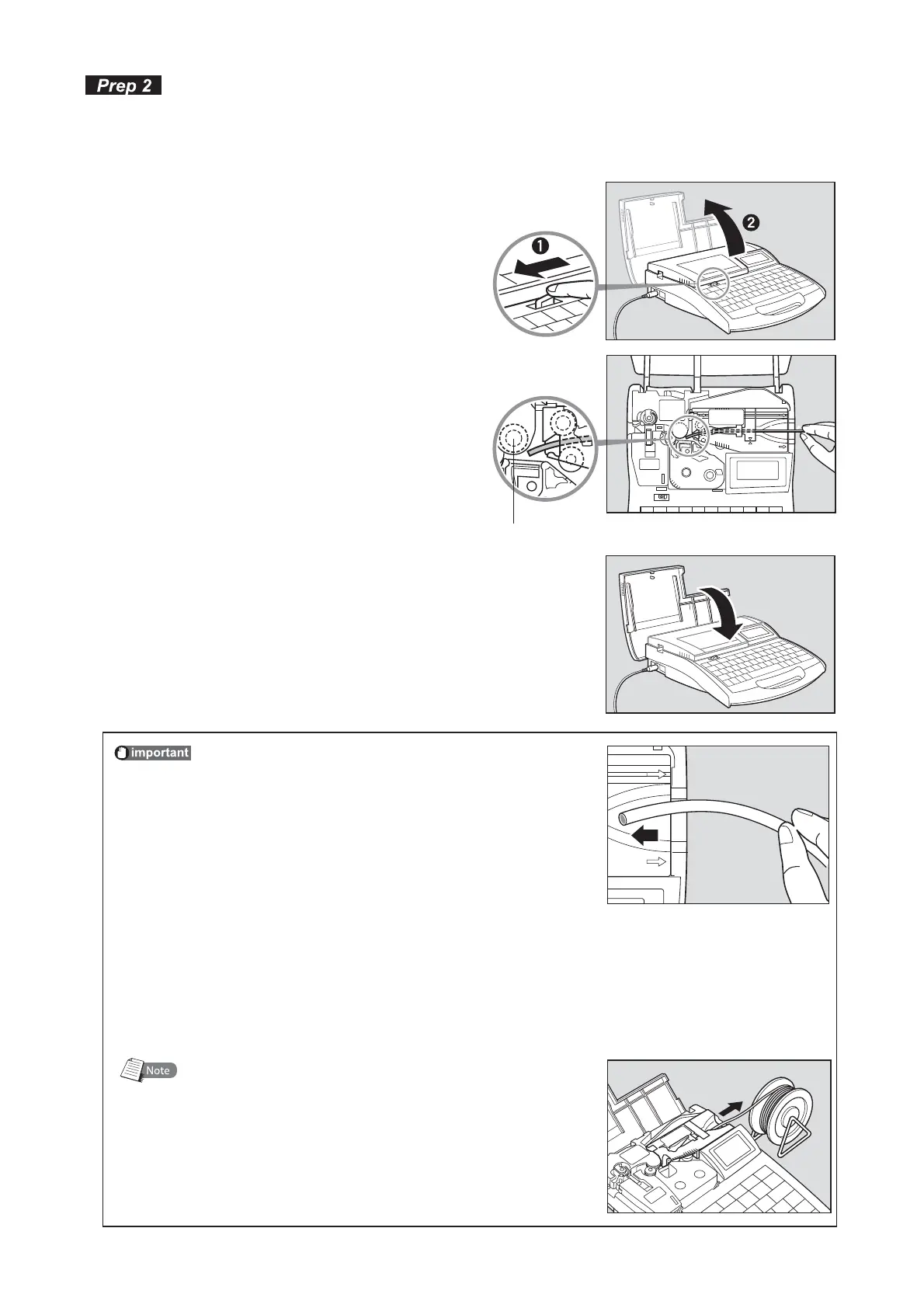
0QFOUIFDPWFS
*OTFSUBUVCF
Insert the tube into the intake, and push the tube
in until it touches the transport roller 2.
•
5SBOTQPSUSPMMFS
$MPTFUIFDPWFS
Close the cover completely so that it clicks shut.•
1BZBUUFOUJPOUPXBSQPGUIFUVCF
Insert the tube with the warp oriented as shown in the
figure. If the tube is inserted in a wrong orientation, it
can jam and cause a feed error.
CAUTION
8IFOUVCFQSFTFODFDBOOPUCFEFUFDUFE
Depending on the type of tube, this machine may be unable to detect whether the tube is
present. In such cases, use the clear tube mode for printing. However, in the clear tube
mode, the machine cannot detect when the tube supply has run out.
When the tube supply has run out, hold down [Canc] until the printer beeps.
8IFOVTJOHBUVCFSFFM
Adjust the tube reel so that the load does not exceed
4.9N (500gf). If the load is too great, the tube will
stretch and the cutting position will shift. Note that if
the optional Tube Feeder is installed, a load of up to
7.8N (800gf) can be accommodated.




 To Next Page