$IBSBDUFS*OQVU
1BSU
%FMFUJOH$IBSBDUFST$SFBUJOH/FX1BHFT
.PWJOHUIF$VSTPS
%FMFUJOHPSDIBOHJOHDIBSBDUFST
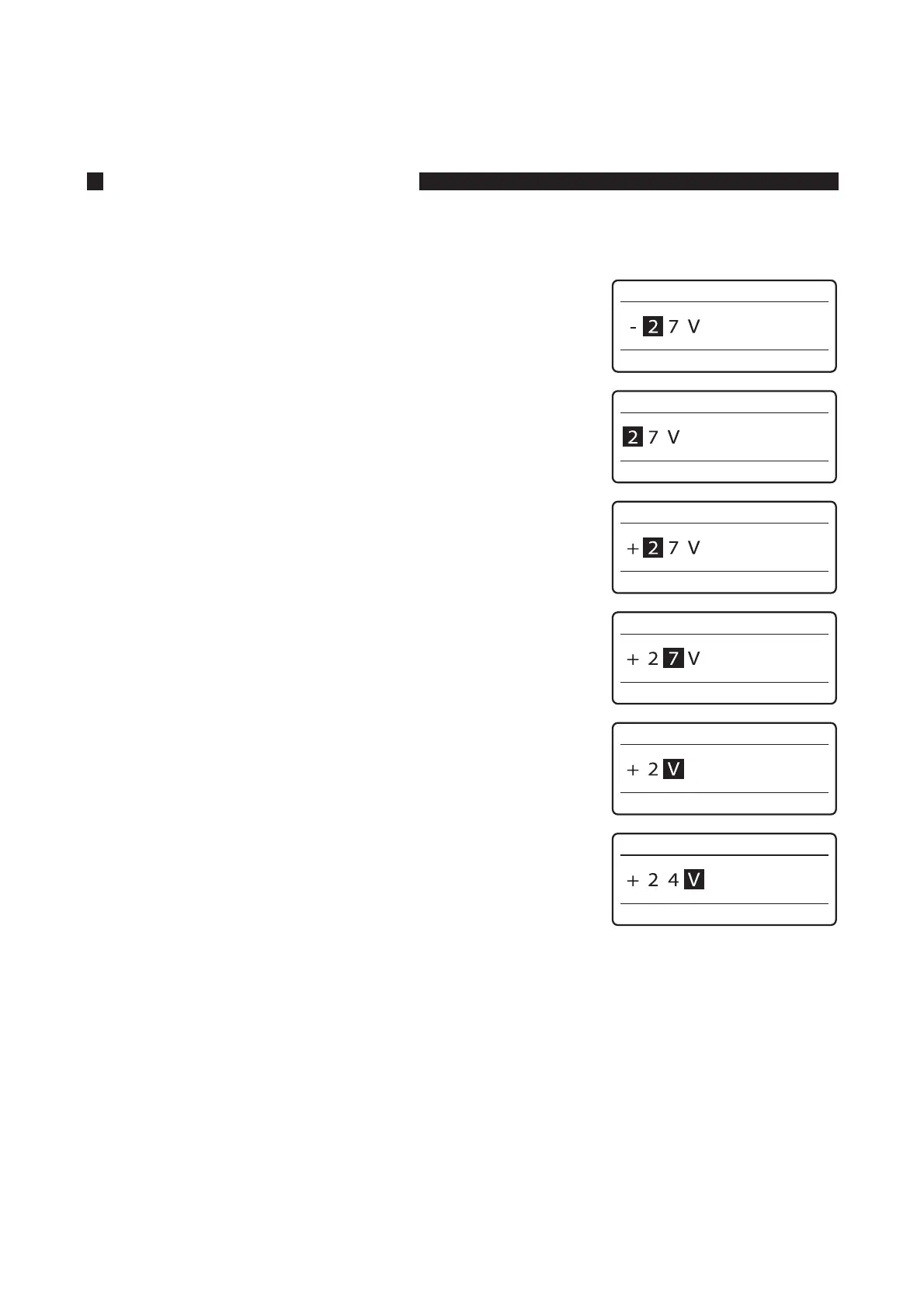
There are two methods for deleting characters: one uses the [Back Space] key, and the other uses the [Del] key.
FY$IBOHFi7uUPi7u
.PWFUIFDVSTPSUPUIFiuUPUIFSJHIUPGUIFiu
Press [
◄
] or [
►
] to move the cursor.•
1SFTT<#BDL4QBDF>UPEFMFUFUIFiu
The [Back Space] key deletes the character that is located to
the left of the cursor.
•
1SFTT<>
.PWFUIFDVSTPSUPUIFiu
Press [
◄
] or [
►
] to move the cursor.•
1SFTTUIF<%FM>LFZUPEFMFUFUIFiu
The [Del] key deletes the character at the cursor.•
1SFTT<>








 To Next Page