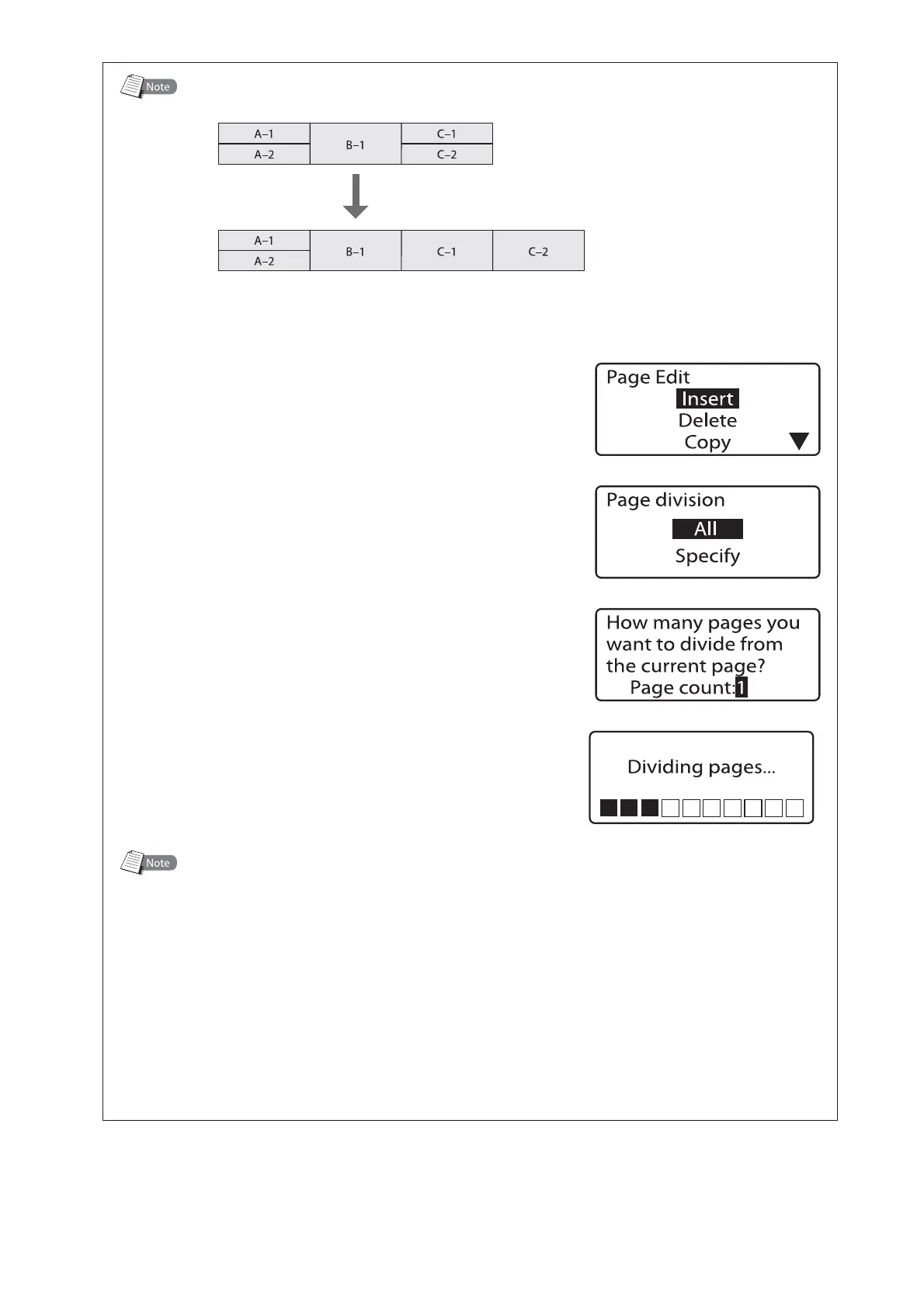
%JWJEJOHBUBTQFDJGJFEQBHF
FY%JWJEFPOMZUIFUIJSEQBHF
.PWFUIFDVSTPS
■
UPUIFGJSTUQBHFZPV
XBOUUPEJWJEF
1SFTT<&EJU>
The Page Edit display appears.•
1SFTT<
▲
>PS<
▼
>UPTFMFDUi%JWJTJPOuBOEUIFO
QSFTT<&OUFS>
The Page division selection display appears.•
1SFTT<
▲
>PS<
▼
>UPTFMFDUi4QFDJGZuBOEUIFO
QSFTT<&OUFS>
*OQVUiuGPSUIFOVNCFSPGQBHFTUPEJWJEF
GSPNUIFDVSSFOUQBHFBOEUIFOQSFTT<&OUFS>
After the display shown at right is displayed,
the final divided page appears.
•
1BHF%JWJTJPO
When a page with one line is divided, the same data is duplicated on the newly created
page.
The page on which characters are entered on three lines cannot be divided.
Page division is disabled when sequential numbers are enabled.
When a page is divided, the following settings revert to their default values.
Orientation: Hor/Hor char, Character Size: 3mm 100%, Character Space: Narrow, Seg
Length: Automatic, Continuous print: 1
Segment Length may be changed when character size reset to 3mm Normal. Data that would
extend beyond the 150mm Segment Length is deleted, so we recommend saving data to a
file before dividing pages.
•
•
•
•








 To Next Page