#BTJD0QFSBUJPOT
1BSU
*OTUBMMUIFSJCCPODBTTFUUFJOUPUIFQSJOUFS
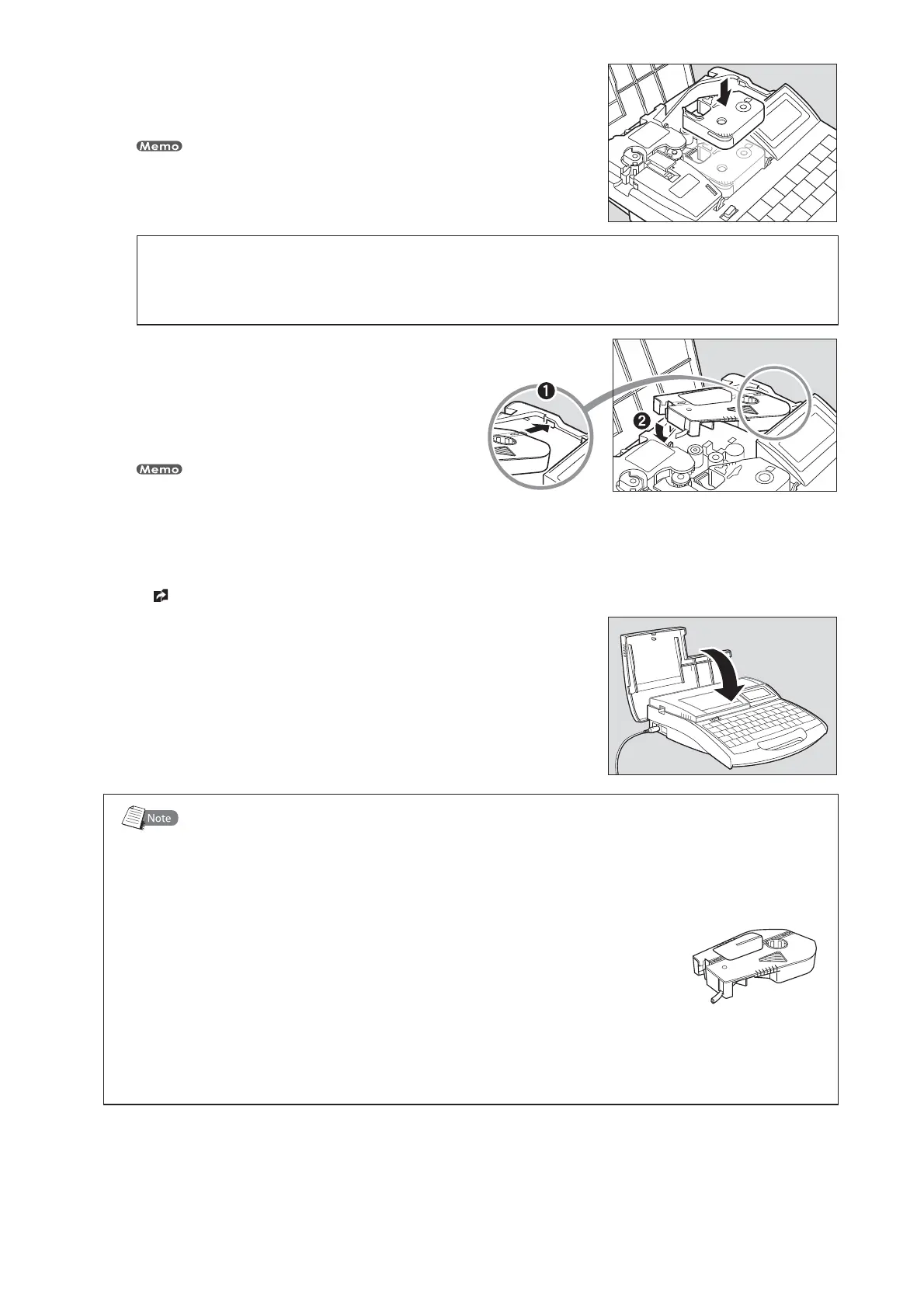
Push the cassette in until it clicks into the place.
If the ribbon cassette is loose, the ribbon may not be detected, so be sure to press it in until
it clicks.
•
CAUTION
%POPUUPVDIUIFDPOOFDUPSNFUBMQBSU
Do not hold the connection terminal (metal part) of the cassette. Doing so could cause
an improper recognition of the cassette.
*OTUBMMUIFMBCFMUBQFDBTTFUUFJOUPUIFQSJOUFS
Align the tab on the label tape cassette with
the hole in the printer, and then push the
cassette in until it clicks into the place.
Confirm that the release paper is not peeled when setting the
label cassette. Before setting, cut the part where the release
paper is peeled or the end is not straight.
•
3FNPWFUIFXSBQBSPVOEUBQFHVJEF
page 18.•
$MPTFUIFDPWFS
Close the cover completely so that it clicks shut.•
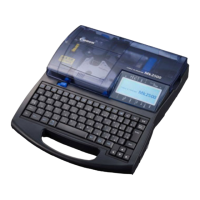
7BSJPVTDBTTFUUFT
These cassettes must be purchased separately. Contact your nearest dealer for details.
-BCFMUBQFDBTTFUUF
This is used to print characters on label tape.
)FBUTISJOLUVCFDBTTFUUF
This is used to print characters on heat shrink tube.
8SBQBSPVOEUBQFDBTTFUUF
This is used to print on wrap around tape.
NN*%TUSJQDBTTFUUF
This is used to print characters on 4mm I.D. strip.








 To Next Page