171
Contents
Preparation/
Setup
Print Using a
Computer
Appendix
IndexPrint/SaveInput/Edit
Names of
Components
Maintenance/
Printer Settings
Trouble-
shooting
10
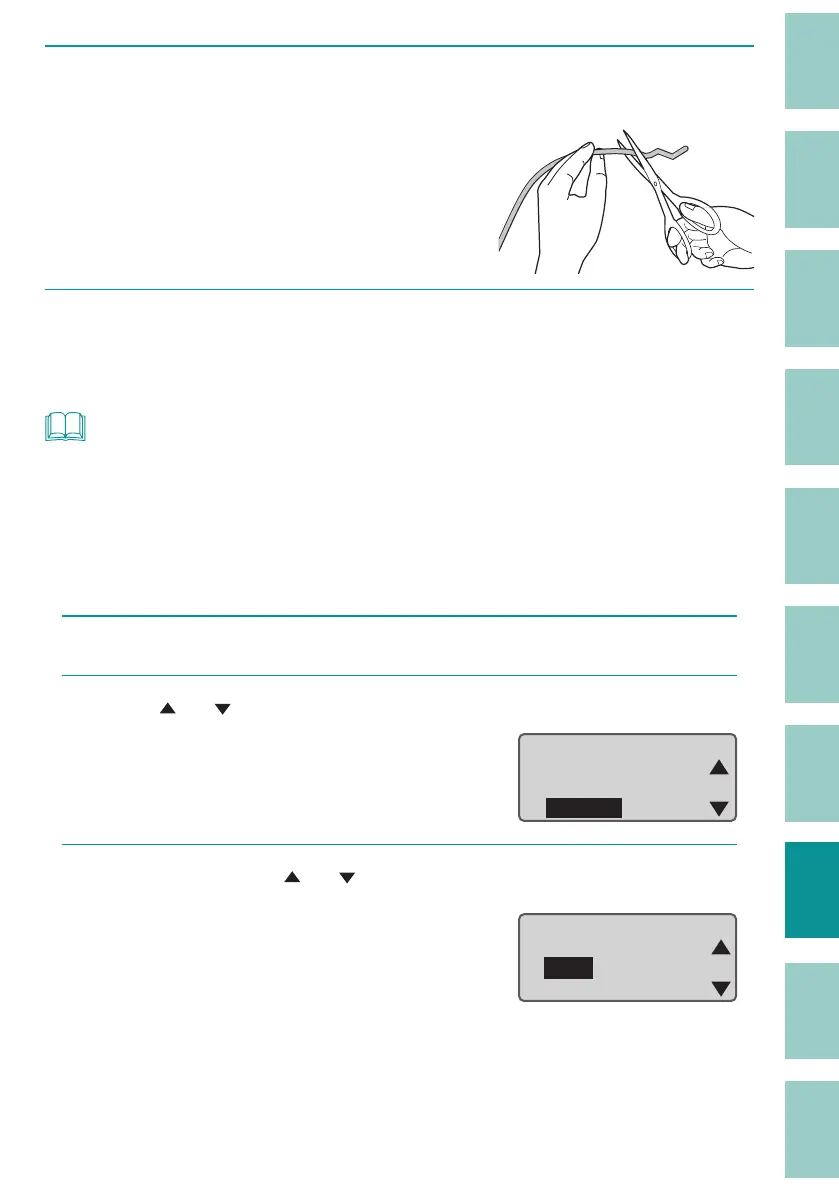
Cut out the bent or damaged portion of the jammed print media or the
printed portion of the print media if it exists.
11
Reload the print media.
(P.21)
NOT
• Using the feed function to remove the print media
If the tube or label tape is in a position where it cannot be removed by hand, use the feed function.
However, if you continue to feed with the feed function, it may damage the print media or the
ribbon in the ribbon cassette might get rolled up, causing it to jam. Only use this function in
extenuating circumstances.
1
Press the [Option] key.
2
Use [ ] or [ ] to select "Others," and then press the [Enter] key.
ɻɻ
Option
Others
Print adjust
Setting
3
Select " Feed" with [ ] or [ ] and press the [Enter] key.
Others
Forced full cut
Feed
Replace cutter


 To Next Page