EasyManua.ls Logo

Canon UC10 - Page 45

Canon UC10
104 pages
Print Icon
To Next Page IconTo Next Page
To Previous Page IconTo Previous Page
Loading...
Basic
Operations
43
Selecting
Video
Channel
H
Video
channel
means
the
channel
in
your
area
which
is
not
used
by
a
broadcasting
station
(Channel
0
or
1).
If
your
TV
does
not
have
audio/video
input
terminals,
your
TV
set
and
the
video
channel
selector
of
the
RU-100
RF
Unit
must
be
set
to
the
video
channel
in
order
to
view
playback.
1.
Turn
TV
on.
2.
Turn
camera
on
and
start
playback.
PLAY
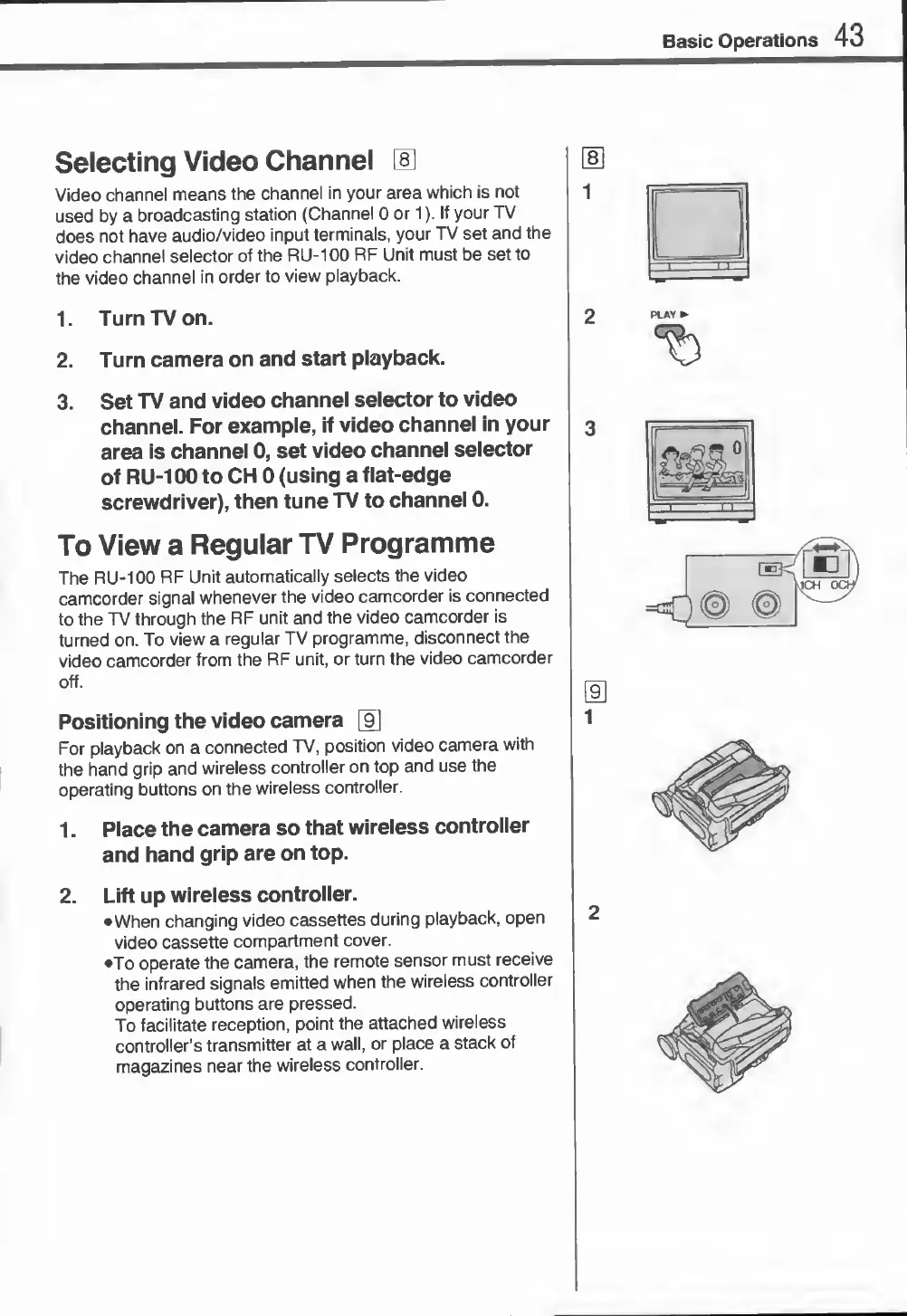
3.
S
et
TV
and
video
channel
selector
to
video
channel.
For
example,
if
video
channel
in
your
area
is
channel
0,
set
video
channel
selector
of
RU-100
to
CH
0
(using
a
flat-edge
screwdriver),
then
tune
TV
to
channel
0.
To
View
a
Regular
TV
Programme
The
RU-100
RF
Unit
automatically
selects
the
video
camcorder
signal
whenever
the
video
camcorder
is
connected
to
the
TV
through
the
RF
unit
and
the
video
camcorder
is
turned
on.
To
view
a
regular
TV
programme,
disconnect
the
video
camcorder
from
the
RF
unit,
or
turn
the
video
camcorder
off.
Positioning
the
video
camera
For
playback
on
a
connected
TV,
position
video
camera
with
the
hand
grip
and
wireless
controller
on
top
and
use
the
operating
buttons
on
the
wireless
controller.
1.
Place
the
camera
so
that
wireless
controller
and
hand
grip
are
on
top.
2.
Lift
up
wireless
controller.
When
changing
video
cassettes
during
playback,
open
video
cassette
compartment
cover.
•To
operate
the
camera,
the
remote
sensor
must
receive
the
infrared
signals
emitted
when
the
wireless
controller
operating
buttons
are
pressed.
To
facilitate
reception,
point
the
attached
wireless
controller’s
transmitter
at
a
wall,
or
place
a
stack
of
magazines
near
the
wireless
controller.

Related product manuals